Activation Overview
Last updated: October 29, 2026
Activation is the process of enrolling a lead with a Charlie setter so Charlie can begin outreach.
We have developed a new section that will allow our users to define targeted rules for enrollment using tags, custom fields, statuses, list memberships, or contact properties.
Enabling activation rules, the leads who meet these criteria will be automatically enrolled in Charlie, without the need for complex processes.
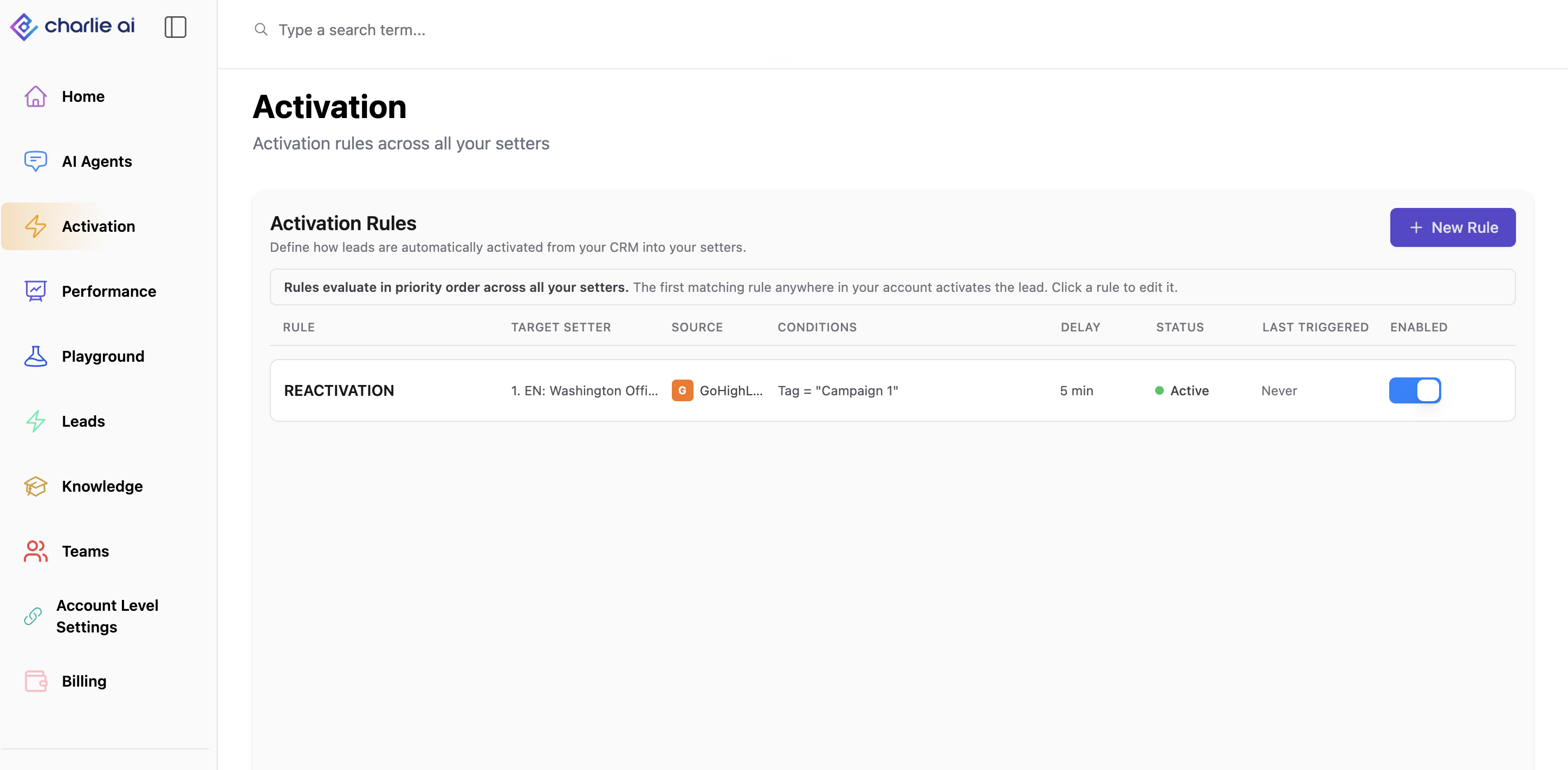
Activation Rule With No Conditions Catches Every CRM Update. Potentially Causing Unintended Lead Activations
What are the rules:
Activation Rules let you define when a lead should enter that process, which setter should handle them, and whether outreach should start immediately or after a delay.
Instead of building a separate CRM workflow solely to activate Charlie, you can configure supported CRM-based activation conditions in Charlie.
Benefits:
Start outreach when a lead meets your criteria, such as receiving a tag or reaching a specific lead status.
Route leads to the setter assigned to the matching rule.
Add a delay before outreach begins.
Control whether previously contacted leads can be reactivated.
How activation works
A supported change occurs in your connected CRM.
Charlie evaluates the contact against the active rules for that source.
When a rule matches and the lead is eligible, Charlie routes the lead to the setter assigned to that rule.
Outreach starts immediately or is queued for the configured delay.
A rule defines the CRM source, conditions, target setter and delay. Reactivation settings provide additional controls for previously contacted leads.
Setting up a rule
Open Activations in Charlie.
Create a rule and give it a descriptive name.
Select your connected CRM source.
Add the conditions the lead must meet.
Select the target setter.
Configure the delay and, if needed, reactivation settings.
Save and enable the rule.
Test it with a small number of leads before using it more broadly.
Understanding conditions
Conditions describe the CRM data Charlie checks when evaluating a lead.
Use AND when every condition in a group must match. Use OR when any condition in a group can match.
Understanding delays
A delay creates a waiting period between a rule matching and Charlie beginning outreach.
The lead may appear in Charlie immediately, even while outreach is still waiting. Seeing the lead record does not mean the delay was ignored. Check the conversation and activation log to distinguish a queued lead from one that has started outreach.
While activation is only queued, “Last Triggered” may still show “Never.” That timestamp is not confirmation that a message was delivered.
If you disable or delete the rule before a queued activation runs, that activation is canceled. Re-enabling the rule does not restart canceled activations. A lead that replies, moves to another setter or becomes ineligible during the delay may also have its scheduled outreach canceled.
Relevant information
Disabling a rule stops that rule, not every other enrollment method. Existing CRM workflows or other activation paths may still enroll a lead.
Avoid overlapping activation methods for the same contacts. They can cause routing conflicts or make a delay appear to have been bypassed.
There is no defined lead-volume limit yet. Start with a small number of leads and verify the results before increasing volume. This is not a promise of unlimited throughput.
Drip control to manage activation volume is planned and is not currently available.
Buyer IQ is currently not supported through activation, we are working to support it, but for now, if you need a financial qualification, will need the usual workflow activation.