Booking manager: mirror values
Last updated: October 28, 2026
Use values in Booking Manager messages to personalize confirmations, reminders, and other booking communications with details relevant to each lead.
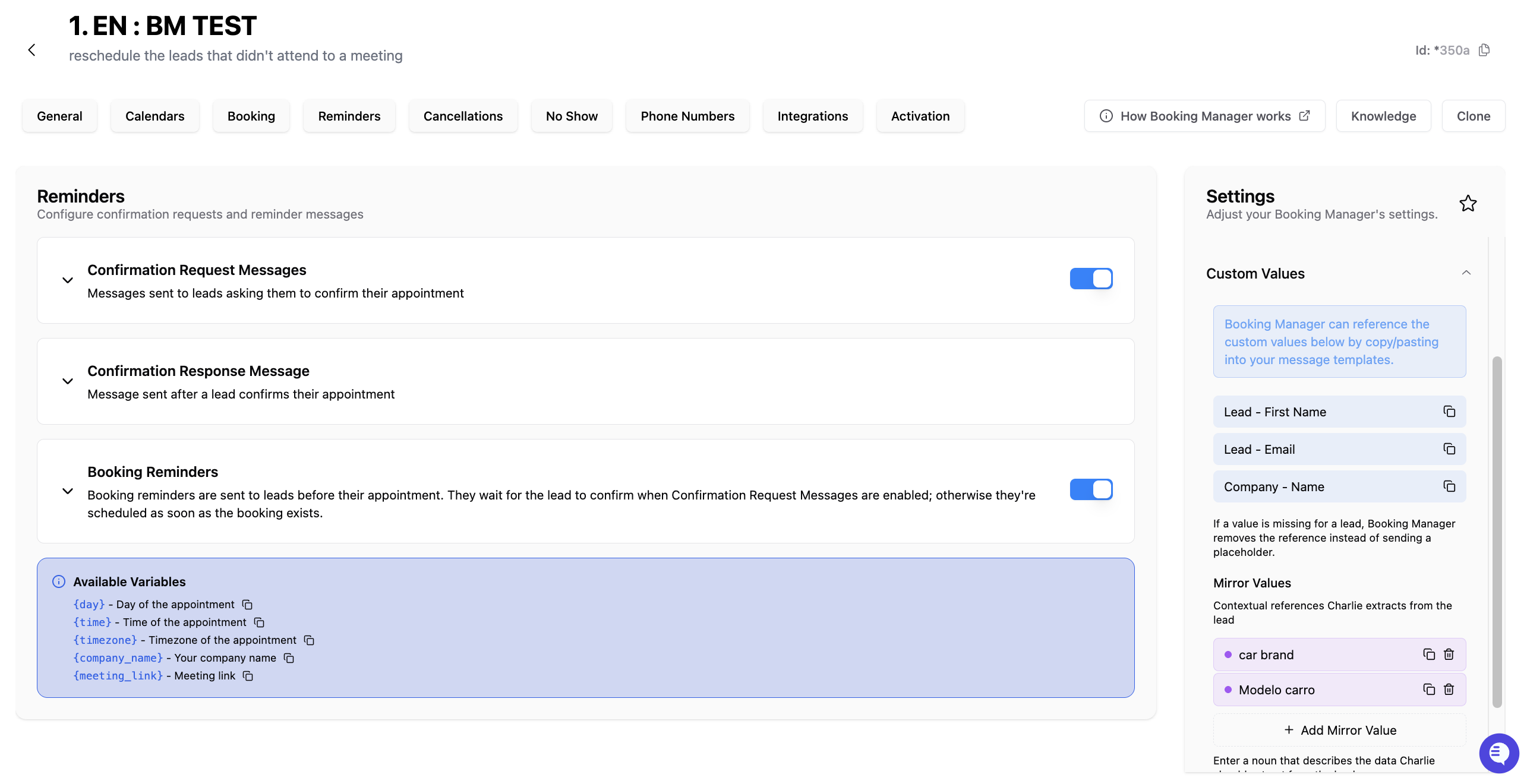
Mirror Values
Mirror Values are details the Booking Manager picks up from the replies of a lead after the Booking Manager is activated.
The Booking Manager saves each value on the lead, uses it in Booking Manager messages, and syncs it with the client's CRM.
Each Booking Manager has its own Mirror Values list, separate from the AI Setter’s.
How Mirror Values are captured
Once Booking Manager is active for a lead, Charlie reads the lead’s replies and saves clearly stated details that match your configured Mirror Values. Charlie does not need to ask a specific question first.
Lead’s reply | Result |
|---|---|
“Im willing to spend 5k.” | Saves |
Saved values show in the lead’s Custom Values.
Every Booking Manager message sent after that replaces {{lead.budget}} with the saved value.
If the lead has no value yet, the message goes out without the placeholder instead of showing {{lead.budget}}.
How To Set Up
On the Booking Manager page, go to Settings → Custom Values.
Under Mirror Values, click + Add Mirror Value, type a short name like budget, and press Enter.
Click the copy icon next to the value and paste it into any Booking Manager message or reminder. It pastes as {{lead.budget}}.
Mirror Value Sync (CRM)
Each Mirror Value can be sent to a field on the lead’s contact in Go High Level or HubSpot.
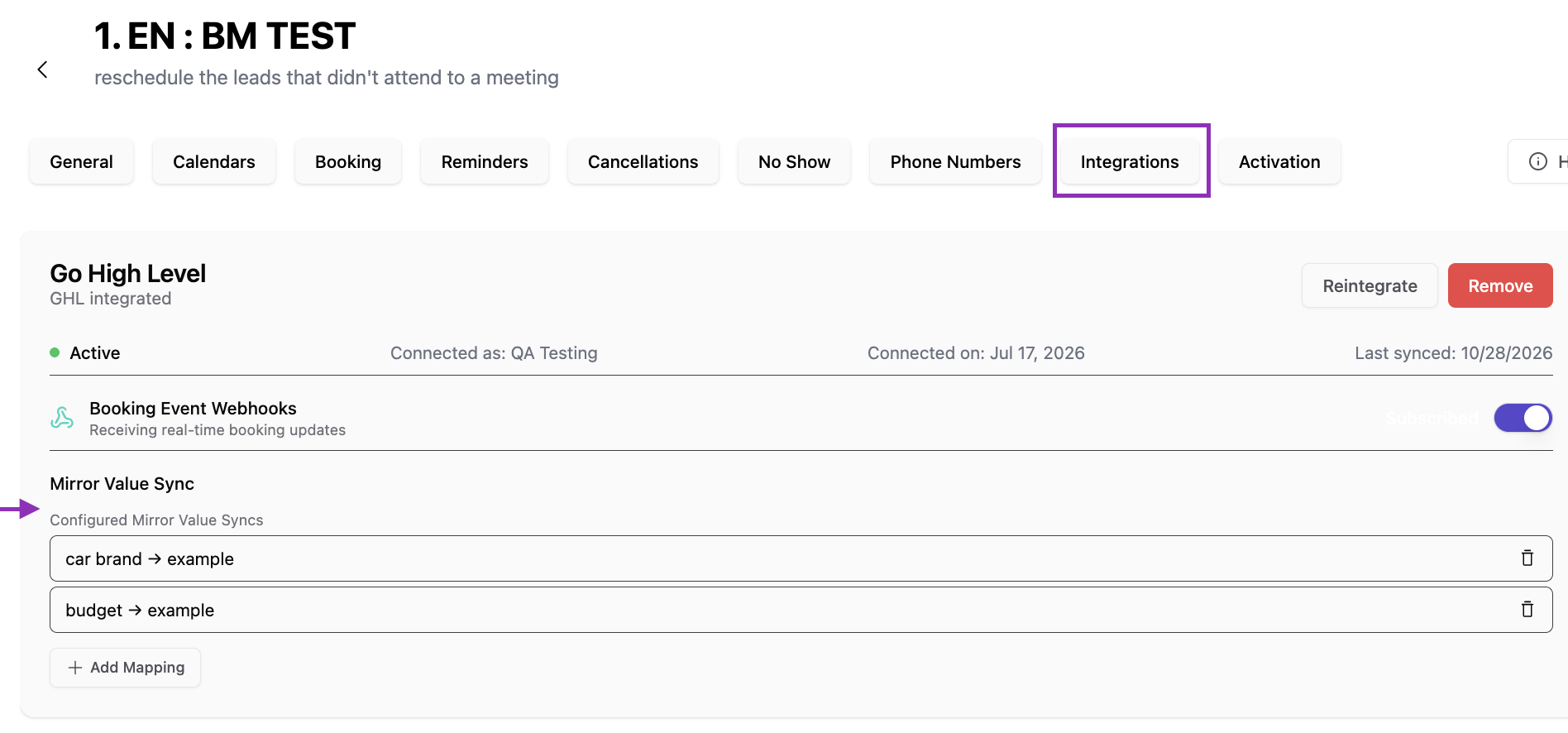
On the Booking Manager page, go to Integrations.
In the connected Go High Level or HubSpot card, open Mirror Value Sync and click Add Mapping.
Pick the Mirror Value, then the GHL Field or HubSpot Property. The mapping appears under Configured Mirror Value Syncs.
Visual guidance
Differences
Custom Value mappings and Mirror Values serve different purposes:
Value type | What it does | Example |
|---|---|---|
Custom Value mapping | Connects a message variable to an existing source field or value. | Include a detail already stored on the lead’s CRM contact. |
Mirror Value | Captures a detail from the lead’s replies after Booking Manager takes over. The saved value can be used in later messages and synced to a CRM field. | Save |