Manychat integration
Last updated: July 3, 2026
Manychat is a third-party automation tool that lets you capture leads from Instagram through comment triggers, keyword DMs, and new-follower automations. Charlie AI does not have a direct native integration with Manychat — instead, you connect the two through Zapier or through your CRM (GHL).
This article covers how to set up that connection.

Prerequisites
A Manychat account (with a paid plan - recommended) connected to your Meta Business Account
A Charlie AI account with at least one AI Setter fully configured
Configuration:
Connect via Your CRM (GHL)
Steps:
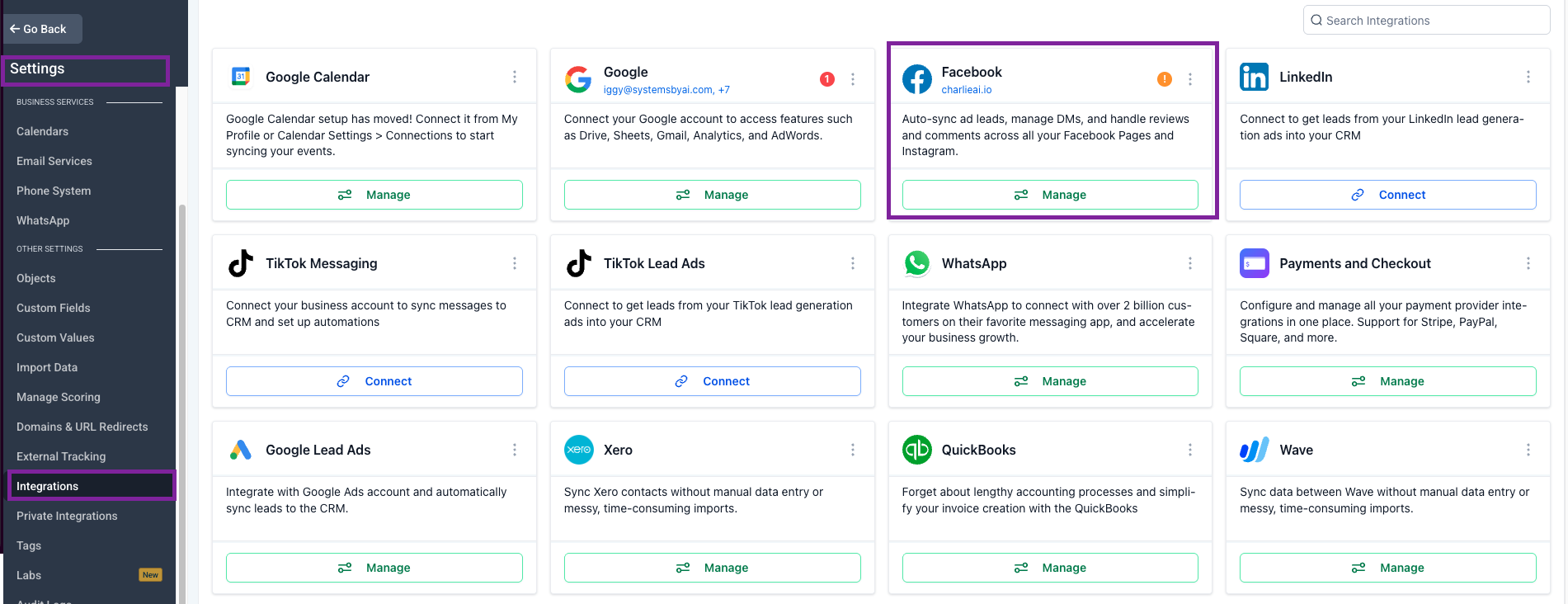
In GHL, go to Settings → Integrations and connect your CRM (GHL) with the meta account
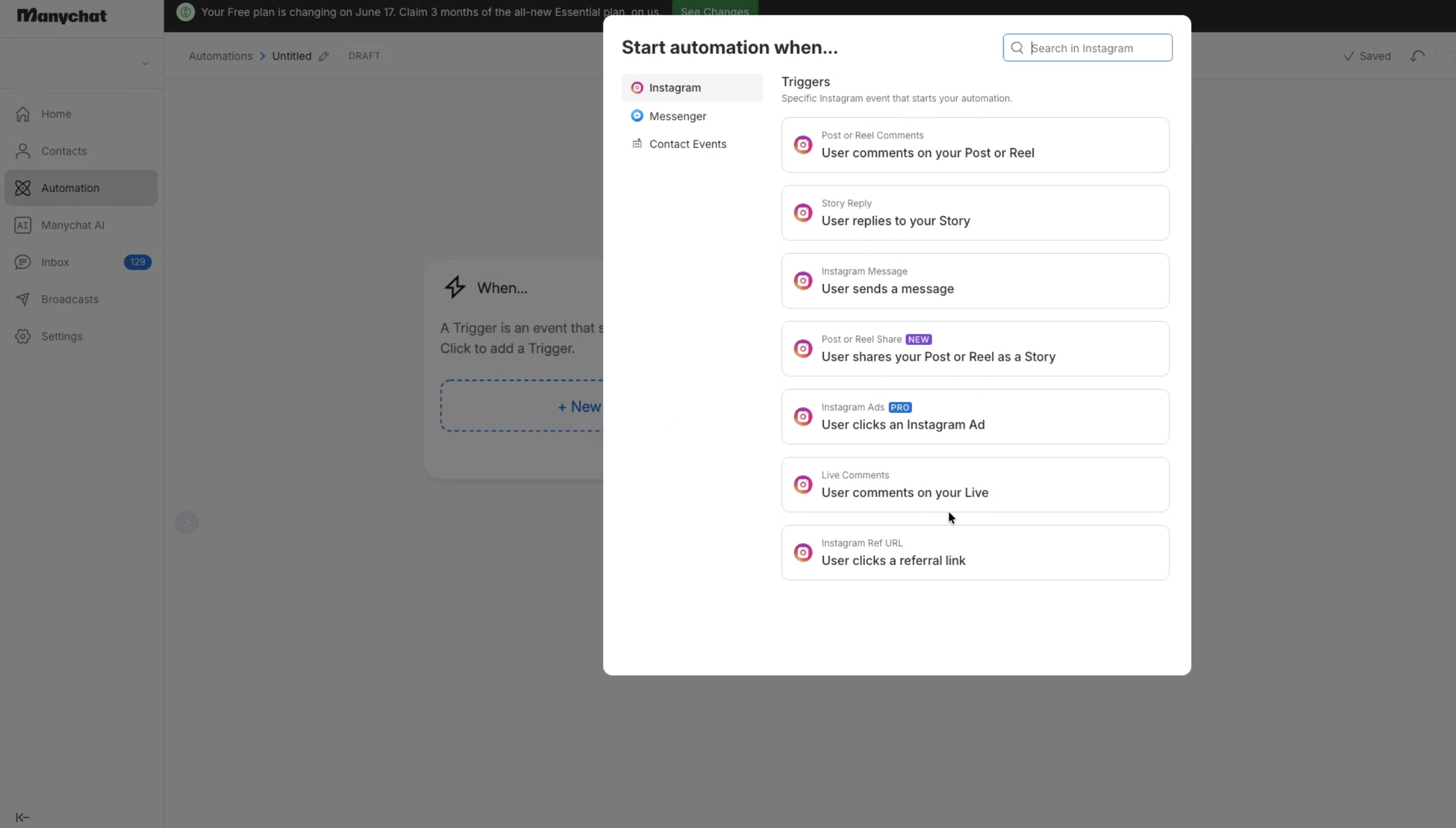
Configure Manychat workflow with trigger an action to activate a contact in your CRM when a lead completes the Manychat flow
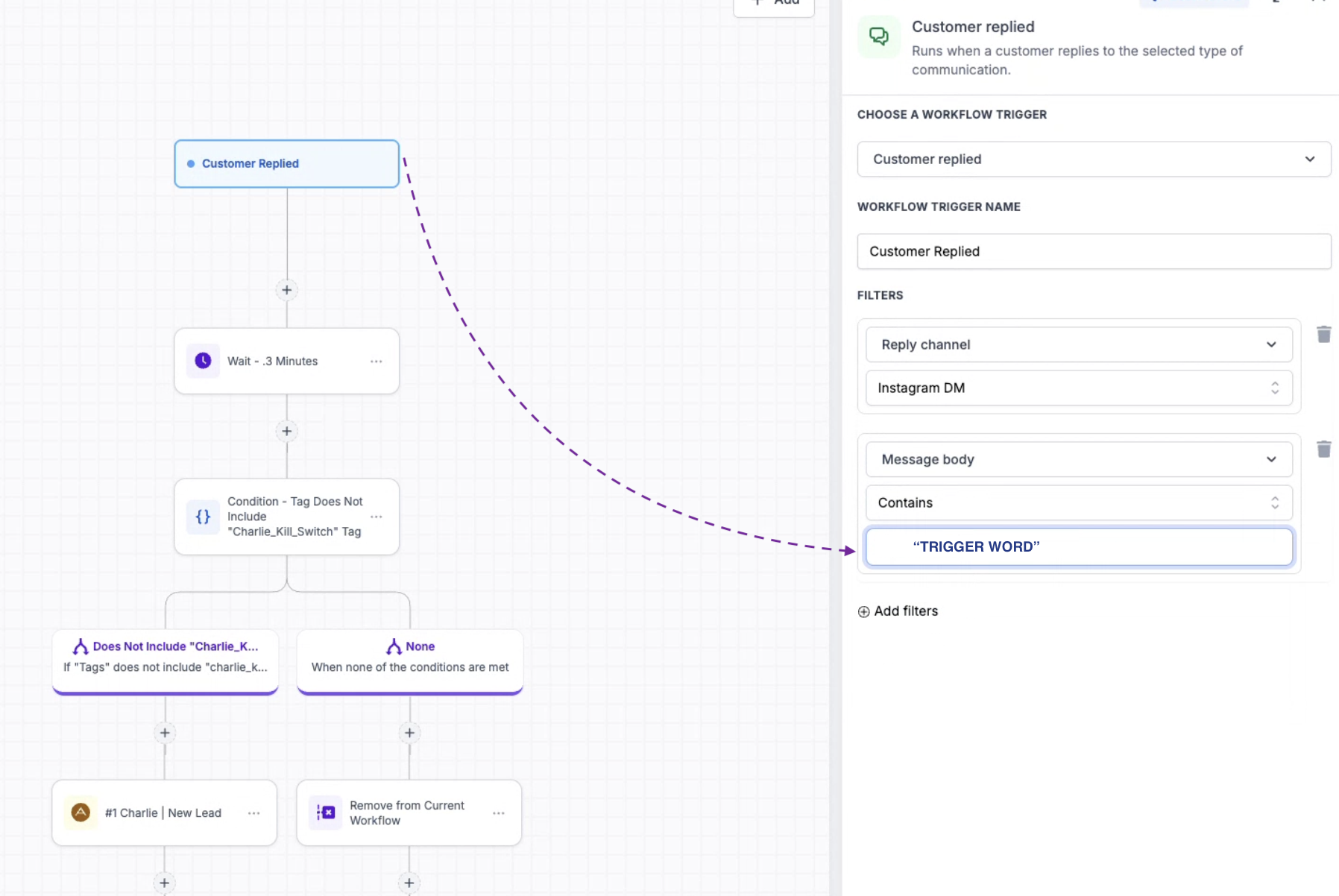
In your CRM, set up a workflow or automation that triggers Charlie when the new contact is created (this should already be configured if you’re using Charlie with your CRM)
The lead will flow: Manychat → CRM → Charlie activation.
Visual guidance
In GHL - Settings
In Manychat
In GHL
Important notes:
Tag your leads: Use Manychat tags (e.g., “charlie-ready”) to clearly mark which leads should be sent to Charlie. This prevents sending unqualified leads.
Test with a single lead first: Run one lead through the full flow (Manychat → CRM → Charlie) and verify the lead appears in Charlie’s dashboard before scaling up.