Training Data
Last updated: May 11, 2026
Training data is the most relevant source of information for Charlie's improvement. In this article we will explain what it is, where to find it, how you should provide feedback, and how to manage it. Throughout, you'll find best practices to guide you through successful improvement cycles.
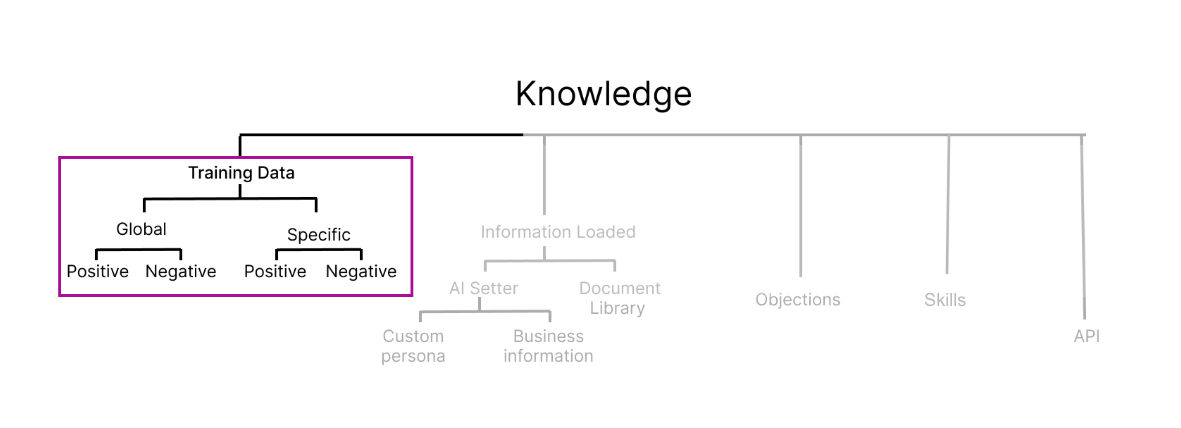
What is training data?
We can define the Training data as active feedback on Charlie's responses that refines its performance over time. This feedback updates information about your business or account in Charlie's knowledge base, enabling accurate representation of your brand. Anything included here will overwrite previous instructions.
There are two types of training data:
1) Response feedback
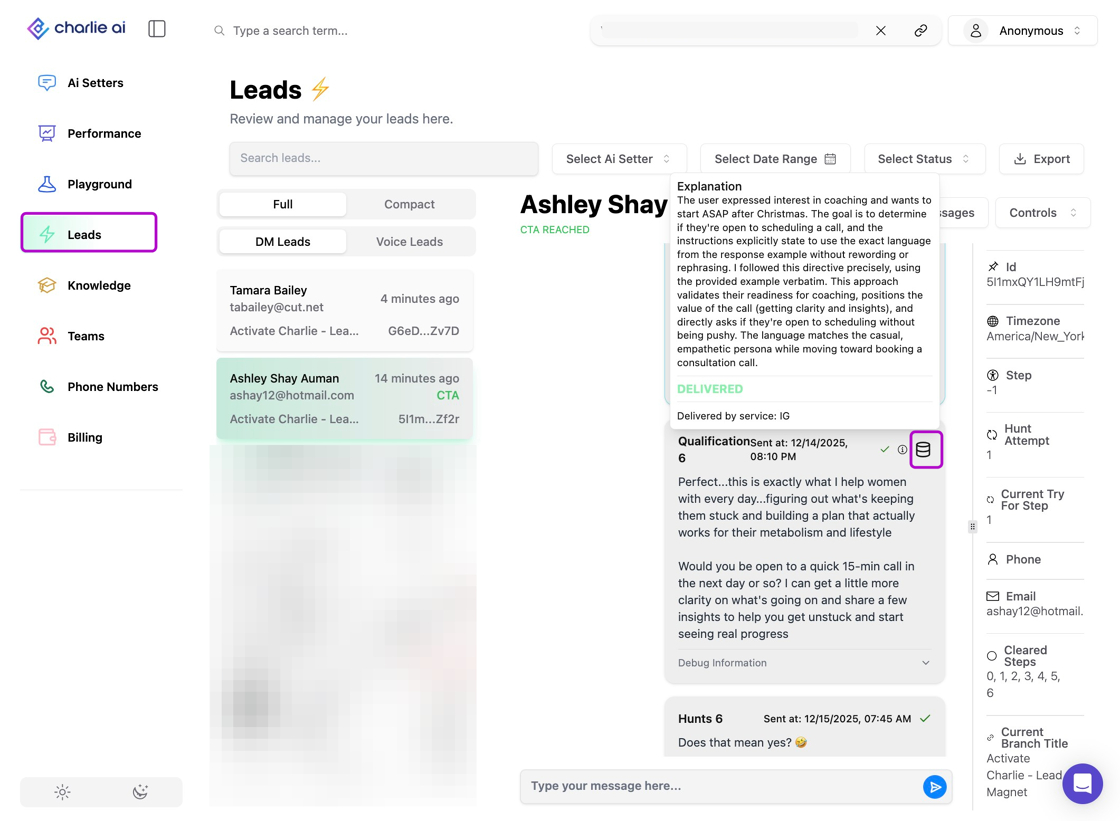
Used to suggest adjustments in the wording used during a conversation of the replies that Charlie provided during a conversation. You can create it by clicking in the "data base" icon of any reply.
It won't impact any functionality such a autobooks nor talk later
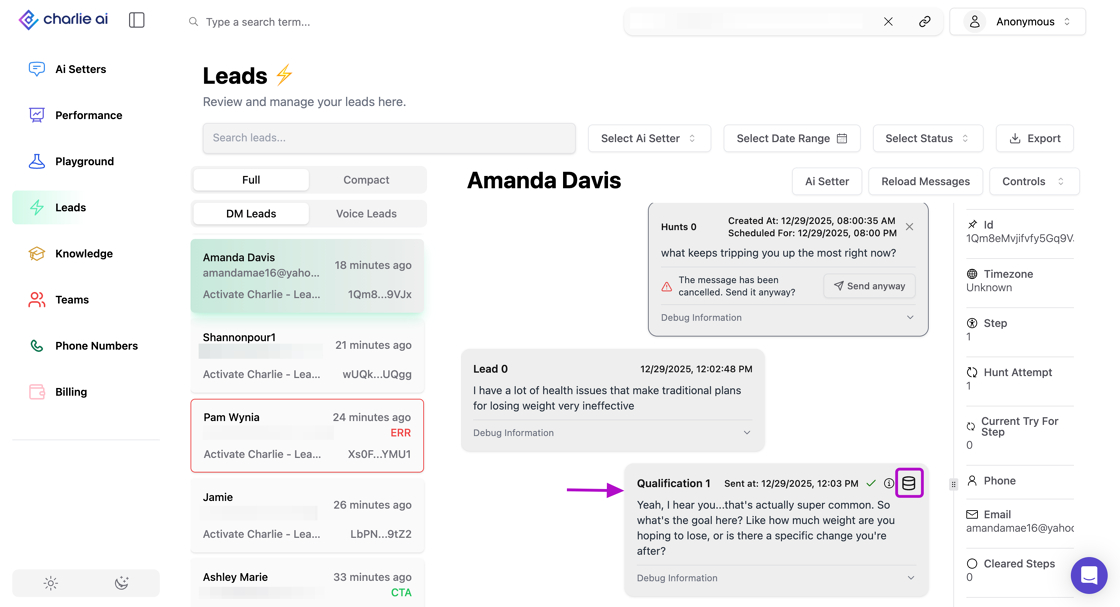
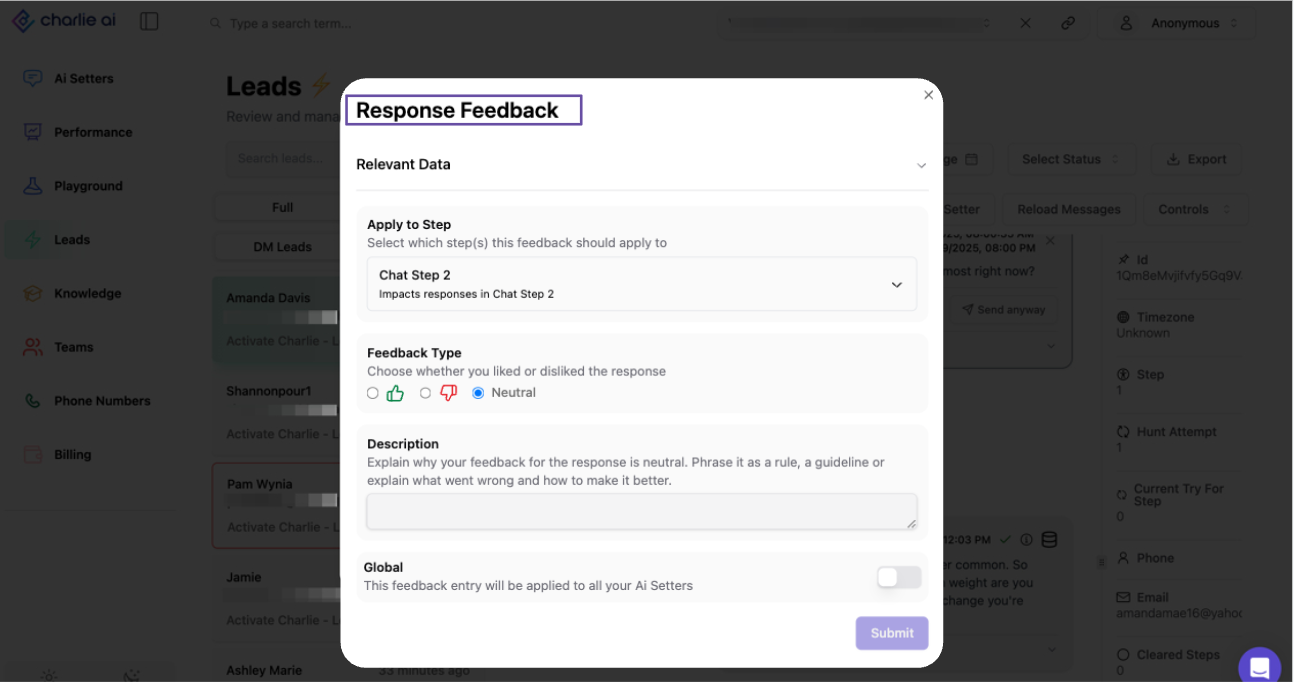
Training data that only applies to a specific step, that you can select in the dropdown, ensuring specific feedback isn't used in the wrong context
2) Vets/DQ feedback.
Used to provide feedback in a disqualification made by Charlie. This will provide further guidance to Charlie for future scenarios. You can create it by clicking in the "data base" icon of the DQ LOG.
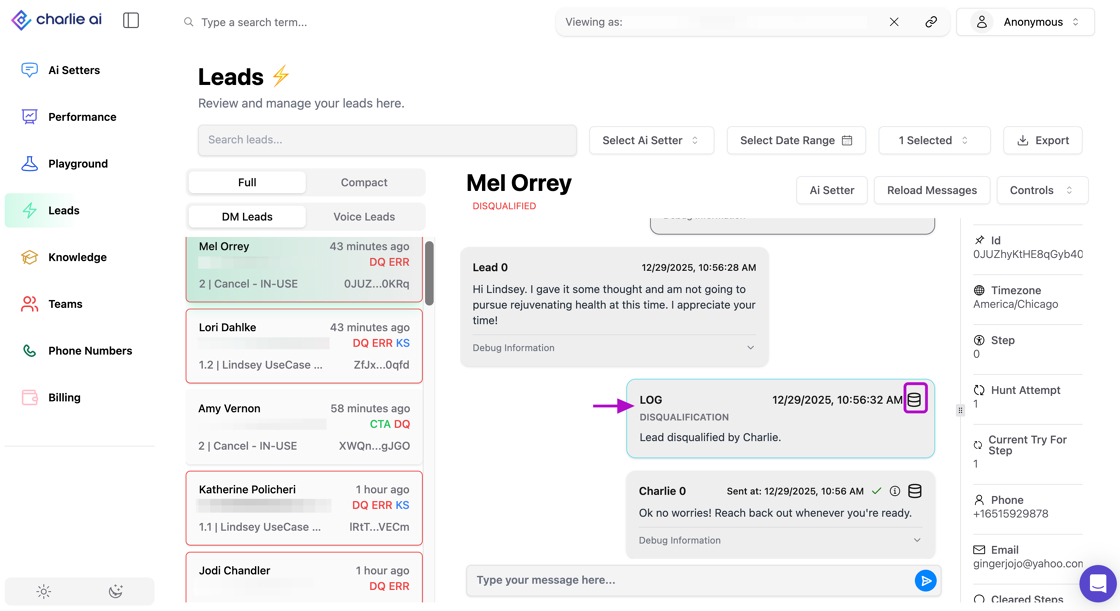
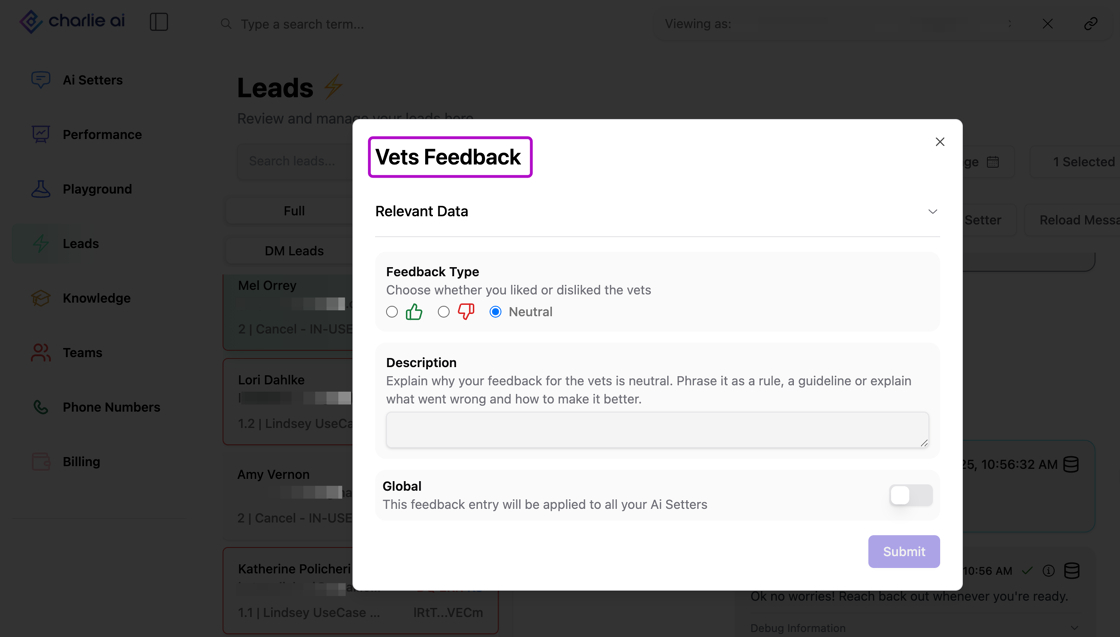
Only disqualification logs due to Vets are enabled to be provided with feedback
Scope Types
Global: Activated through a toggle, this applies feedback to all setters in your account.
Specific: Feedback impacts only the setter used in the conversation where the training data was provided.
Training Data falls under 3 different categories:
Positive: Use when a reply aligns with your business expectations and you want Charlie to replicate it. You can include minor adjustments in the description, but the overall reply should already be strong.
Negative: Use when a reply is off-target or requires significant adjustments to meet expectations. Follow the structure outlined in "How to Provide Feedback" to ensure it doesn't negatively affect other configurations.
Neutral: Feeds Charlie information about your business without labeling it as something to replicate or avoid.
To ensure consistent and effective feedback, align your team on a standard for Charlie's replies and apply it uniformly. This prevents conflicting internal logic and maintains response quality
Visual representation
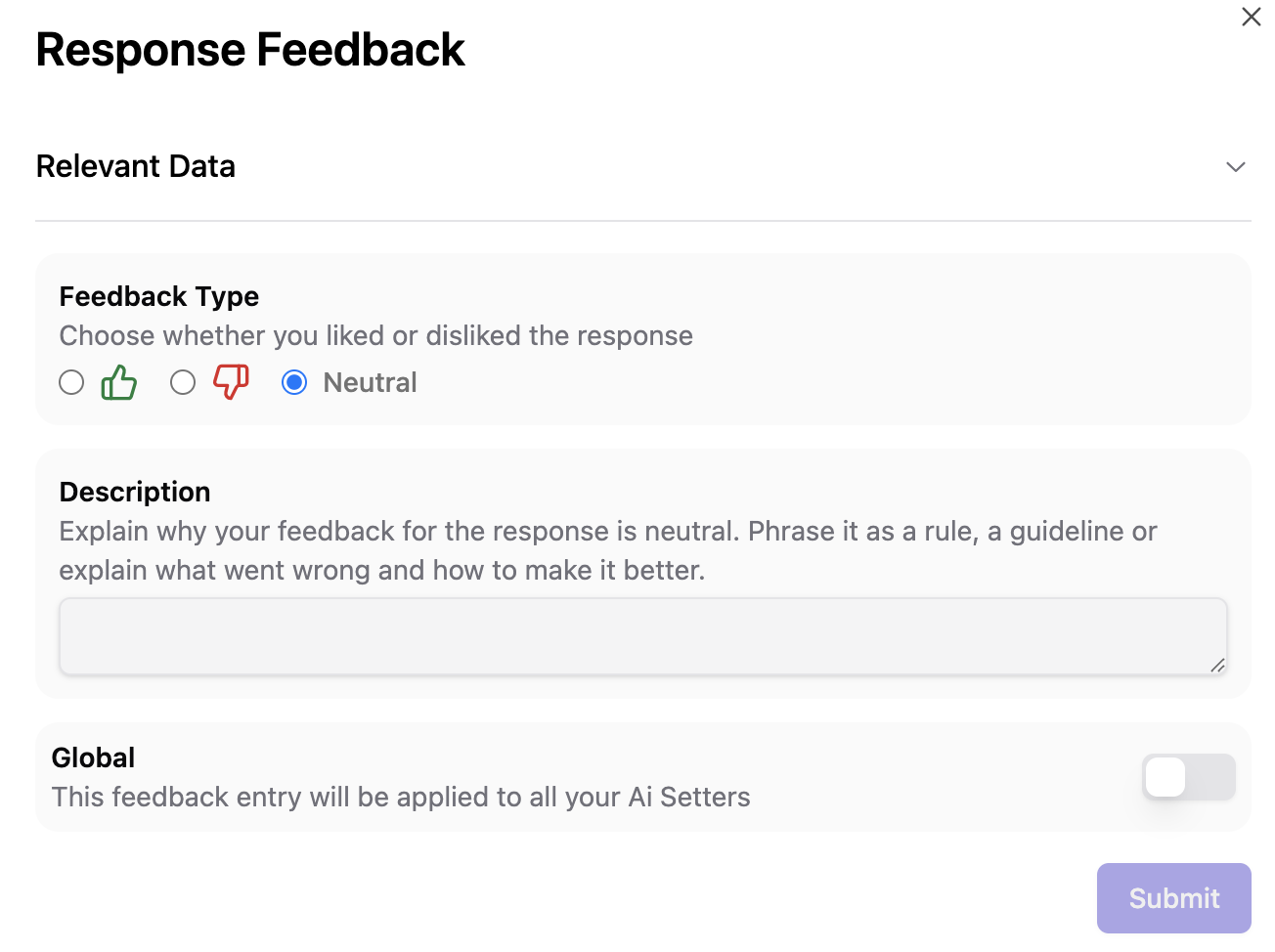
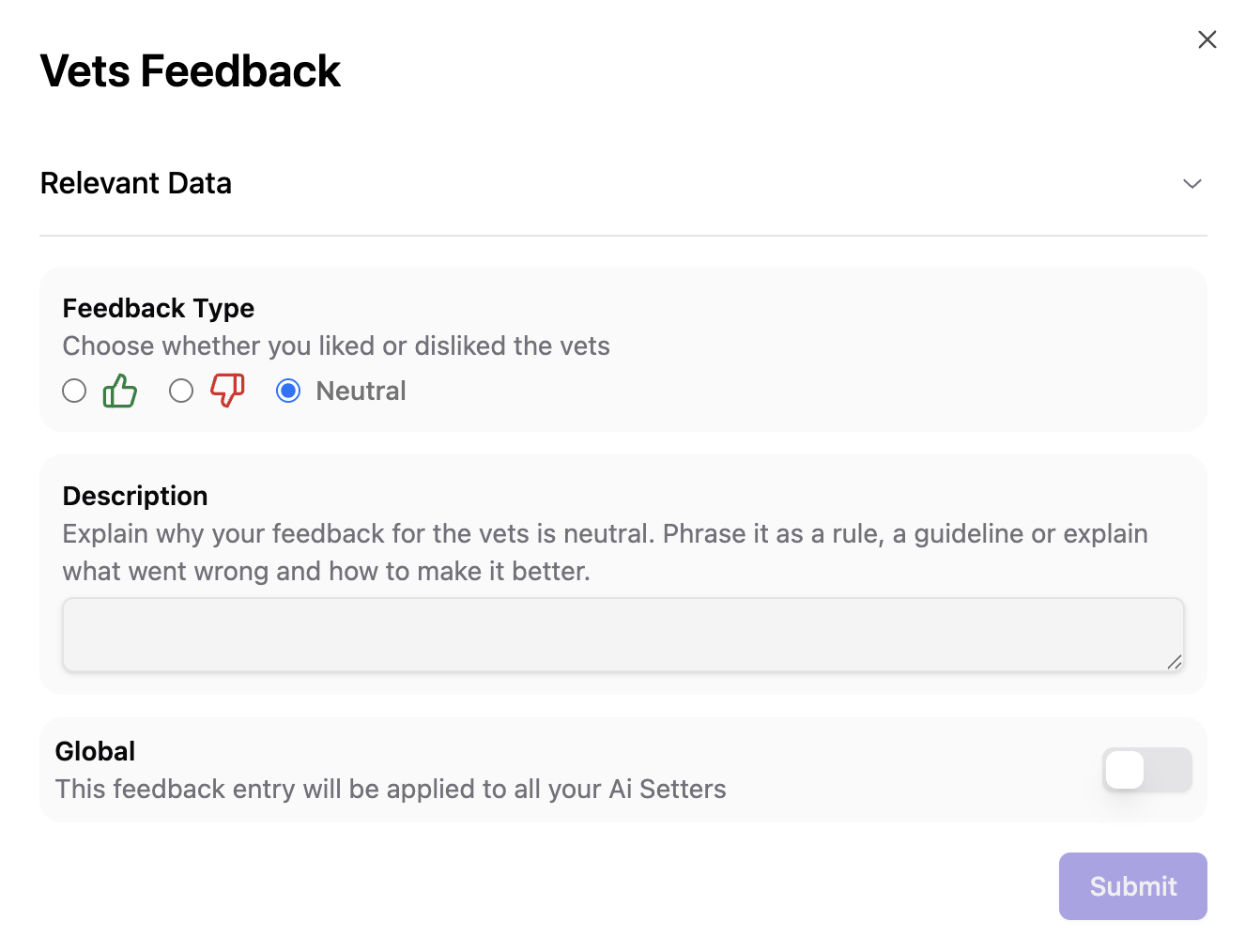
Where to find it
You can provide feedback to generate training data in two locations:
Playground Tab
During training sessions with your AI Setter, actively refine responses in a controlled environment.
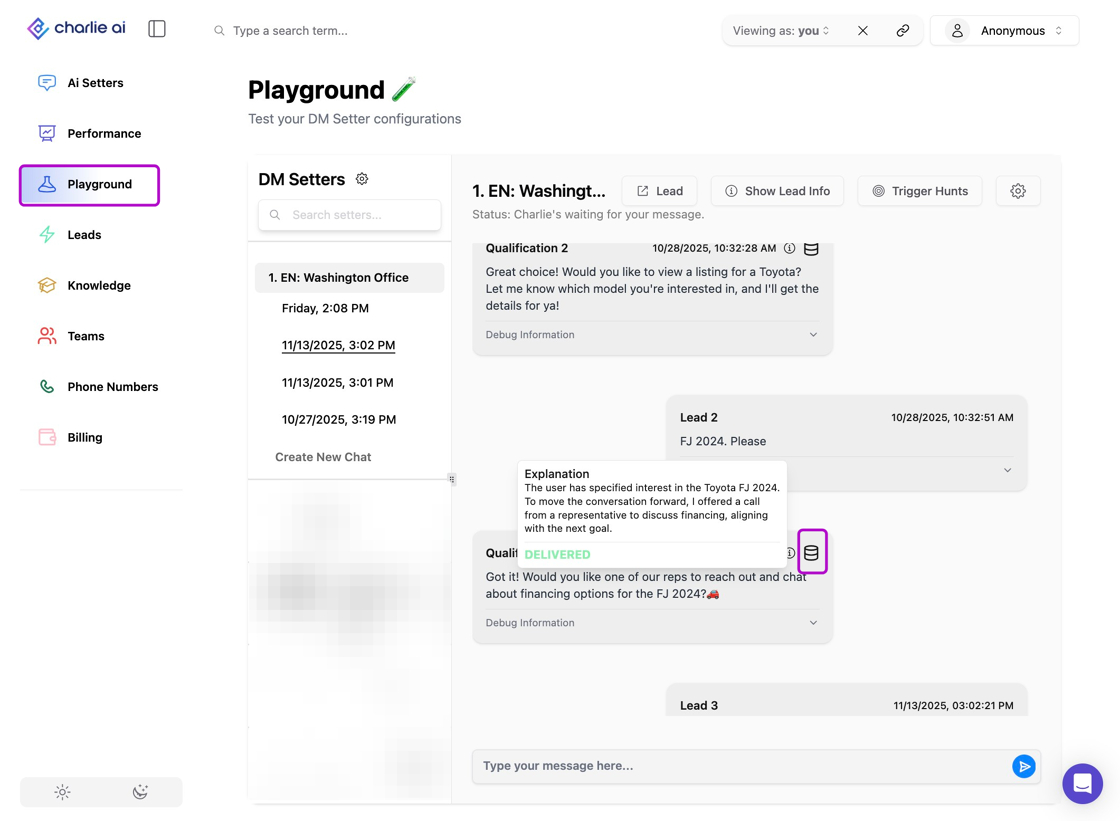
Lead Tab
While your AI Setter is live, leverage real scenarios to fine-tune performance based on actual conversations.
Training Data Repository
All training data is compiled within your Knowledge Base, organized by the AI setter used in each conversation where training data was provided, you can switch between them in the drop down at the top right corner.
Visual guidance
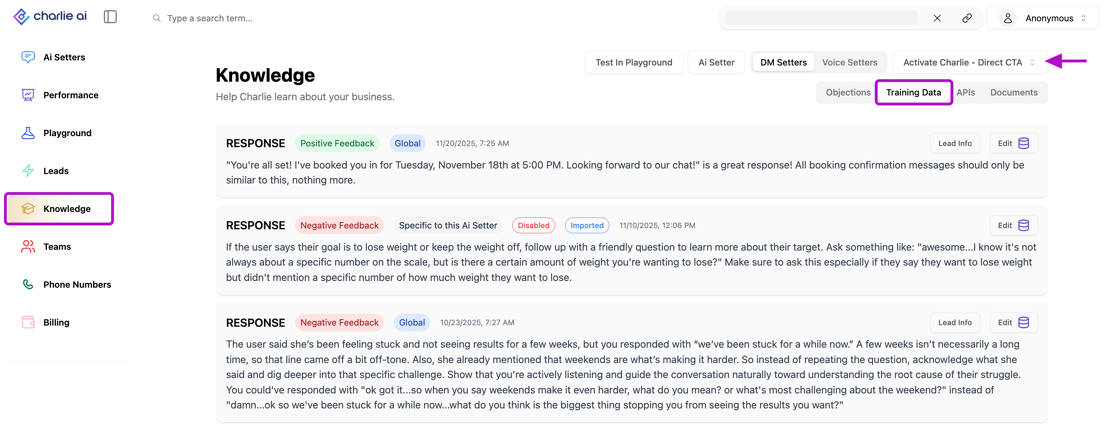
Conduct Regular Health Checks: Review training data periodically to validate alignment with your pre-established reply standards.
How to provide feedback?
Effective feedback requires specific structure and well-thought-out input to achieve desired results without disrupting your setter's overall quality.
Important considerations:
Be Mindful of Overwriting
New instructions will override previous ones. Ensure your feedback aligns with Charlie's intended responses.
Prioritize Standardization and Scalability
The information serves as input for future reply generation. Overly specific details might be inappropriately applied to other conversations. Aim for standardized content that scales easily across scenarios.
Overwriting or conflicting instructions can cause errors, and unwanted results.
Feedback formula
For optimal results, structure your feedback this way:
"What you liked or didn't like about the response + what you would change + give it an example of how you’d respond based on your feedback."
DO ✅
Scalable feedback that can be applicable to various scenarios
DON'T ❌
Too specific feedback, that will trigger an action after a specific keyword is used (Yes: very used in different contexts)
Should never reference a specific step in the script conversation ( intro message, call to action, autobooks, etc) as it doesn't recognize them.
Management
You'll find the compilation divided by setter, so make sure to select in the top right drop down the one you're aiming to review.
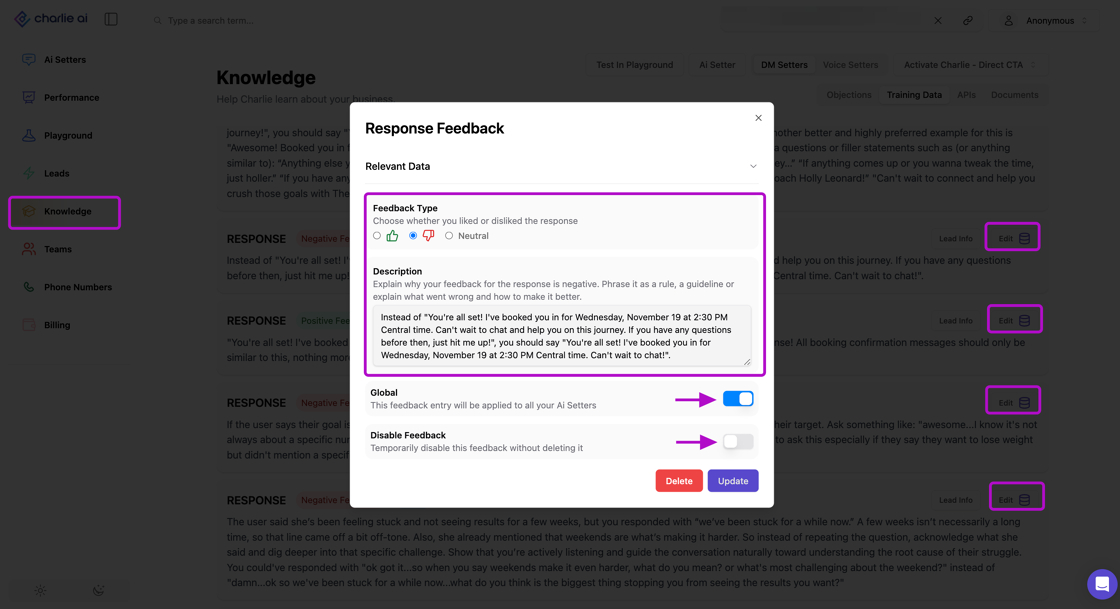
It'll display the whole list of training data provided, each training data entry displays two buttons on the right side: "Edit" & "Lead info"
Lead info: It shows you the context to the specific conversation and message where the training data was submitted, providing full context.
Edit: will allow you to modify the description, change the category (Positive, negative or neutral), convert to a global instruction or temporarily deactivate it.
Visual guidance
Key insights
Quality Over Quantity
One well-structured piece of feedback is more valuable than ten vague comments. Invest time in crafting clear, actionable training data.
Standardization Prevents Chaos
Align your team on response standards before providing feedback. Inconsistent standards create conflicting instructions that confuse Charlie's learning process.
Regular Maintenance Required
Training data can accumulate quickly. Schedule regular reviews to deactivate outdated feedback and ensure your knowledge base stays current.
Track Patterns in Training Data
If you're repeatedly providing similar feedback, it may indicate a gap in your loaded information or objections that should be addressed at the foundation level.