Objections
Last updated: May 11, 2026
Objections are specific instructions that guide Charlie on how to handle particular topics, questions, or concerns to successfully navigate conversations. Both, DM and Voice Setters will use input from Objections. This guide explains how to configure them, their impact, effective management, and key insights for strategic conversation control.
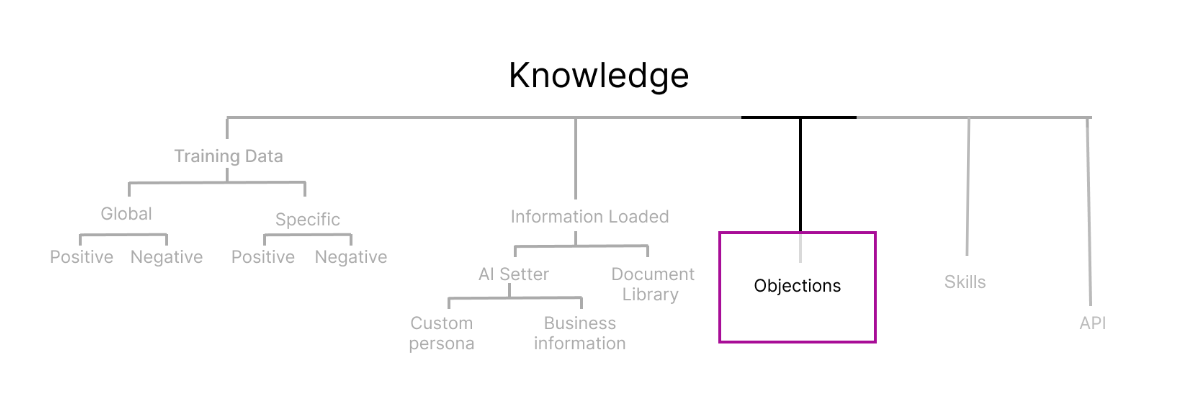
Configuration
Objections focus on how to respond rather than what to know. They're your opportunity to script Charlie's approach to potentially challenging moments in a conversation.
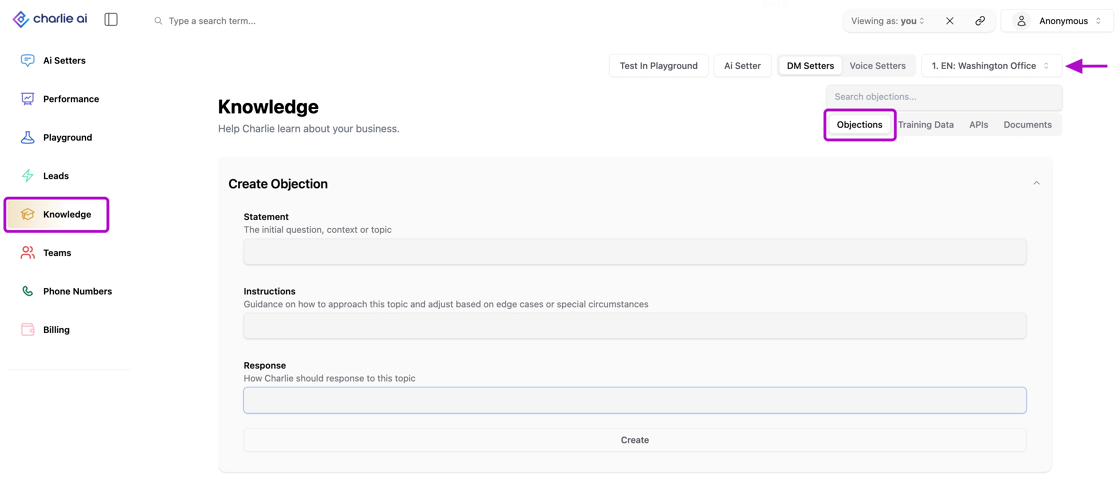
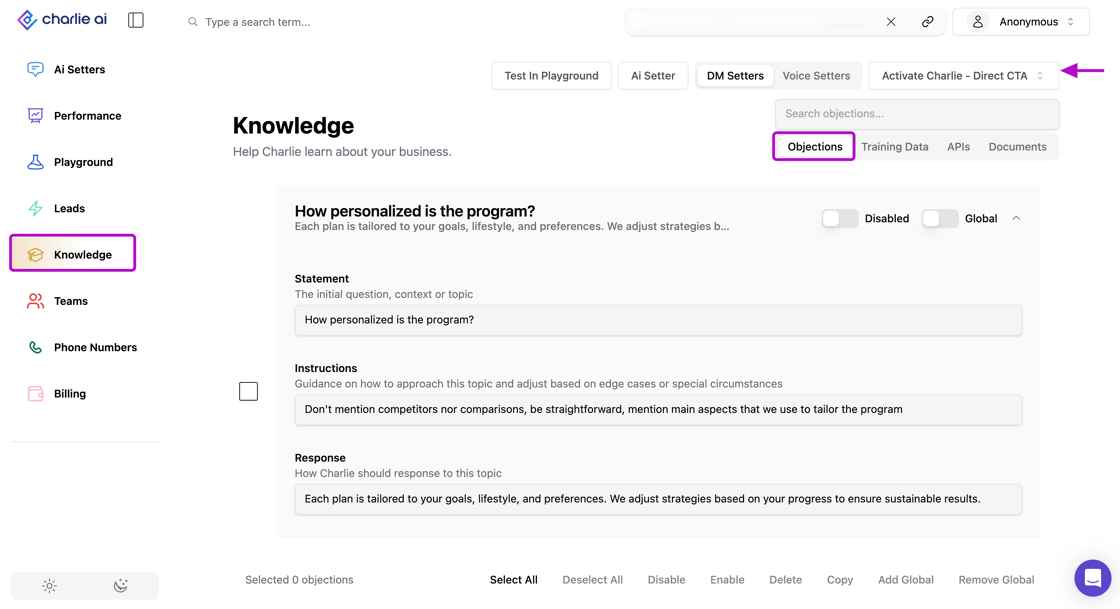
To create an objection you need to apply the following structure:
Triggering Statement: The specific concern, question, or topic that activates this response strategy.
Response instructions Detailed guidelines on how Charlie should handle this scenario, including:
Key talking points to emphasize
Information to avoid or downplay
Desired conversation direction
Tone and approach considerations
Examples: Sample responses that demonstrate the desired approach in action.
Dos & Don'ts
Do ✅ Writing Effective Objection Responses
"When a lead mentions they're working with [Competitor], acknowledge their current solution positively, then highlight our unique differentiator: 'That's great that you have a solution in place. Many of our clients actually started with [Competitor] and found that our [specific feature] allowed them to [specific benefit] that wasn't possible before. Would you be open to seeing how we complement what you're already doing?'"
Don't ❌ Leave open ended instructions and low context
"Don't badmouth competitors." (This tells Charlie what not to do without providing actionable guidance on what to do instead)
Remember to keep standardized examples that scales easily across scenarios.
Impact
Objections operate as complementary guidance in Charlie's knowledge hierarchy.
Charlie references objections when:
A Lead's message matches a configured objection trigger
No contradictory training data exists for that specific situation
Objections help Charlie maintain momentum and guide conversations toward productive outcomes rather than getting stuck on concerns. Ensuring that all setters handle sensitive topics with a unified, strategic approach aligned with your business.
Management
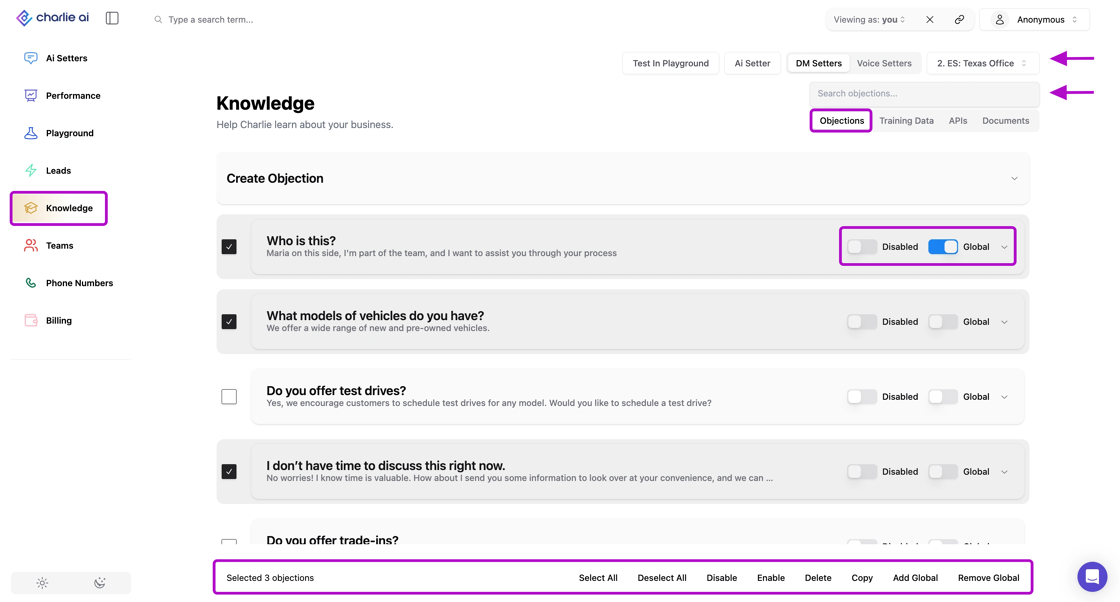
Our admin portal includes features designed to simplify the management of your Objectives. Go to the "Knowledge" tab, and select "Objectives" in the right side menu. Here you also need to ensure you select one Setter from the drop down that's located just below the "viewing" field. And all the Objections loaded for that setter will display.
In here you can:
Use the search bar to look for specific objectives
Enable/disable or make that objection global with the toggles at the end of each entry
Multi select with bulk actions at the bottom of the page
Best Practices:
Define essential objections
Price is too high - Your value justification strategy
Already working with competitor - Differentiation approach
Need to think about it - Urgency creation without pressure
Wrong timing - Stay engaged strategy
Capability concerns - Confidence building approach
Unknown brand - Credibility establishment
Allow Charlie flexibility to adapt objections to specific conversation contexts rather than demanding scripted responses.
Key insights
Think of objections as strategic guidance rather than word-for-word responses. Give Charlie the framework and trust it to adapt to specific conversations.
The best objections are proactive, they guide Charlie to address concerns before they become deal-breakers, not just respond after they're raised.
Use objections to establish the strategic approach, then use training data from real conversations to refine and perfect execution over time.