Zapier: Available Triggers
Last updated: August 21, 2026
A trigger is an event within an app that starts a Zap. Once you’ve turned your Zap on, Zapier will wait for that trigger event to start a workflow. Below you'll find a list of available triggers that Charlie Ai app currently supports.
NOTE: Charlie AI (1.1.0) should be selected, that's the latest version updated
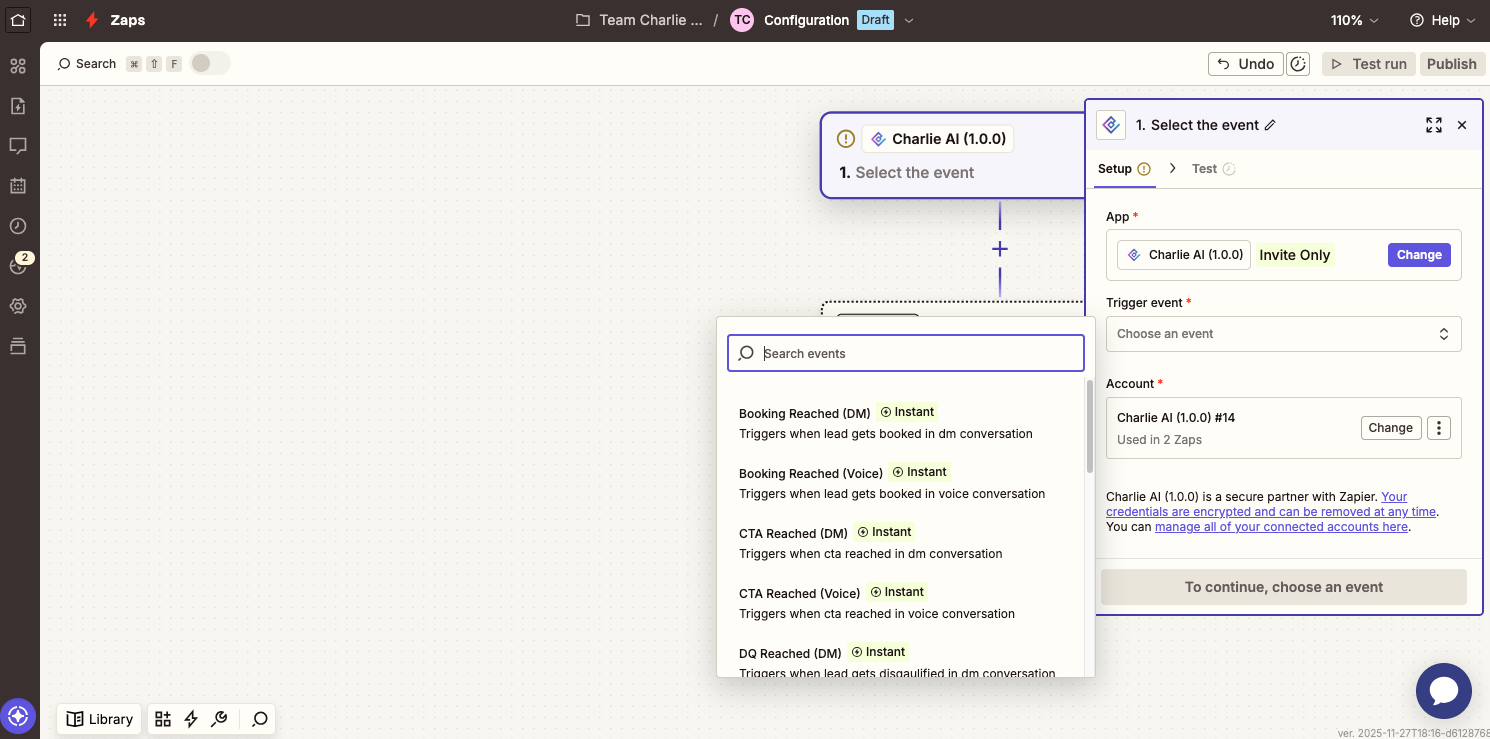
Make sure you have the Charlie app set up in Zapier
Triggers
Intro Responses
Triggered whenever there is a lead that responded to Charlie's intro message. Use this to:
Log responses in your CRM
Notify your sales team via Slack or email
Update lead status in project management tools
Leads Exclusion in Pod workflow or Task/Queue used by their SDR/Intakers/CSR
CTA Reached
Activated when a lead reaches a Call-to-Action (CTA) in your Charlie sequence. Perfect for:
Sending follow-up emails through your email platform (the CTA tagging in Charlie is being used as Qualified Lead or Interested tagging)
Creating tasks for manual follow-up
Adding leads to specific marketing campaigns
DQ Reached
Fires when a lead is disqualified (DQ) during the Charlie process. Use this to:
Remove leads from active campaigns
Update lead status in your database
Send notifications to relevant team members
Booking Made
Triggered when a lead successfully books a meeting or appointment. Ideal for:
Adding calendar events to team schedules
Sending confirmation emails
Creating preparation tasks for the scheduled meeting
Removing the leads from their lists of leads to be called or Contact Unsuccessful marketing campaign
Updating the Lead Status in their CRM to Booked or Qualified and other suitable lead status
Slack Notification
Voice Call Ended
Generates a Zap after the call ends, automatically triggers a set of actions. It is used to send call transcripts, recordings, summaries, or call length data to any downstream system.
Log new data into CRM records
Create follow-up automations
Traceability
Kill Switch Reached
Activated when the kill switch is enabled for a Charlie lead. Use this for:
Immediate notifications to supervisors
Logging kill switch events for analysis
Triggering alternative outreach sequences
Adding Leads to their DNC List or tagging leads as Do Not Contact
Adding or Tagging Leads to their specific lists or status
Kill Switch Removed
Switch activated when removed or set to False
Charlie can talk to the lead and lead's message will be received by Charlie
Common Use Cases
💡 CRM Integration
Trigger: Lead Response
Action: Create or update contact in CRM (HubSpot, Salesforce, etc.)
Automatically sync lead responses with your existing CRM system.
💡 Team Notifications
Trigger: Booking Made
Action: Send Slack message or email notification
Keep your sales team informed immediately when prospects book meetings.
💡 Campaign Management
Trigger: DQ Reached
Action: Add to Google Sheets or remove from email lists
Maintain clean contact lists by automatically updating lead status across platforms.
💡Follow-up Automation
Trigger: CTA Reached
Action: Send email via Gmail or create task in project management tool
Ensure no lead falls through the cracks with automated follow-up workflows.