LLM Provider
Last updated: November 23, 2026
In Charlie we want to provide our clients with the possibility to decide how they want their agent to reply, therefore, we have an option that allow our users to select the LLM provider they want to leverage for each of their AI agents.
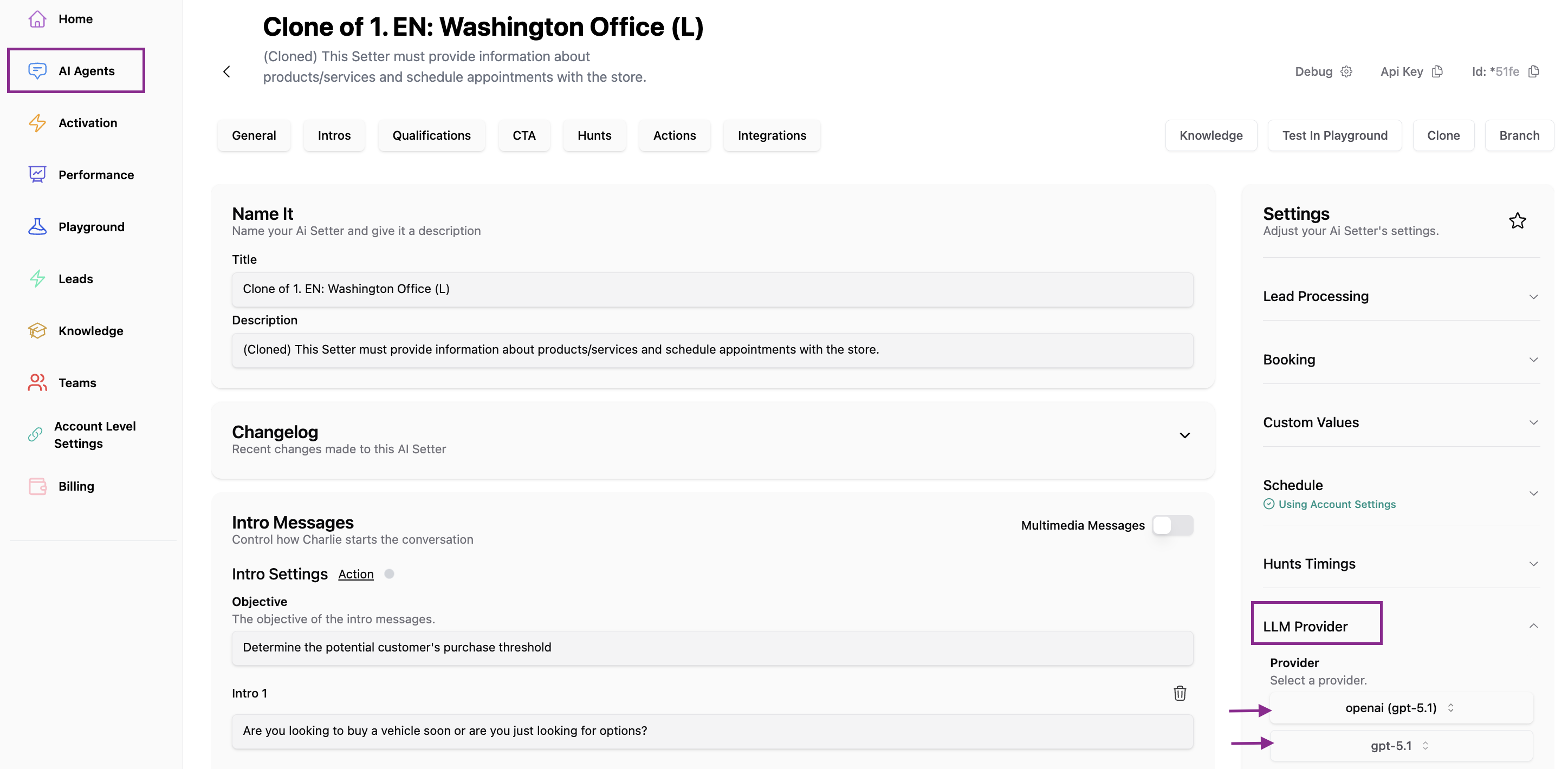
How to configure?
This is a setter-level configuration, for that reason you'll find it in the right side menu, at the bottom in the LLM Provider section
Open LLM provider section
Select provider of your preference
Define the model that is going to be used
Recommendations
Provider | Model | Best for | Use cases | Recommendation |
|---|---|---|---|---|
Open AI | GPT-5 nano | Speed and cost | High-volume, simple replies, short qualification Q&A | Cheapest option. Weakest on nuance and complex instructions. Avoid for objection-heavy conversations. |
Open AI | GPT-4.1 mini / GPT-5 mini | Balanced cost and quality | Everyday setters, standard follow-ups | Good default for most setters. |
Open AI | GPT-5.1 | Reasoning and instruction following | Multi-step conversations, booking logic, complex offers | Use when accuracy matters more than cost. |
Anthropic | Claude Haiku 4.5 | Fast and natural-sounding | Conversational, SMS-style messaging, high volume | Good for a human tone at low latency. |
Anthropic | Claude Sonnet | Tone, nuance and rule adherence | Consultative selling, longer or sensitive conversations | Strong all-rounder for quality-focused setters. |
Anthropic | Claude Opus | Deepest reasoning | Complex, high-value leads | Slowest and most expensive. Reserve for high-ticket use cases. |