Hunts: Voice
Last updated: December 24, 2025
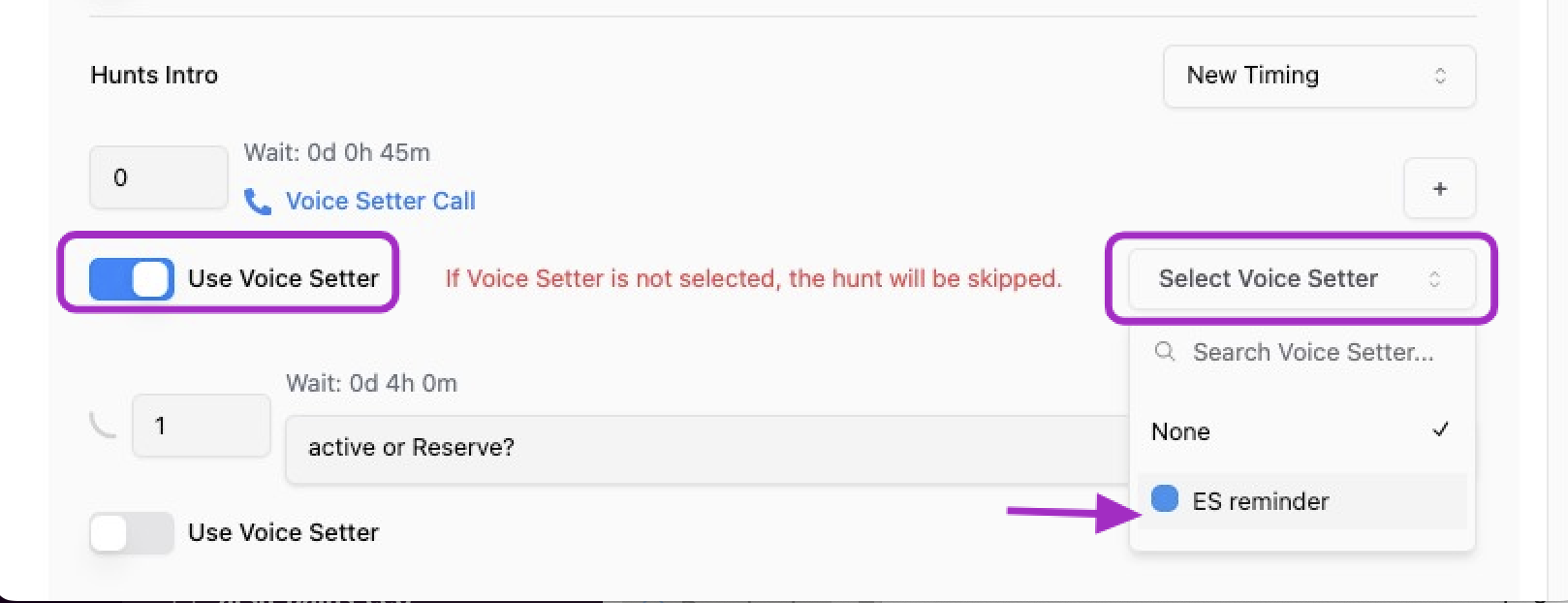
We have enabled a key function that allows you to fully blend your DM agents with your Voice agents, significantly expanding your follow-up capabilities. DM hunts can now activate a Voice Setter via a new "Use Voice Setter" toggle.
Prerequisites:
Have a DM use case created
Have a Voice setter created ( 📄 Voice Setter Set up Guide)
Benefits:
Connect with the Lead using their preferred method, increasing engagement success.
Ensures full visibility and traceability of the voice interaction outcomes:
Improve booking success rates
Highly consistent and fluent user experience across DM and Voice channel..
Specificities
We've ensure seamless cross-channel synchronization. By analyzing the Voice transcript and comparing it to the DM script, Charlie determines the appropriate Chat Qualification or CTA step to resume the DM conversation.
If a lead engages with a Voice Setter but doesn't complete the full goal (Booking, CTA, or DQ), the DM Setter will intelligently picks up the conversation from the correct step.
How it will show up in your conversations
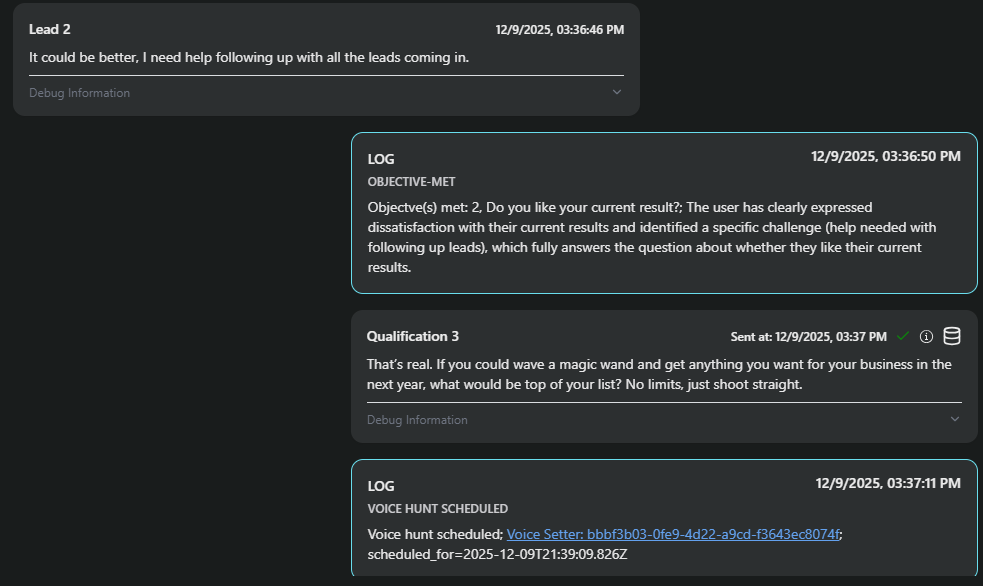
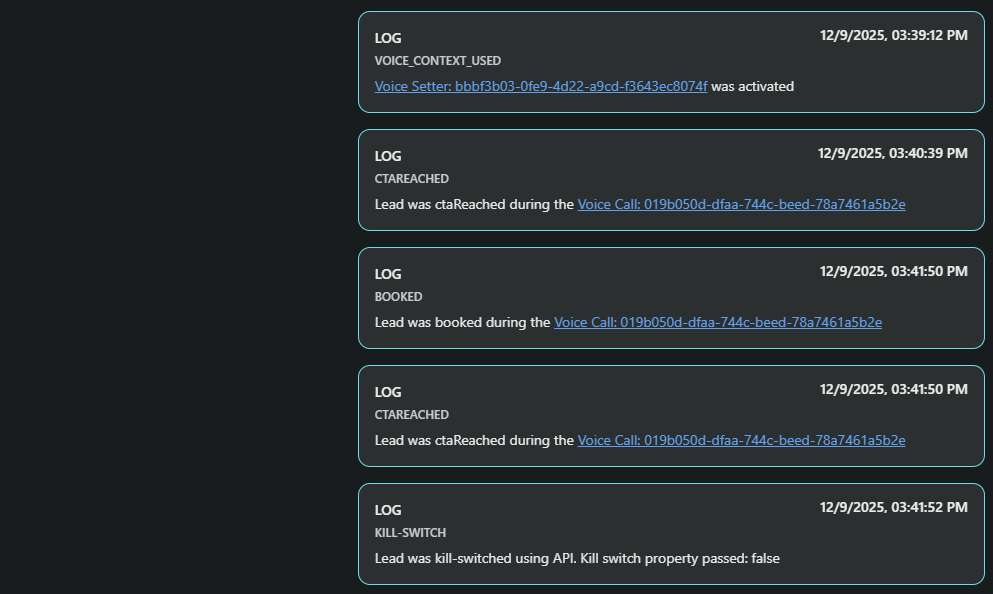
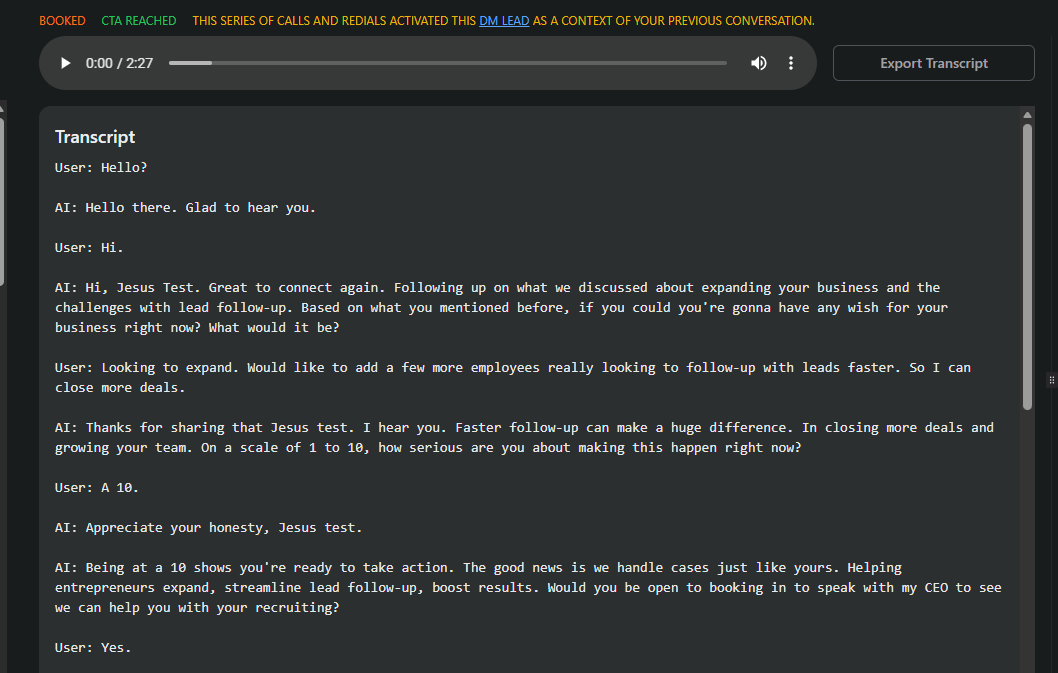
Step by step guide
Step 1. Configure Ai setter
Go to your "AI setters" , and select one of your DM Setters
look in the top menu the "Hunts" tab
Click on it.
Step 2. Include voice hunts
Enable toggle to "use voice setter"
Select the voice setter you want to use for your hunts
Make sure the timing is correct
Visual support