Phone number: Linqblue
Last updated: June 18, 2026
Recognizing the diverse requirements of our clients, we have integrated a new, cutting-edge phone line provider. Through streamlined integration, Linqblue allows you to send messages from GHL while all conversations are automatically delivered and mirrored in your Charlie dashboard, creating seamless bidirectional communication.
This guide covers configuration steps, technical specifications, and key insights to ensure smooth integration and optimal performance.
Linqblue integration is currently only supported for GoHighLevel (GHL)
Prerequisites:
Active Linqblue account with administrative access.
📄 GHL: CRM - DM setter integration completed
If You Don't Have Admin Access: Contact your Linqblue account administrator to request appropriate permissions or have them complete the integration on your behalf.
Configurations
All conversations, whether initiated from GHL or managed by Charlie, will appear in both platforms simultaneously, ensuring complete visibility and seamless handoff between systems. For that we need to do the following configurations:
In Linqblue
Login with your credentials, make sure you are viewing as Organization Admin not as Team Admin/Member Mode
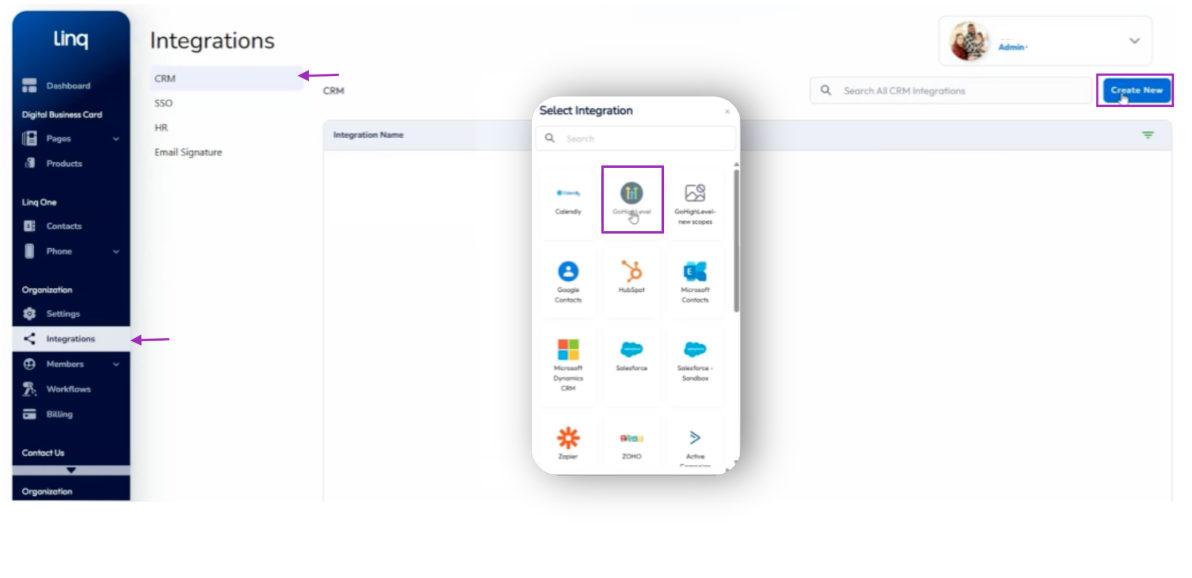
Look for the integrations sections in the left side menu, and click on it
Select the CRM option, and click on the top right button "Create new"
Select GHL option and sync it with your account's credentials
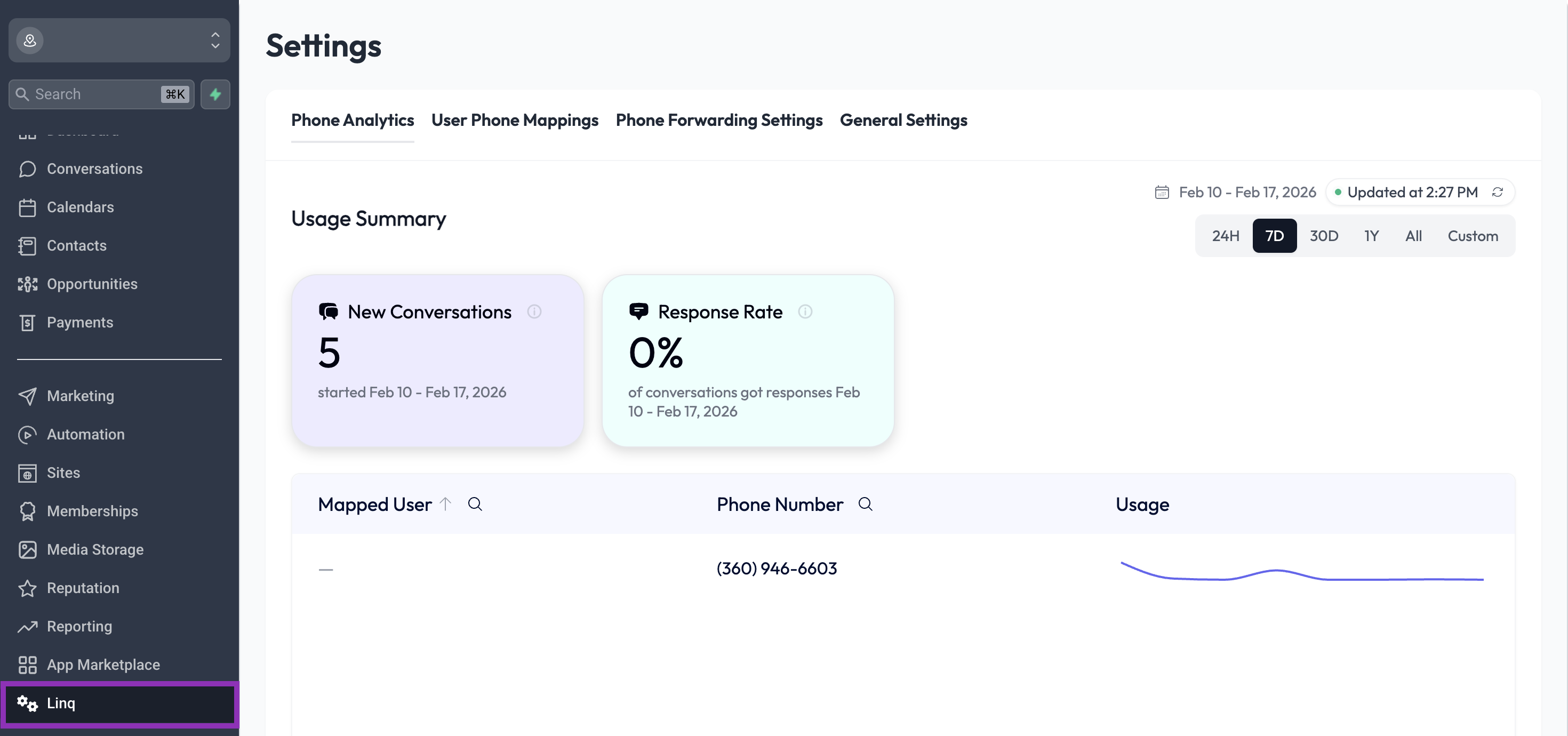
Successful integration will display a new "Linq" section within your GHL dashboard that will show general settings and overall information.
Visual guidance
In GHL
To make the Linqblue provider the default line for your CRM system:
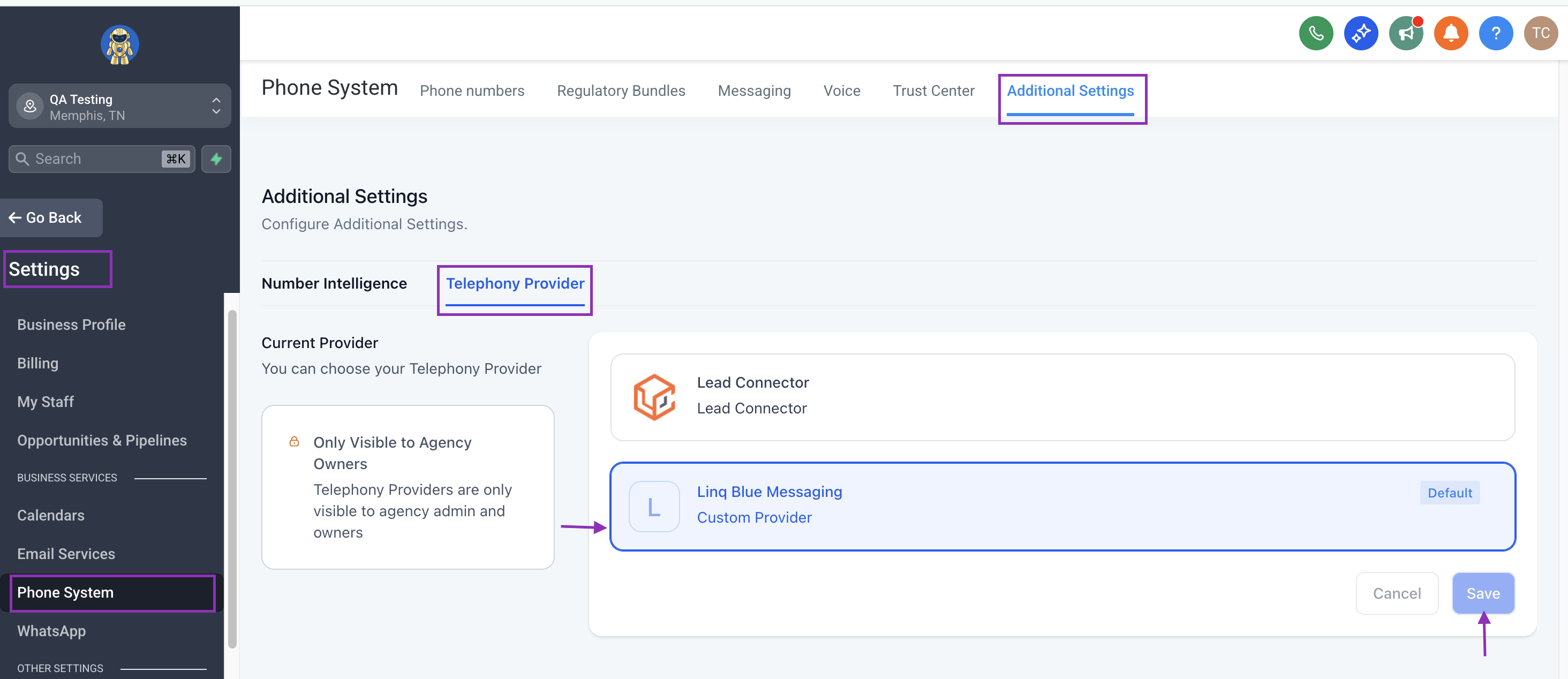
Go to your settings section in the left side menu, and look for the "Phone system" option
Click on the "Additional settings" tab and the "Telephony Provider" option.
In here you'll see a list of available providers, select "Linq Blue Messaging"
Hit save
Visual guidance
Webhook implementation
We have a seamless and fast integration through webhooks that ensures transparency between systems, no need of maintenance, and real time synchronization.
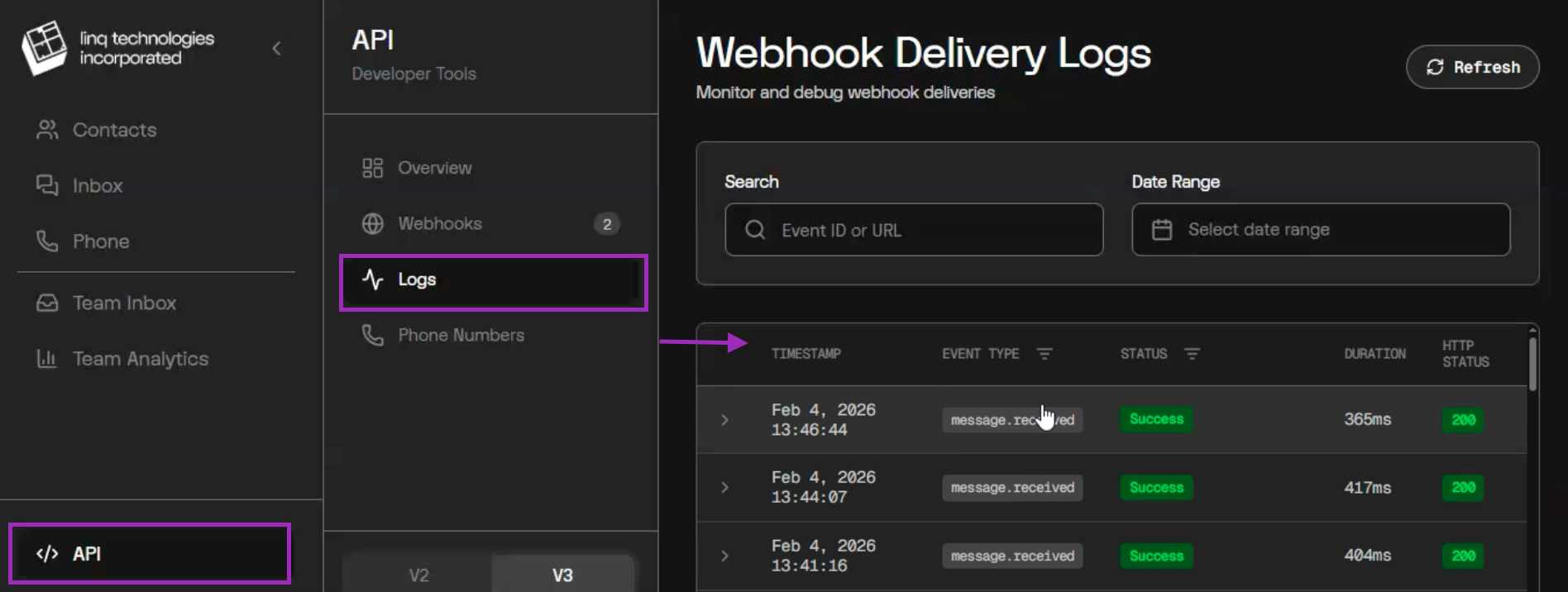
First you'll need to login to: zero.linqapp.com with the same credentials you have for your Linqblue account
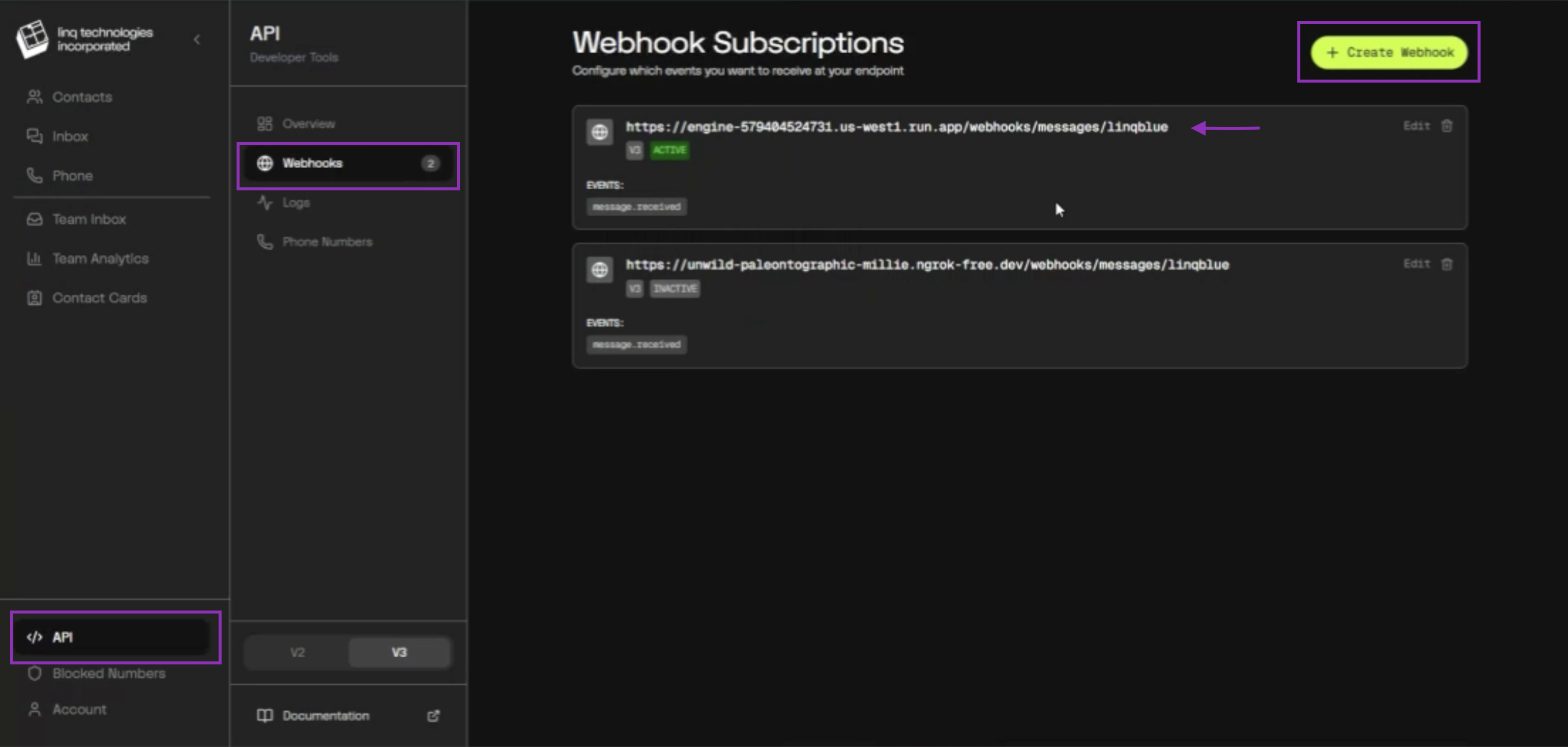
Look for the "API" section at the bottom of your left side menu
Click in the "Webhook" option
In here you'll see a URL that you need to copy to generate the new webhook that will connect your Linqblue account with Charlie
If you don't see the URL: Contact Charlie support or your AM before proceeding
Hit the "Create webhook" button
In the pop-up, paste the URL, and select the "Message received" option
Click in the "Create webhook" button. Immediately After Webhook Creation, a security pop-up appears displaying a Secret Key
COPY & SAVE somewhere safe the Secret key that will appear
Do NOT close the pop-up until you've confirmed the key is saved
Visual guidance
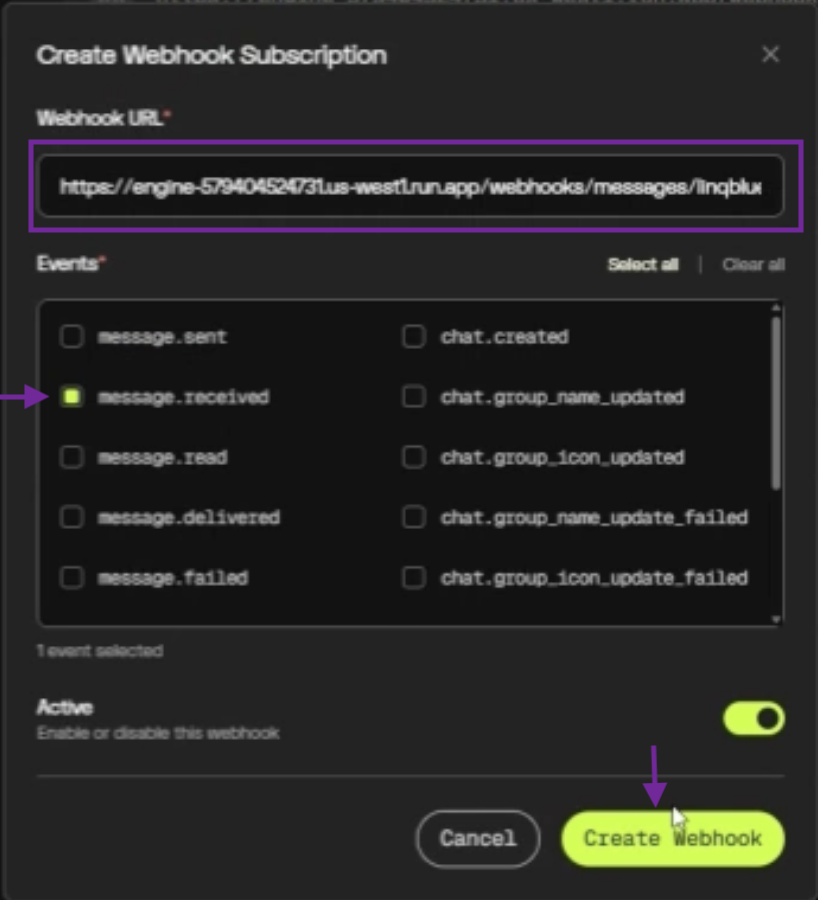
A Security pop-up containing a SECRET KEY will appear next. Important: This key is displayed only once. You must copy and save it, as it is required for all subsequent configurations.
With Charlie team
The final step requires coordination with Charlie's technical team to complete backend configuration.
Forward the Secret Key to your CX/AM
The Charlie team will include that information in the back-end
Your CX/AM will notify you when the integration is completed
Test that the inbound messages are showing up in GHL and in Charlie. Ensuring that Charlie is able to generate replies to the conversation
Visual guidance
Specificities
The service is currently enabled for Direct Message (DM) setters.
You can have multiple lines from the same account and integration
Has a a fixed-price model:
A one-time activation fee of $500.
A recurring monthly fee of $250 per line, with no additional cost per message fees.
Charlie's current conversation logic, workflows, and behaviors remain fully functional, with no impact or changes in behavior related to the integration
If there's some latency the end-to-end message can take up to 2-5 seconds.
If the account is within sandbox environment, they won't be able to reach out to clients, only if the lead reached that specific phone number first (Error code 403). Details
Key insights
Linqblue's bidirectional architecture means messages sent manually from GHL appear in Charlie, and Charlie's automated responses appear in GHL. Creating unified conversation context.
The testing step is the minimum validation needed to prevent production failures, please don't skip it.