Knowledge base: Objections, Training data & skills
Last updated: November 23, 2026
We have identified that some of the information we use to feed the AI agents response generation could be leverage at the account level. For that reason we have developed a new section within the Account level settings to enable accounts to set that once, and use it across different setters.
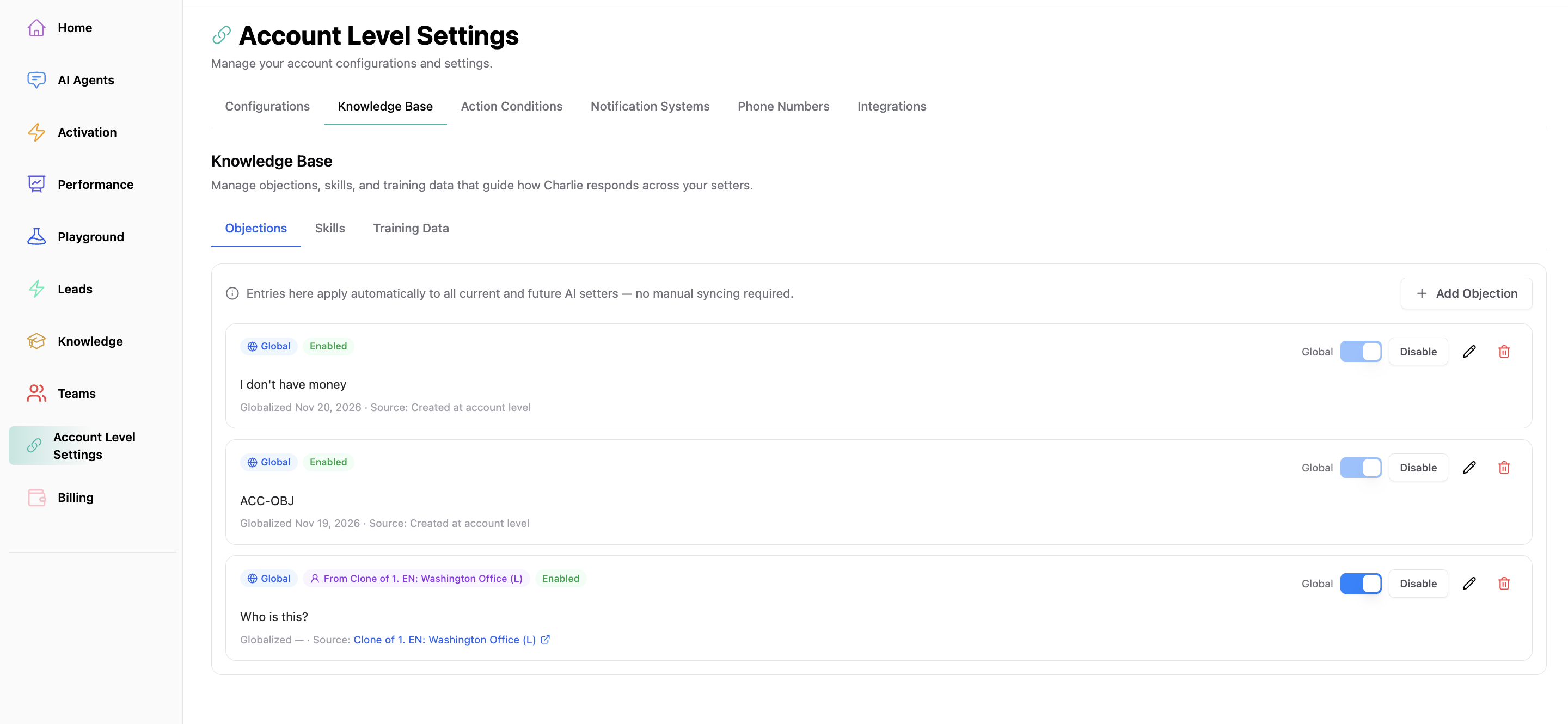
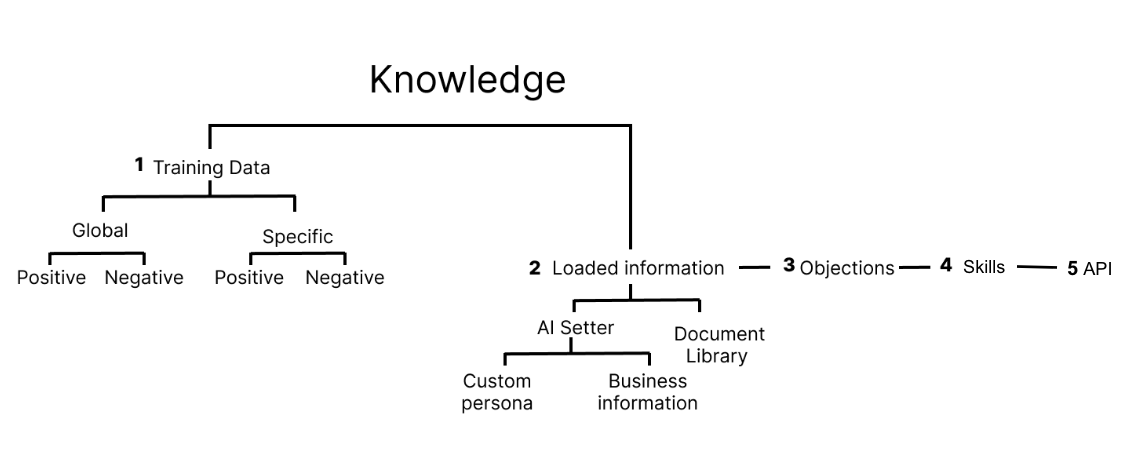
Even that this information applies at the account level, the input still follows a priority hierarchy defined in Charlie's logic (📄 Source of Knowledge → Priority Hierarchy)
Location
In the left menu, open Global (account level).
Select Knowledge.
Choose a tab: Training data, Objections or Skills.
Each tab lists every account-level entry with its content, its status (enabled or disabled) and an option to edit each of them
To global: in a setter, switch an entry's Global toggle on. It moves to Global Knowledge and becomes read-only in the setter.
Back to setter-level: switch the toggle off. The entry stays only on the setter where it was created and is removed from all other setters and from the Global list. You'll see the message "It's now only applicable in the setter it was originated".
Hierarchy
Create a global entry
Open the tab for the type of entry (Objections or Skills).
Create the entry as you would in a setter.
Save. It is immediately available to all current and future AI setters.
Edit, enable or disable a global entry
Edit: change the text in Global Knowledge. Every setter uses the update straight away.
Disable: the entry shows as disabled on every setter and is no longer used in replies or in the playground.
Changes apply immediately. There is nothing to sync.
Delete a global entry
Before deleting, Charlie shows how many setters are affected. Confirm to remove the entry from all setters.
Tips
Use global entries for things true across your business (common objections, shared skills, company-wide training data). Keep setter-specific scripts at setter level.
Team members on the same account see the same global entries.