Account level configurations
Last updated: October 16, 2026
Some settings apply to your whole business rather than to a single setter. The Configurations page lets you set them once at the account level. Every setter then uses them automatically, so you no longer have to repeat the same setup on each use case.
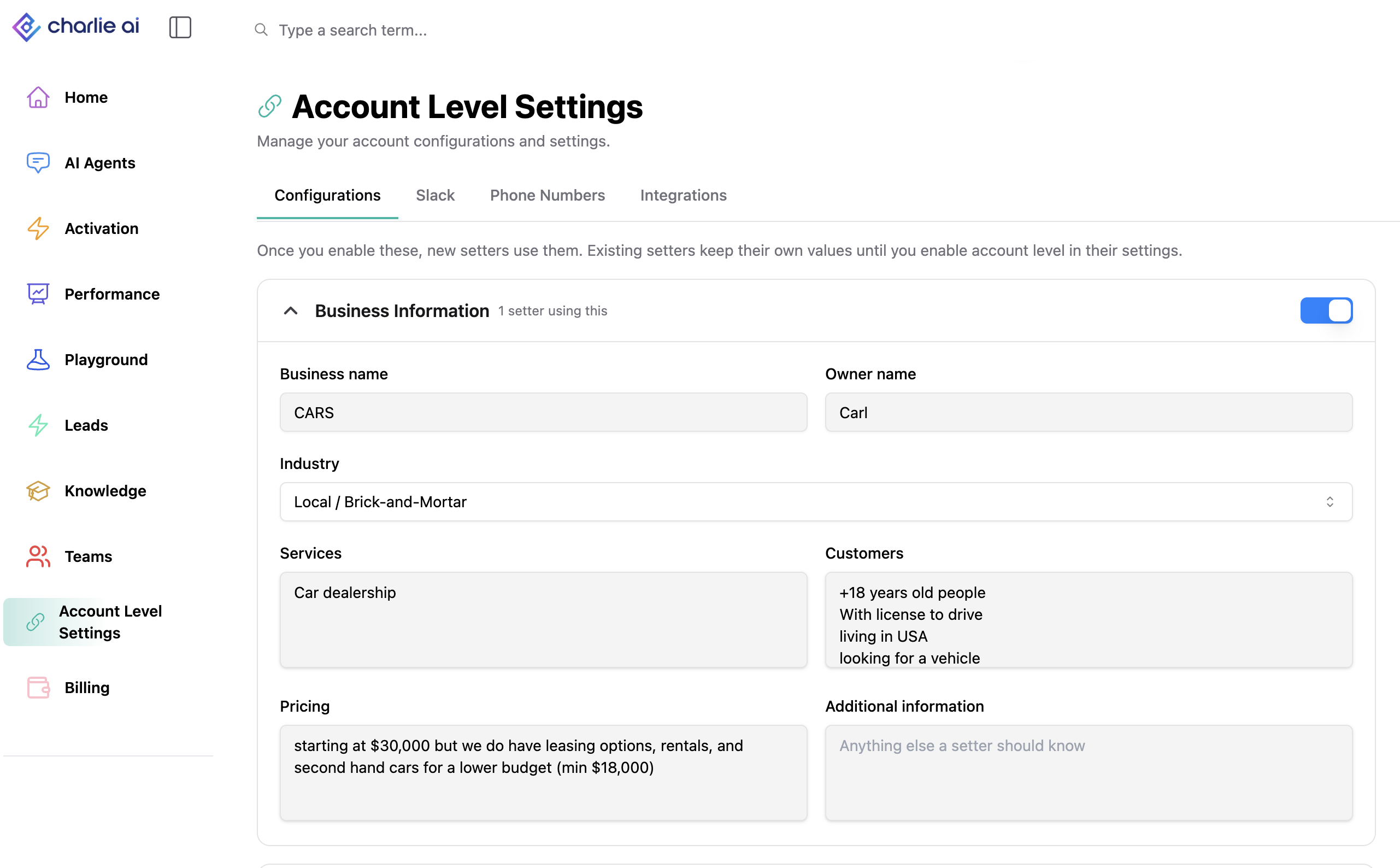
Where to find it
In the left menu, open Settings > Configurations. Your account-level Integrations are on their own Integrations tab in the same Settings area, which replaces the old "Account level" tab.
What you can configure at the account level
- Account timezone
- Business information
- Custom persona (including your persona document and banned phrases)
- Schedules: Hunt schedules and Booking schedules
How inheritance works
- When you turn on account-level configurations, every setter you create later, uses the account settings automatically. You don't need to re-sync anything.
- On a setter, account-level settings show the label "Using account level configuration". Click it to go to the Configurations page.
Setters that already have their own settings keep them.
When to use setter-specific settings instead?
If one setter needs something different (for example, a different timezone or schedule), turn on the setter-level configuration toggle for that setter. That setter then uses its own settings, and all other setters keep following the account settings. Turn the toggle off to switch it back to the account settings.
Good to know
- Account-level configurations are off by default. Nothing changes for your existing setters until you turn them on.
- Changes you make on the Configurations page apply to all setters that follow the account settings.