Activating Your Voice Setter In HubSpot
Last updated: January 23, 2026
Getting started:
In order to make an outbound call by using Charlie, there are few things that you need to get:
assistantid;apikey;phonenumberid;customerphone;
To get all of this information, you need to have both Voice AI Setter and Imported Phone Number.
This needs an Operations Hub Professional or Enterprise plan to get access to webhooks, otherwise it won't work.
Workaround: You can use 📄 Zapier: Integration
Getting assistant id and apikey:
In order to get assistantid and apikey, follow next steps:
Go to the Voice AI Setter Page.
To get
apikey, press the button, which is specified on the picture below: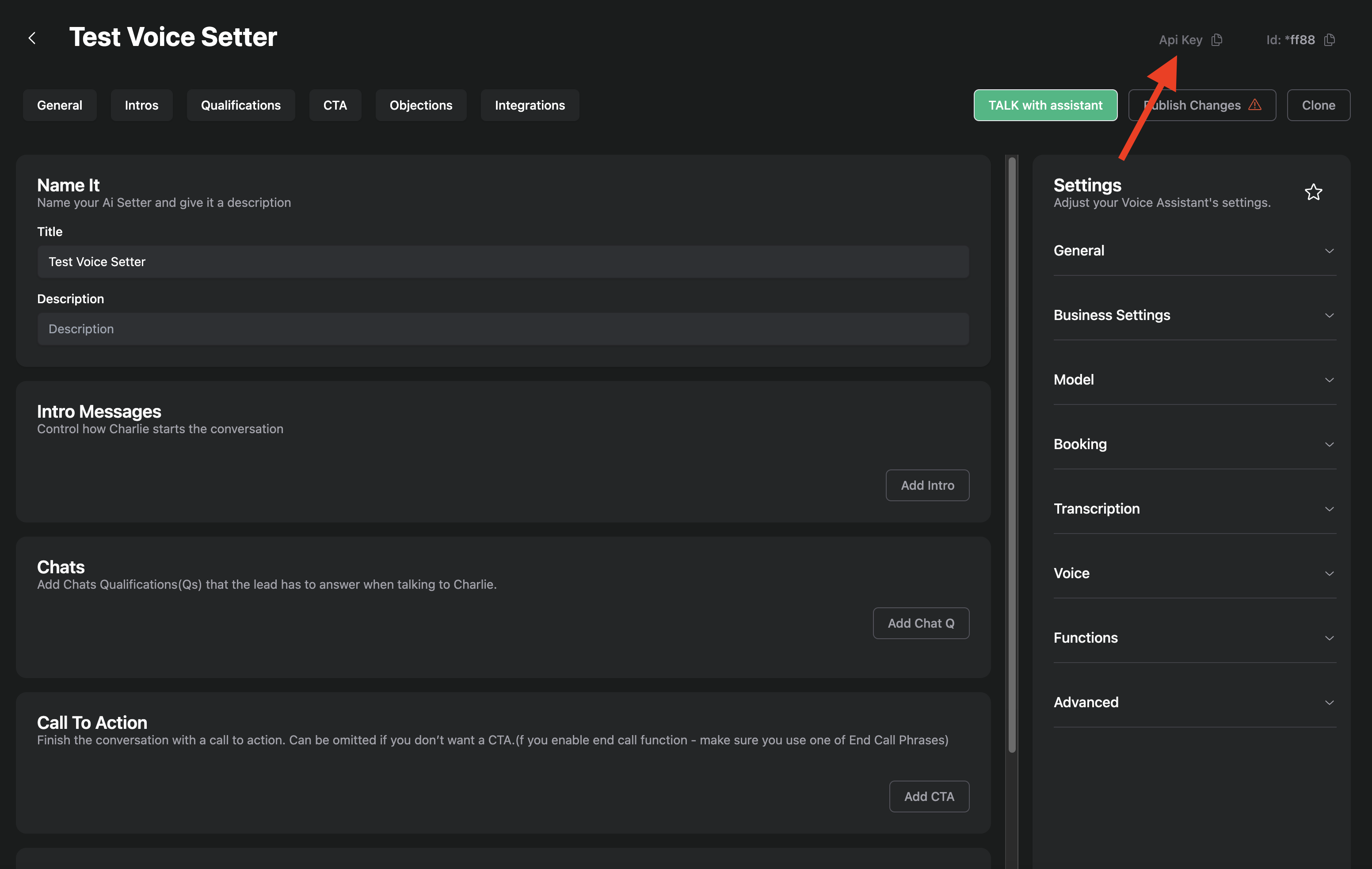
To get
assistantidpress the button, which is specified on the picture below:
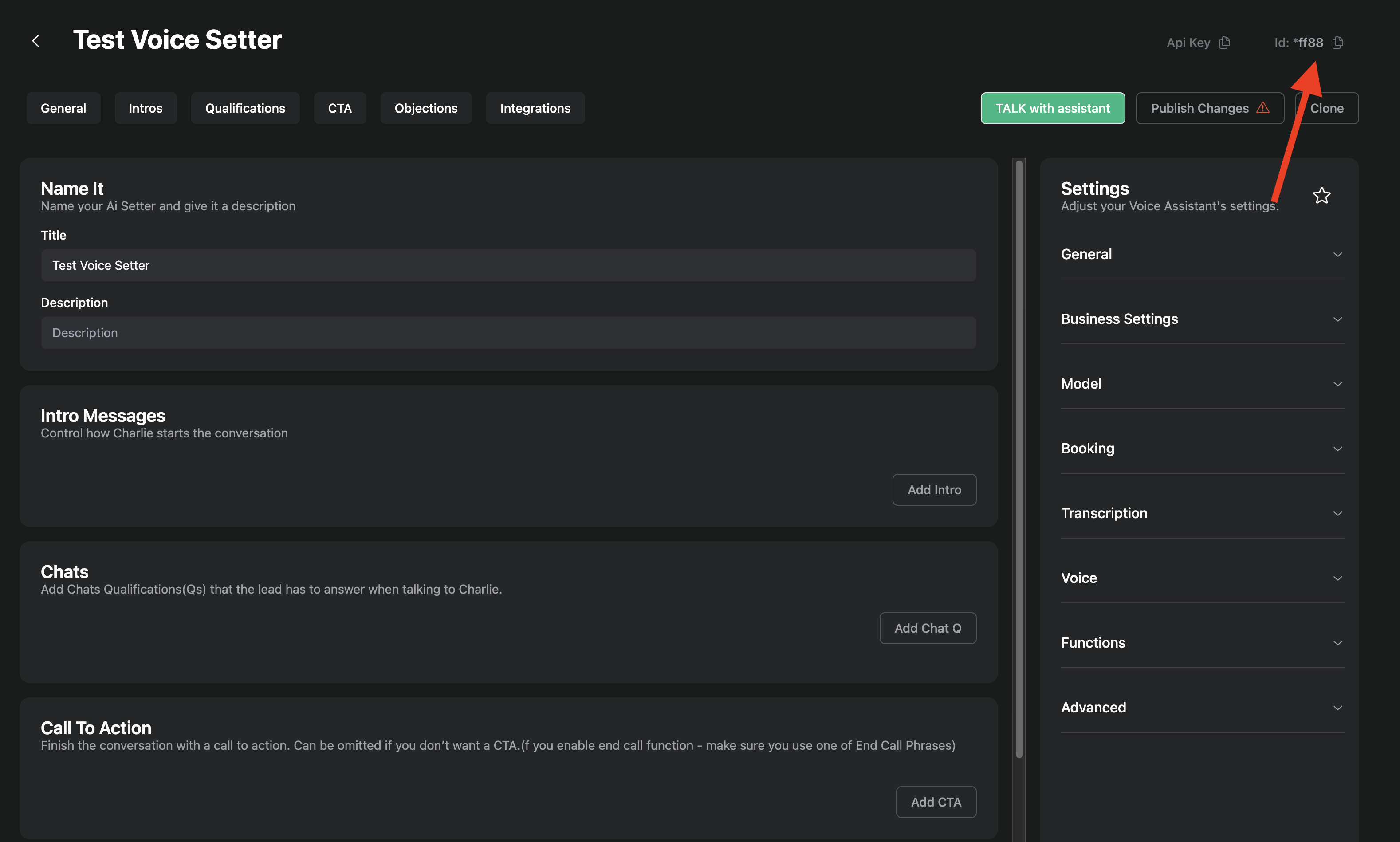
Now you have both
assistantidandapikey.
Getting phonenumber id:
In order to get phonenumberid, follow next steps:
Go to the Phone Numbers tab and click on any of the available phone numbers.
To get
phonenumberidpress the buttion, which is specified on the picture below:
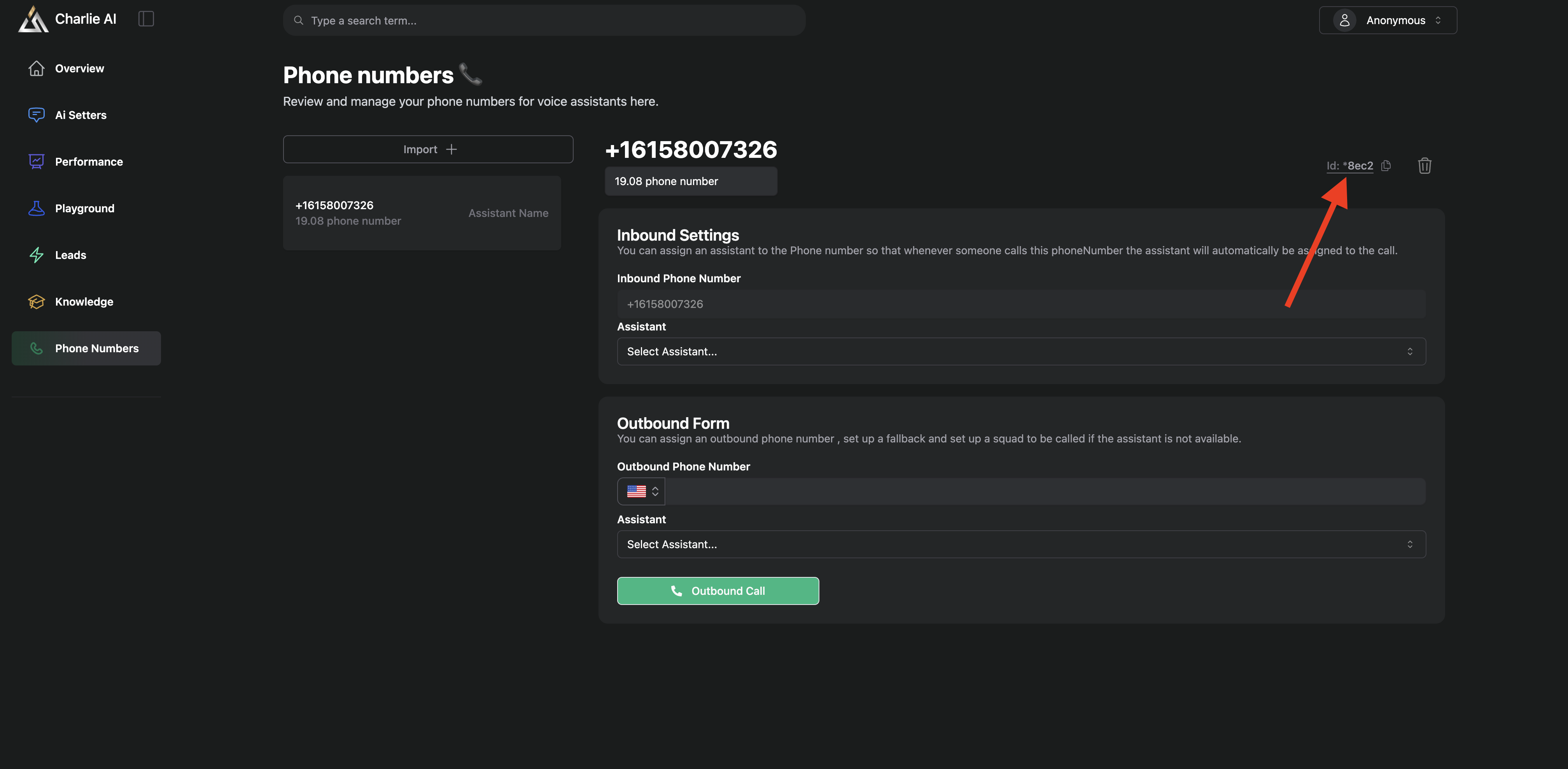
Using init-call API with HubSpot:
In order to trigger call API, you can use HubSpot for example.
When setting up an action, make sure, that you chose webhook.
When setting up the webhook, select the POST event type.
In url pass the https://api.charlieai.io/api/webhooks/voice/init-call link and in Payload Type choose
json.In block Data, you need to pass the next fields:
assistantid,phonenumberid,customerphoneandapikey. How to get all the needed data was described before, except thecustomerphone.customerphoneis simply the phone number of the customer you want Charlie to call.