DM Hunts
Last updated: September 9, 2026
Effective follow-up is crucial during the prospecting stage. Since only 2% of sales close on the first contact, a staggering 98% of sales opportunities require subsequent follow-up interactions.
That's why we developed "Hunts"—a comprehensive set of automated follow-up tools designed to help you find the sweet spot between persistence and respect. This guide covers the different Hunt types available, configuration steps, key specifications, and insights to ensure you maximize their effectiveness.
Prerequisites:
Have an AI setter/Use case created
What Are DM Hunts?
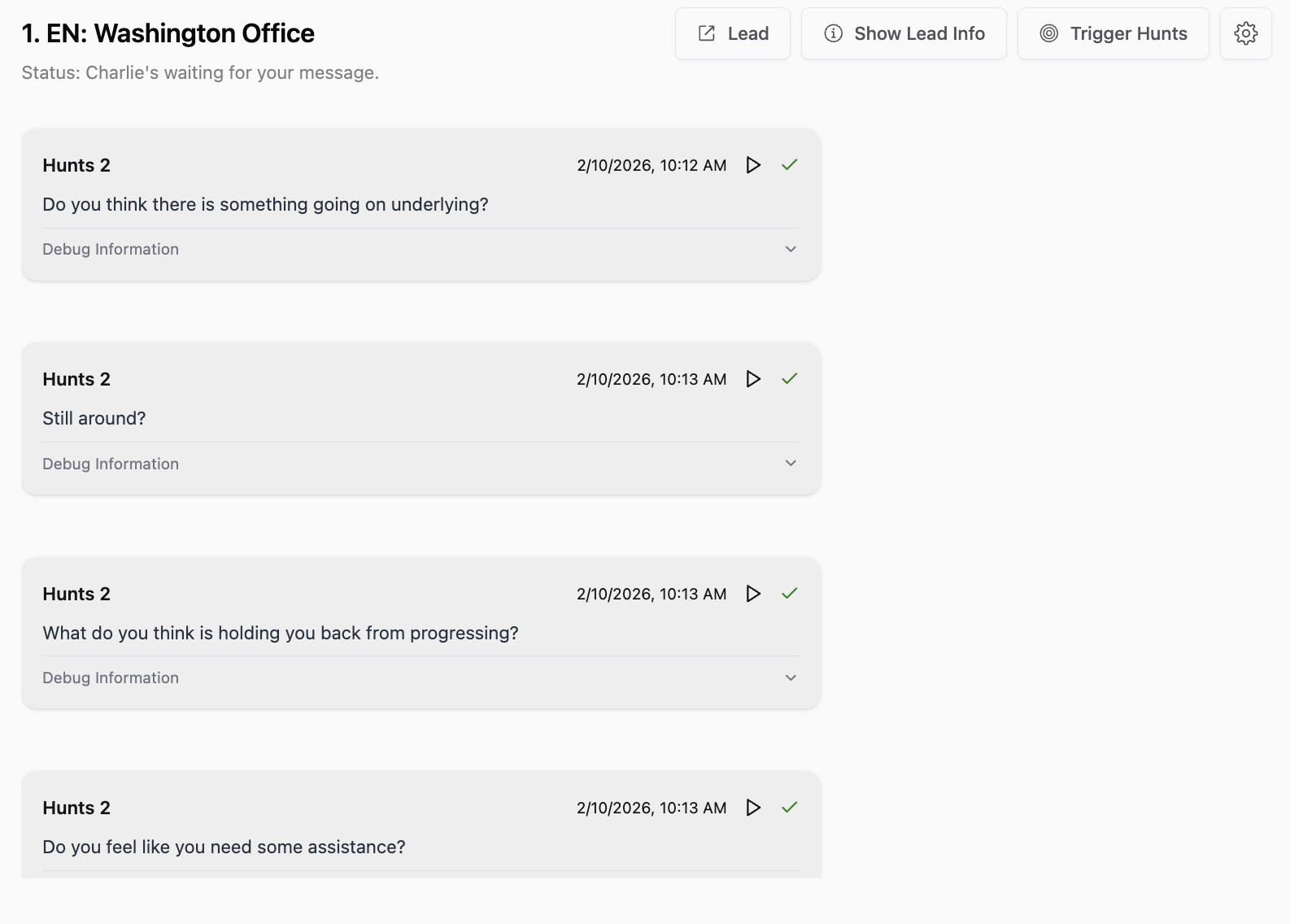
DM Hunts are automated follow-up messages that Charlie sends to leads who haven't yet completed desired actions during their conversation journey. These intelligent follow-ups maintain engagement momentum, recover stalled conversations, and systematically move leads toward booking. You can include hunts for the: into, qualification questions and CTA stage.
Types & Configuration:
Charlie offers multiple Hunt types designed for different stages of the conversation journey, enabling comprehensive follow-up strategy.
Configure DM Huts: In your ai setter we have the "hunts" feature displayed at the top menu. In here you can set them up and customize them to align with your business's guidelines. It can be used to the different sections of your script (Introduction, Qualification or CTA)
Configuration:
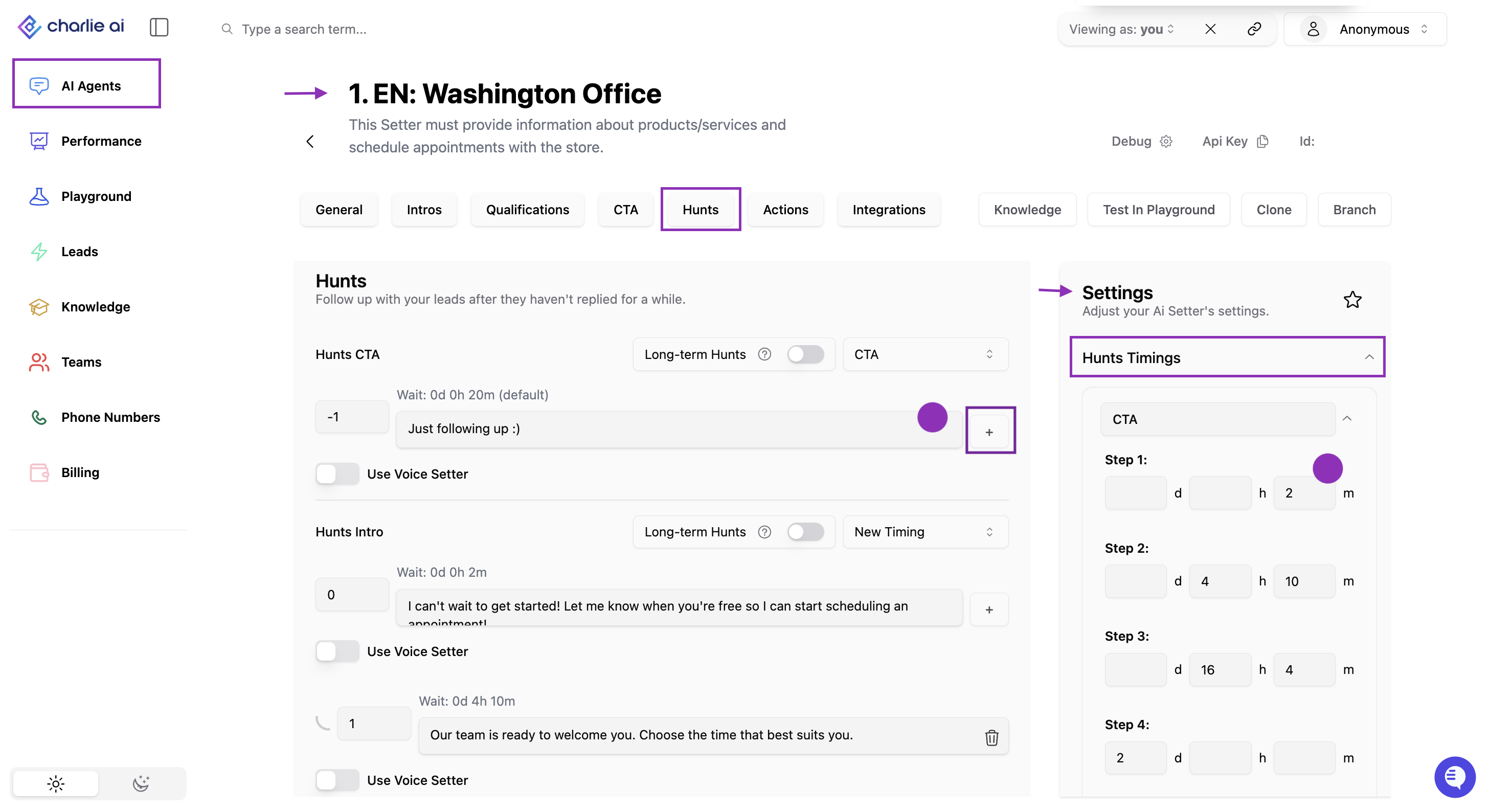
Go to the "AI Setter" section in the left side menu and select the setter you want to configure
In the top menu, click over the "Hunts" option
You can include as many as you wish using the "+" sign
Go to the "Settings" right menu, and look for the "Hunts Timings"
You can customize the fields of timing and messages to ensure they get send according to the company's guidelines. Remember to save the " 📄 Hunts Timing" configuration
You can also attach multimedia files in the hunts, just need to enable it with a toggle
Important note: If you have included "hunts" but left the text box empty, the following hunts won't be triggered. Delete the hunts you won't use to avoid disconnection of the sequence.
Visual guidance
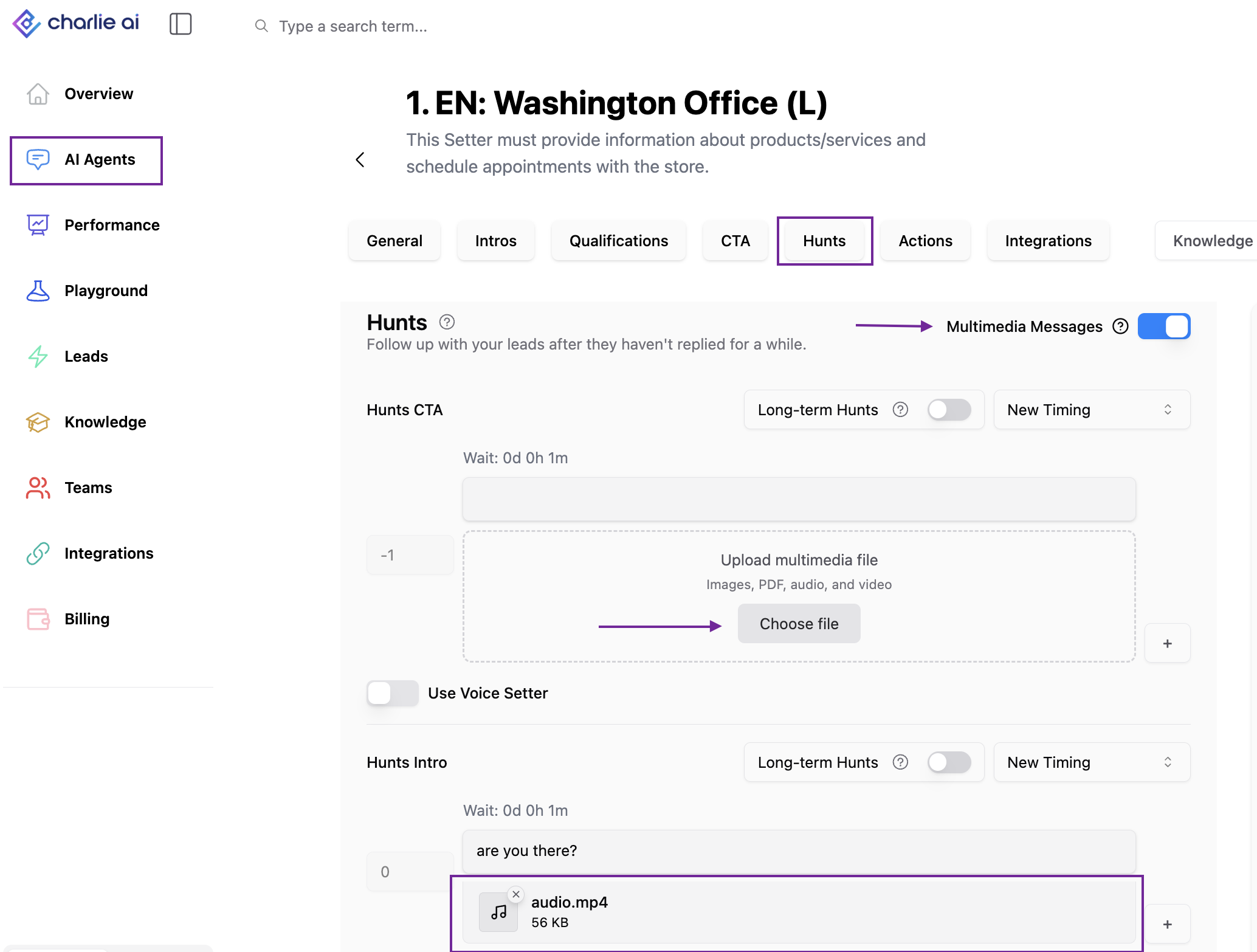
IG just support images for the multimedia hunts due to a META restriction
Dynamic DM Hunts (Long-Term Hunts): are AI-generated, contextual follow-ups that Charlie creates automatically based on conversation history and company knowledge.
Configuration:
Go to the "AI Setter" section in the left side menu and select the setter you want to configure
In the top menu, click over the "Hunts" option
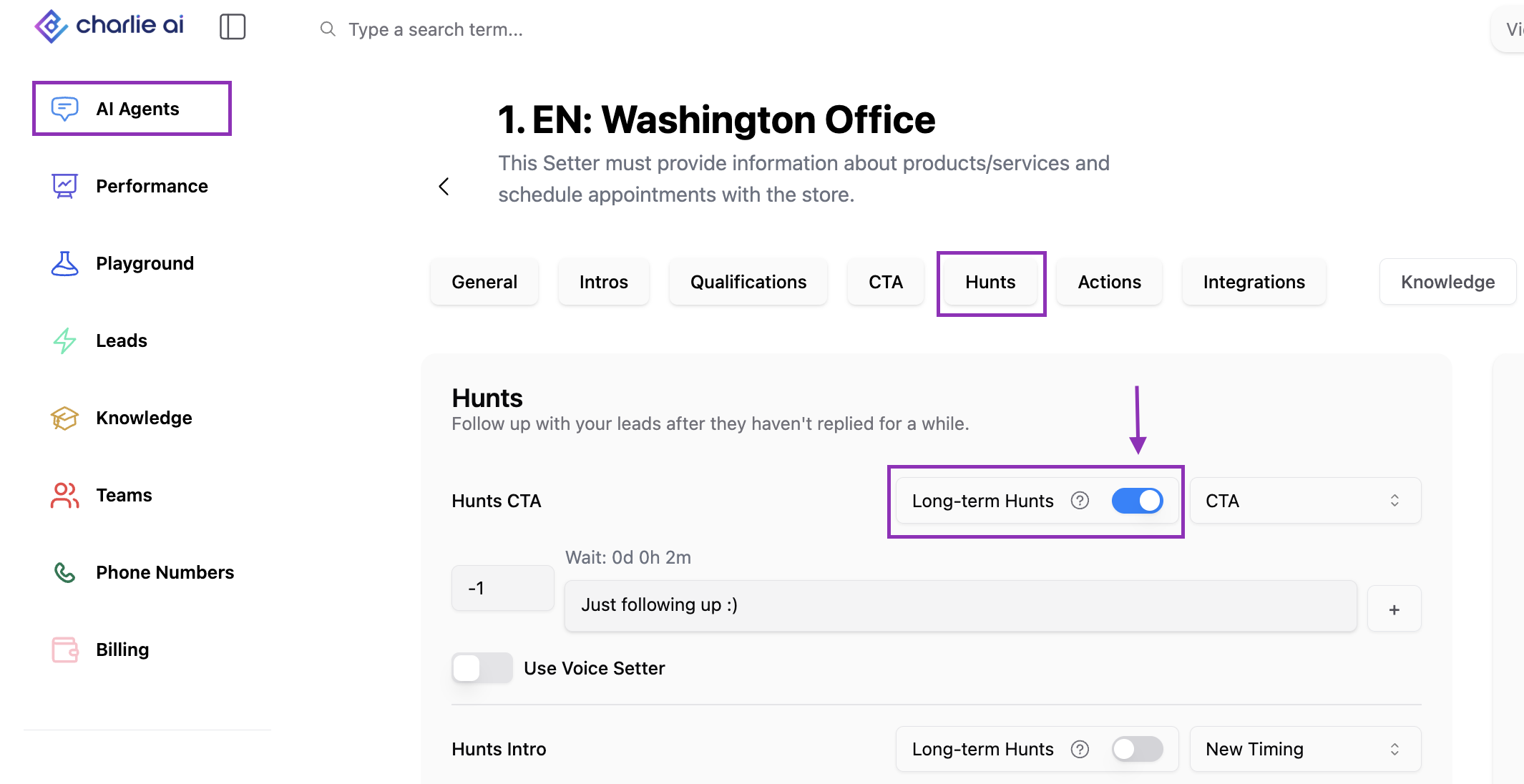
Look for the "Long-term Hunts" Toggle, and activate it
If the toggle is active, Charlie will automatically generate a message based in the conversation context and company's knowledge.
Message will be schedule to be sent 4-10 days after the last configured hunt was sent.
Visual guidance
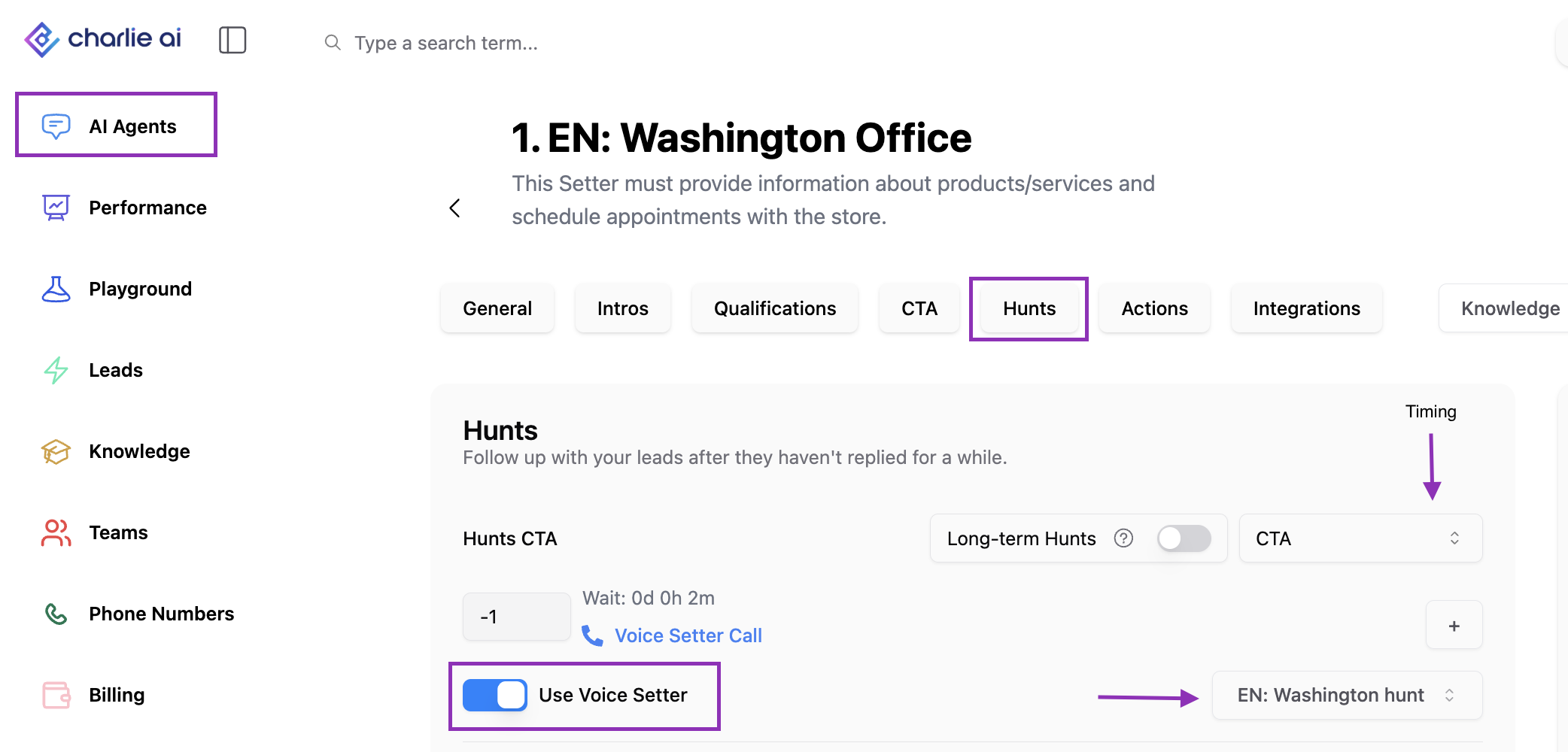
📄 Hunts: Voice : DM hunts can also activate a Voice Setter to follow up though a toggle.
Configuration:
Go to your "AI setters" , and select one of your DM Setters
In the top menu, click over the "Hunts" option
Look for the toggle "use voice setter", and enable it
Select the voice setter you want to use for your hunts
Make sure the timing is correct
Visual guidance
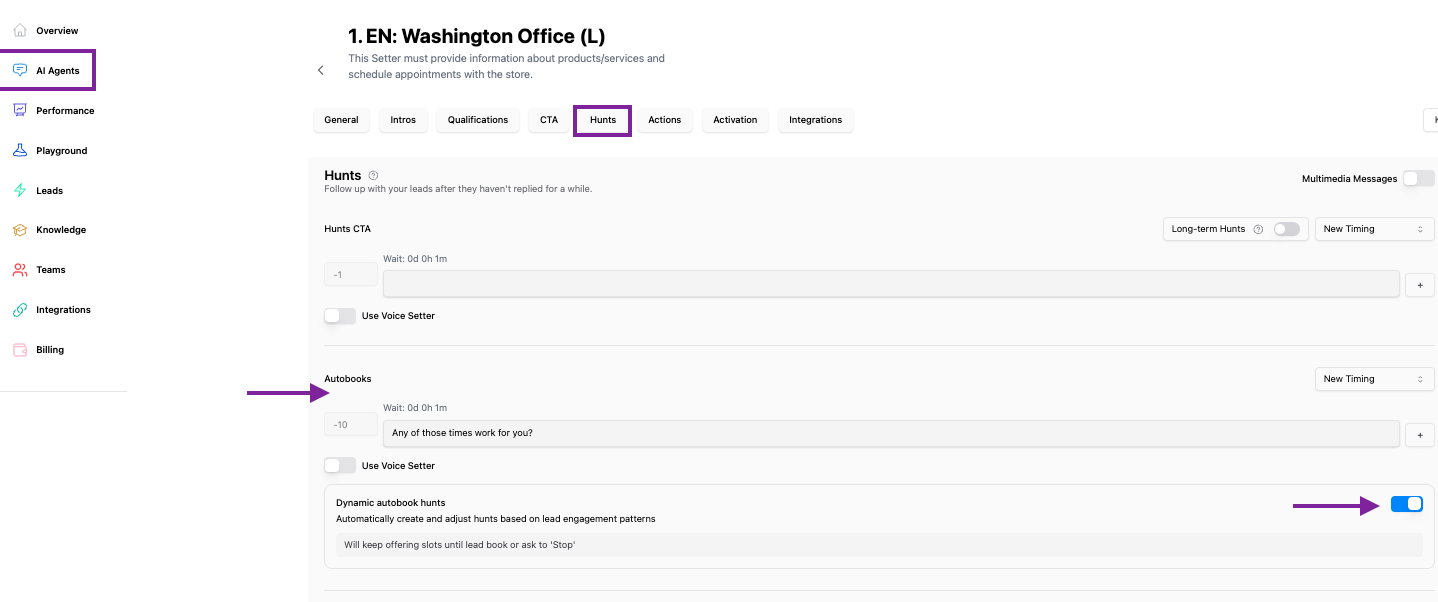
Autobooking hunts:
Dedicated Auto books hunts now automatically engage leads who pause after entering the flow, preserving booking momentum once slots are presented.
Dynamic function enabled Charlie to keep pulling available slots from the calendar to provide more options to the lead, becoming an intentional follow-up message
Visual guidance
CTA hunts vs Autobooking hunts
The difference wit CTA hunts is that currently if the lead enters the Autobooks flow, the CTA hunts won't trigger, so for example if someone already agreed for a call, and got some slots, but stop responding the CTA hunts won't trigger, therefore we created the autobooking hunts to keep the momentum and improve scheduling
All the Hunts are setter specific configurations, none of them will be applicable account-wide.
Key insights:
DM Hunts aren't a "nice to have" feature, they're the difference between capturing 2% vs. 100% of your addressable opportunity. Without automated Hunts, you're leaving massive revenue on the table.
Dynamic Hunts leverage AI to generate fresh, contextually relevant messages that don't feel repetitive or desperate, enabling indefinite long-term nurture that actually works
The ability to automatically escalate from DM to Voice isn't just channel diversification, it's strategic persistence signaling.