Post booking
Last updated: February 11, 2026
Within the settings we have for the DM setters, we developed a post-booking intelligence that enables Charlie to manage lead’s interactions after booking. Whether they need to reschedule, cancel, or have questions; Charlie maintains full context and handles it to keep them engaged. In this guide, we show you where to find it, specifications, and Key insights.
Where to find it?
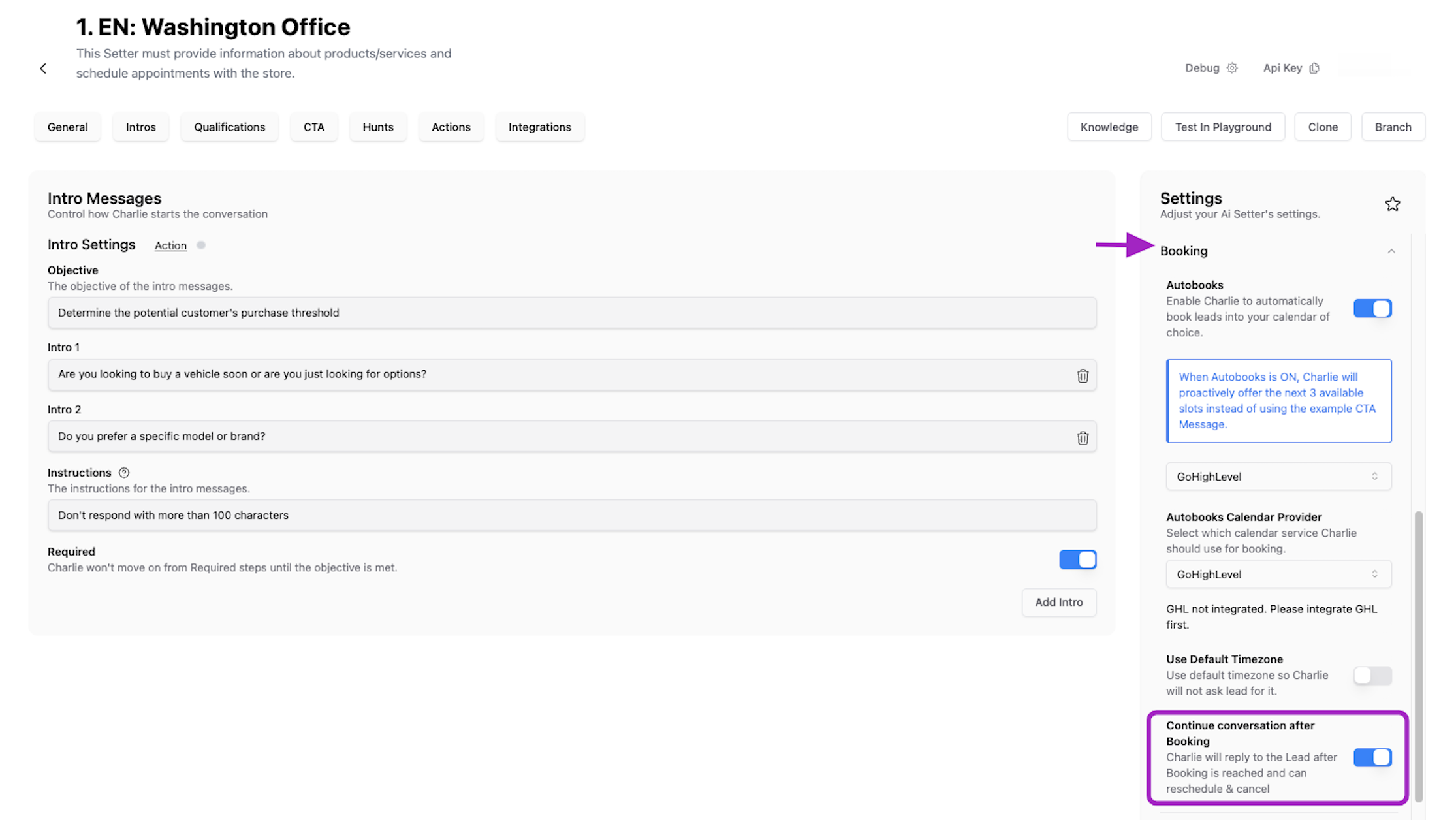
Go to the "Ai Setter" option in the left side menu
Select the DM setter you are going to include this function
In the "Settings" menu at the right side, look for the "Booking" section
Click on it to expand, and scroll to the bottom
At the end, loof for the "Continue conversation" toggle, this will enable post booking.
Visual guidance
Specifications
Require active calendar integration to function. Without it, Charlie cannot access booking details needed to handle reschedules or cancellations intelligently
This feature is just supported for OnceHub, GHL Calendar, and Calendly.
If the toggle is off (By default), the DM setter won't reply to any lead after they met CTA
It's reply will be guided by the 📄 Custom Persona or 📄 Training Data
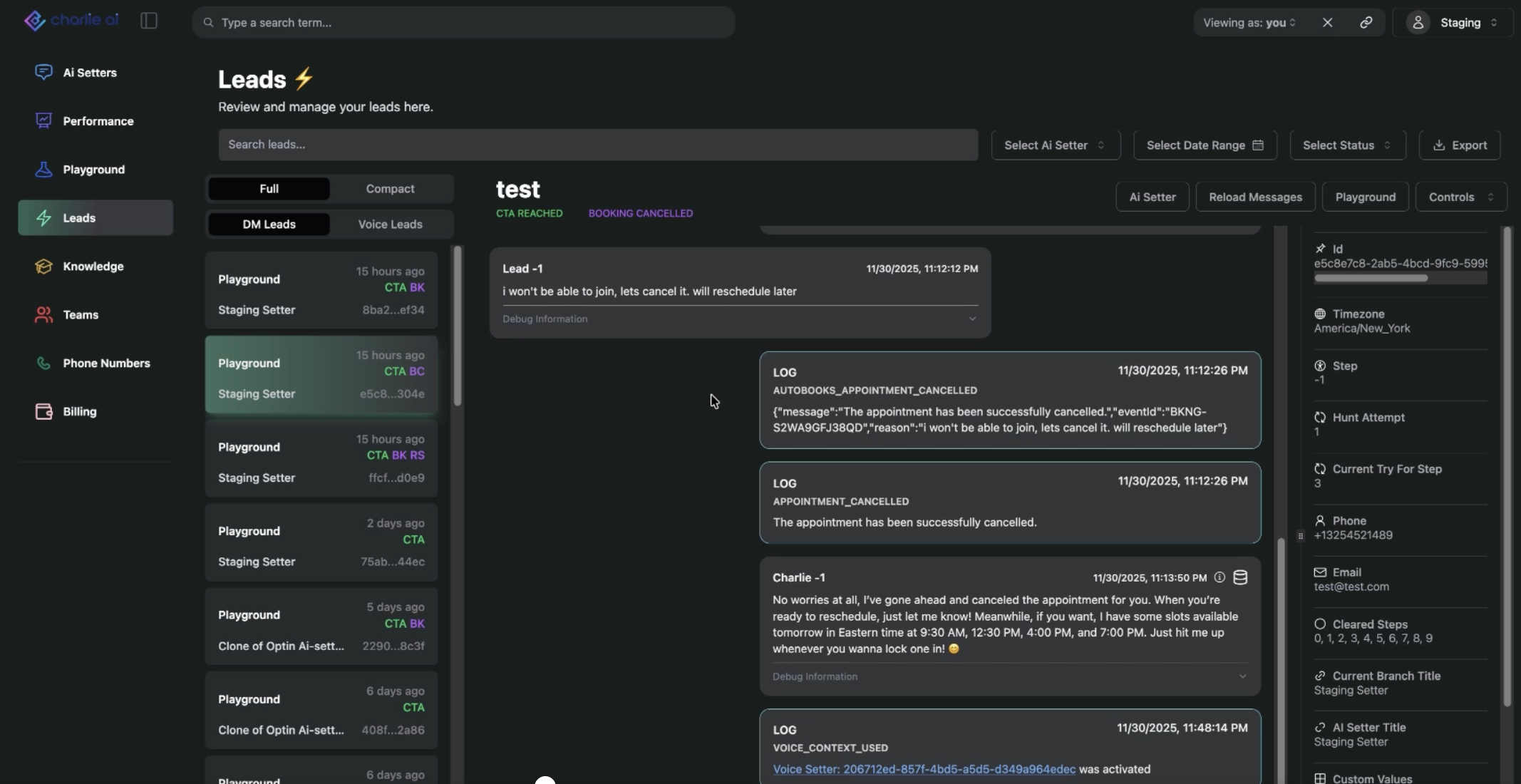
The leads that are rescheduled or canceled will have a label included in the lead's conversation card that shows their status: RS for Reschedule and BC for booking canceled.
Key insights
The booking isn't the end of the relationship—it's a critical transition point. Post-booking intelligence ensures leads remain engaged and supported from booking through appointment completion.
Automating common post-booking scenarios (rescheduling, cancellation, basic questions) frees your team from repetitive admin tasks, allowing focus on high-value activities.
As you encounter various post-booking scenarios, training data helps Charlie learn optimal responses for reschedule requests, cancellation handling, and FAQ management.