Voice Setter overview
Last updated: January 28, 2026
With Charlie you can also leverage AI voice agents, this possibility unlocks different use cases to boost your lead generation strategies. There are different points in the customer journey where you can use them. In this guide we do a break down of our voice setters, main configurations, restrictions, best practices and Key insights.
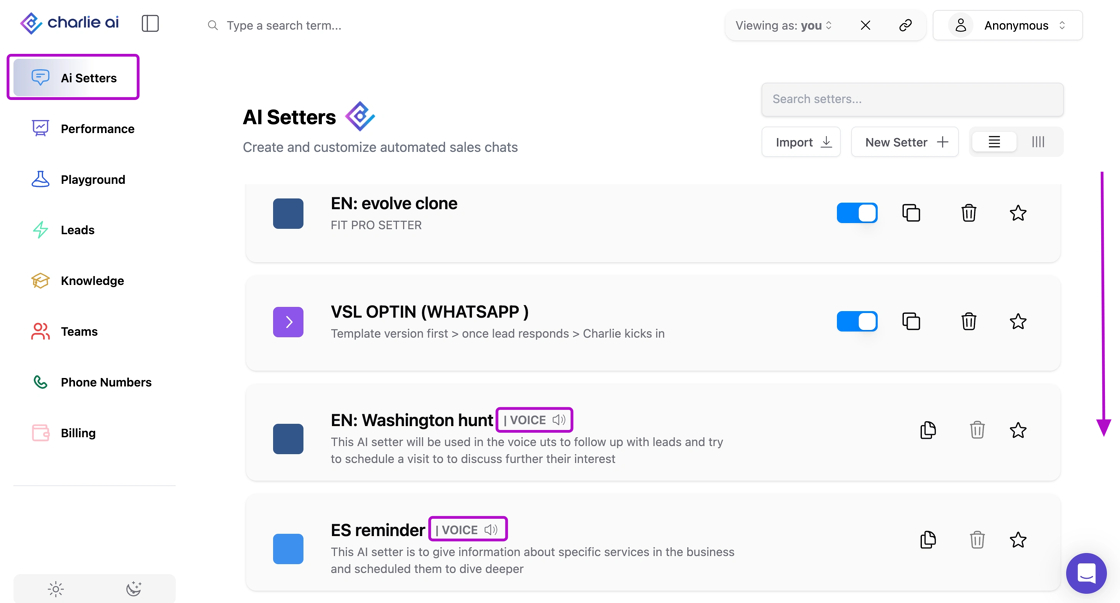
Main configurations
Language
Charlie supports different languages for the Setters configuration, you just need to make sure that all the information you provide is consistent and in the same language. You'll have to fill out the fields of the top menu in the desired language.
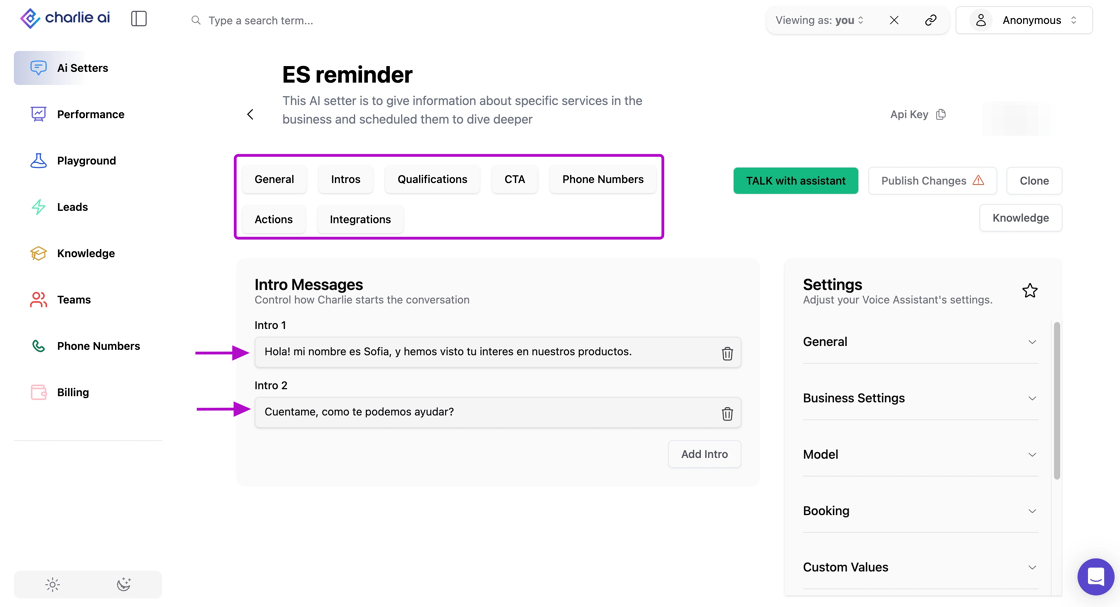
It supports different languages, but not at the same time, each setter should be 100% consistent in the language configured.
Transcription
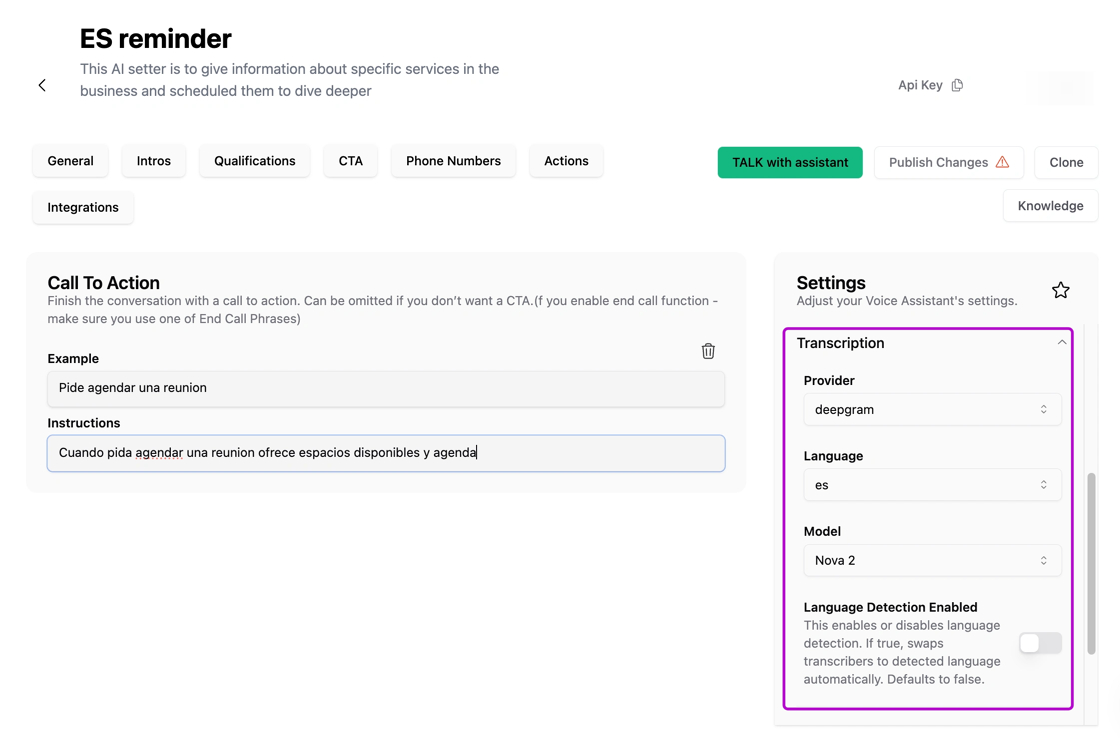
To ensure a accurate data collection, you need to configure the "transcription" settings, here you also need to confirm again the language that the voice setter is going to handle to improve the details of the transcription
Voice
You can select the Provider, tone of voice, model and even humanize it more with background noise. This settings enable you to tailor your voice setters to be 100% align with your brand/ account
Phone number
In order to have your voice setter working, you need to set-up the phone number from which it is going to have the calls
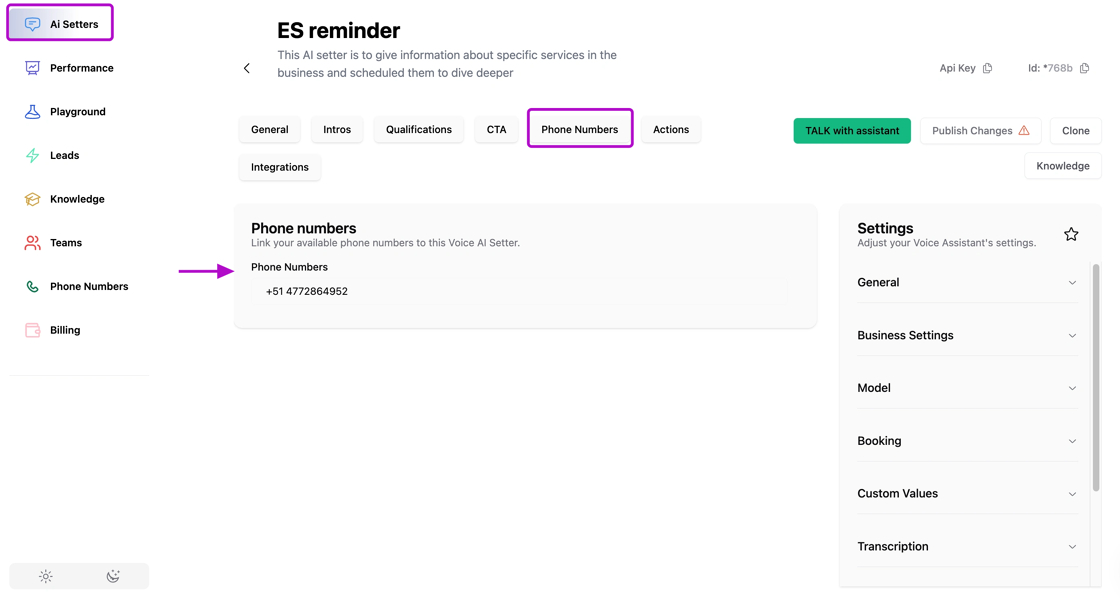
The use of Phone number has a 1:1 ratio. For that reason, the dropdown selection in the Phone Number page is not multi select.
Naming
There is a standard for the naming conventions for the Voice setters, it’s limited to under 40 characters long to support a smooth process with the Voice provider.
Restrictions
Charlie has a 15-concurrent call limit across all accounts. This is a shared resource limitation, not a per-account or per-Voice Setter restriction.
Charlie's concurrent call capacity is shared across all customers, meaning: Peak times may have longer queue wait times
Best practices
We suggest to have a limit for Voice enrollments per minute of 5-6 leads, this will prevent for mobile companies to flag your number as spam
Gradual Enrollment Scaling Instead of enrolling hundreds of leads simultaneously
Inbound calls can be caught by Vapi or our Charlie queue system.
Key insights
Understanding that the 15-call limit is platform-wide (not per account) helps you plan campaigns around potential capacity constraints during peak times.
If you consistently hit concurrent call limits, additional capacity is available as an add-on. This is a worthwhile investment for high-volume operations.
A measured pace with high answer rates dramatically outperforms high-volume calling with low answer rates. Protect your number reputation at all costs.