Activation: Hubspot
Last updated: November 2, 2026
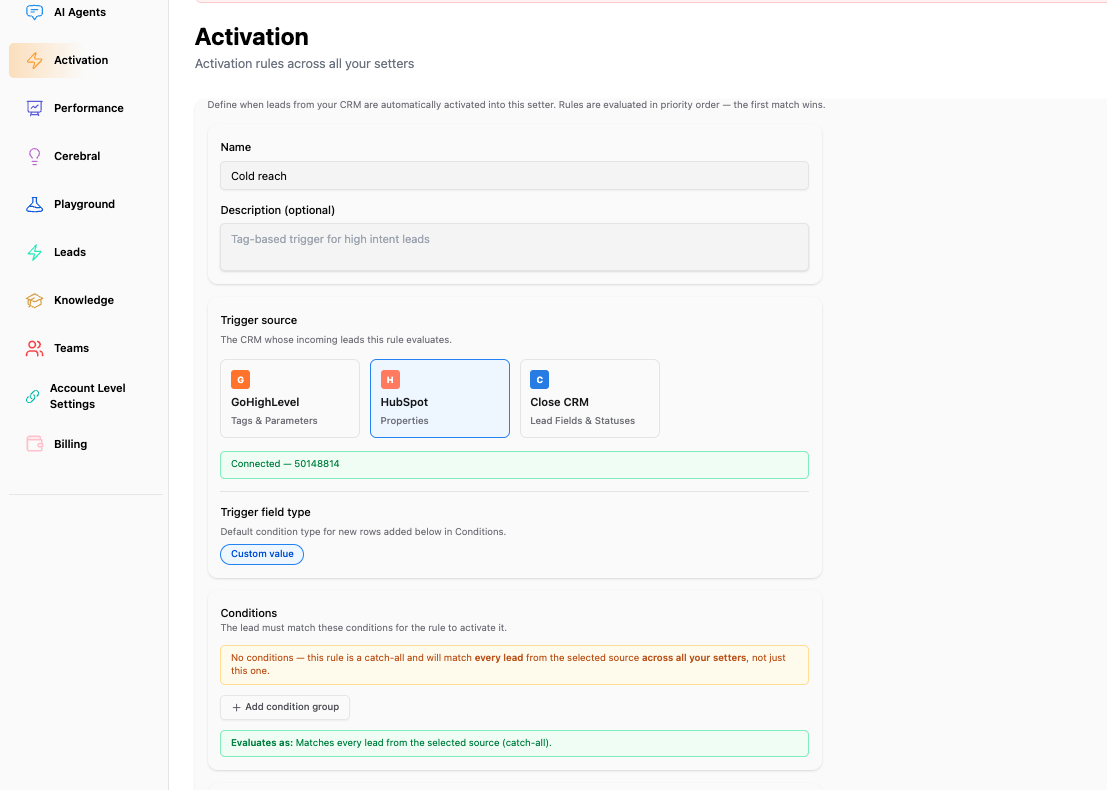
HubSpot Activation Rules let Charlie evaluate changes to contact properties. When a contact meets a rule’s conditions and is eligible for activation, Charlie routes them to the setter assigned to that rule.
Start with a small number of leads and confirm routing and outreach before increasing volume.
Before you start
Connect the HubSpot account containing your contacts.
Make sure the target setter is configured for outreach.
Identify the contact properties and values you want to use.
Review any existing automation that already enrolls those contacts in Charlie.
Supported conditions
Use HubSpot Custom values to define your activation criteria. Charlie provides a property picker for the connected account.
Property names versus property values
Selecting the property and entering its matching value are separate steps:
Choose the property from the available fields.
Enter the value Charlie should match.
Check the property’s configuration in HubSpot if you are unsure which value to enter.
Create a HubSpot activation rule
Open Activations and create a rule.
Select HubSpot as the source.
Select a contact property and configure the matching condition and value.
Add additional conditions if needed, using AND or OR.
Assign the target setter.
Configure the delay and any reactivation settings.
Save and enable the rule.
Update a test contact’s property in HubSpot and verify the result in Charlie.
What to expect
A supported contact-property change prompts rule evaluation.
The contact must satisfy the rule’s conditions when evaluated.
A configured delay postpones outreach, even if the lead record appears in Charlie immediately.
Saving a rule should not be treated as a bulk activation of all existing matching contacts.
Troubleshooting
HubSpot is unavailable as a source: check the connection and resolve any reconnect notice.
The property is missing: confirm you are connected to the intended HubSpot account and are using a contact property.
The property looks correct but the rule does not match: check the stored value, especially internal option values for dropdown properties.
The lead appears but has not received outreach: check the configured delay and conversation log.
A previously contacted lead does not activate: check reactivation settings and lead eligibility.