Activation: GHL
Last updated: November 2, 2026
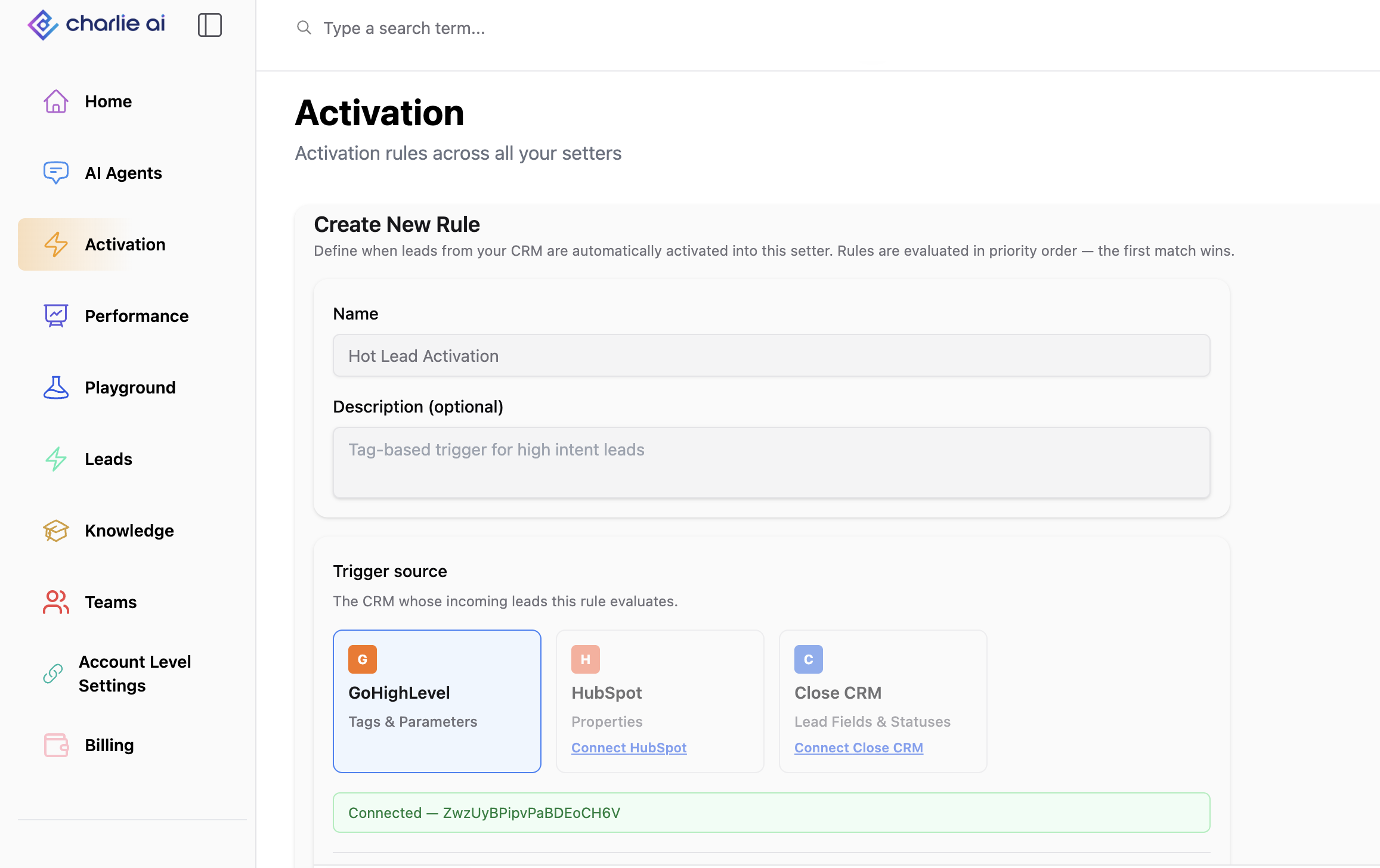
Activation rules for GoHighLevel let Charlie evaluate contact tag and custom-field changes from your connected GHL sub-account. When a contact meets a rule’s conditions and is eligible for activation, Charlie routes them to the setter assigned to that rule.
Requirements
Connect the GHL sub-account that contains the contacts you want to activate.
Make sure the target setter is configured for outreach.
Review existing GHL workflows that already activate Charlie for the same contacts.
Conditions
You can build conditions using:
Contact tags, such as
interestedorhot-lead.Contact custom fields, such as a budget or service-interest field.
Charlie loads tags and custom fields from the connected sub-account. For supported fields with predefined options, the condition value can also be selected from the available options.
Create a GHL activation rule
Open Activations and create a rule.
Select GoHighLevel as the source and the appropriate connected sub-account where prompted.
Add your tag or custom-field conditions.
Choose AND or OR to control how the conditions are combined.
Assign the target setter.
Configure the delay and any reactivation settings.
Save and enable the rule.
Avoid conflicts with existing GHL workflows
Before switching to native Activation Rules:
Identify workflows that activate Charlie for the same tag or field change.
Decide which activation path should handle those contacts.
Disable or adjust only the overlapping activation steps or workflows you are replacing.
Test the rule again with a fresh contact.
Do not disable unrelated workflows, such as appointment reminders or other customer communications.
An older workflow may enroll the lead independently of the new rule. This can make it look as though a disabled rule still fired, the wrong setter was selected or the configured delay was ignored
Troubleshooting
Tags or fields are missing
Confirm the correct sub-account is connected and check for a reconnect notice.
The rule does not match
Check the exact tag or field value and the AND/OR logic. Similar-looking tag names are not necessarily the same tag.
The lead reaches the wrong setter or starts immediately
Review the rule’s target and any overlapping GHL activation workflows.
A previously contacted lead does not activate
Check reactivation settings, cooldown, attempt limits and the lead’s eligibility.
Start with a small number of test leads before increasing volume.