Revenue Tracking: Overview & Performance Page
Last updated: July 22, 2026
Revenue Tracking lets you see the direct financial impact Charlie AI has on your business. By connecting your CRM or Zapier, Charlie automatically tracks when deals close that originated from Charlie-qualified leads giving you clear ROI visibility. In this article we explain how it works, what it tracks, general configurations, and the visualization of the information within Performance page.
How Revenue Tracking Works
Revenue Tracking connects Charlie’s lead activity with your CRM deal data.
These are the two financial metrics that are tracked:
Contract Value Closed — The total committed value of a signed deal (e.g., a client signs a $120K/year contract)
Cash Collected — The actual payments received to date (e.g., $10K collected so far on that $120K contract)
Tracking both gives you a full picture: pipeline value vs. actual cash flow.
FLOW
A lead is activated in Charlie and goes through the conversation
The lead reaches CTA (call-to-action) through a Charlie AI Setter
The lead’s deal progresses in your CRM (HubSpot, GHL, or via Zapier)
When the deal reaches your configured trigger stage (e.g., “Closed Won”), Charlie recognizes the revenue event
The revenue is attributed to the Use Case (AI Setter) that most recently triggered CTA for that lead
Only deals where Charlie played a direct role in the sales process are counted, giving you an accurate picture of Charlie’s contribution to your revenue.
Supported Integrations
You can set up Revenue Tracking through any of these integrations:
Integration | How It Triggers | Configuration |
|---|---|---|
HubSpot | Deal reaches a selected Deal Stage | Charlie Dashboard → HubSpot Settings → Revenue Tracking tab |
GHL | Contact reaches a selected Pipeline Stage | Charlie Dashboard → GHL Settings → Revenue Tracking tab |
Zapier | Zap Action fires with revenue data | Zapier App → Charlie AI Action → Revenue Event |
HubSpot and GHL use a stage trigger — you pick which deal/pipeline stage means “closed.”
Zapier works differently: it receives the revenue numbers directly from your Zap, giving you flexibility to connect any CRM or payment system.
Revenue Attribution
When a revenue event fires, Charlie attributes it to the Use Case (AI Setter) that most recently triggered CTA for that lead.
This means:
If a lead was activated by Setter A but reached CTA through Setter B, the revenue is attributed to Setter B
Revenue is tied to the AI Setter that directly drove the deal, not just the one that first activated the lead
This gives you accurate performance data per AI Setter, so you can see which setters are generating the most revenue
Performance Page
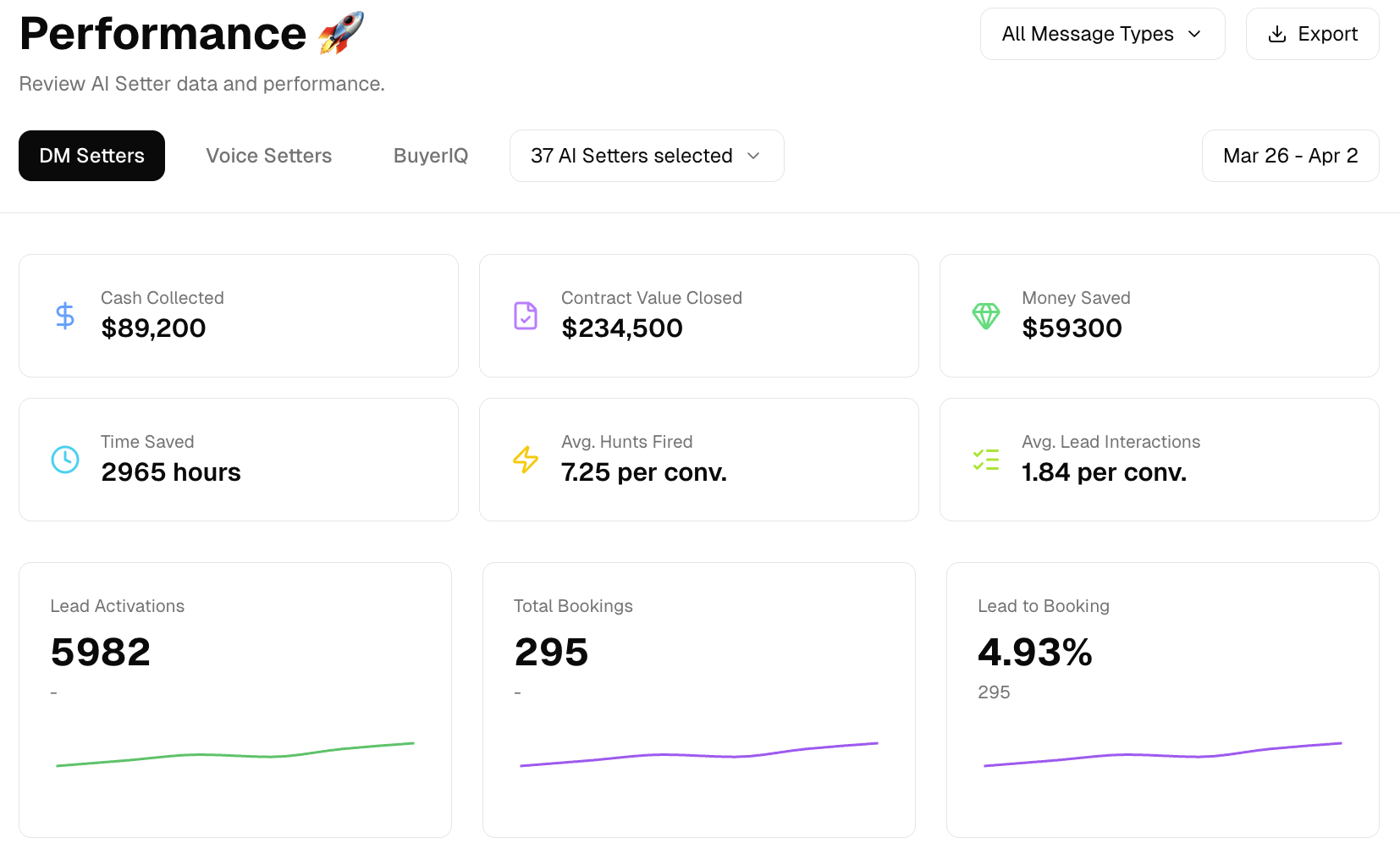
Once Revenue Tracking is configured through at least one integration (HubSpot, GHL, or Zapier), two new metrics appear on your Performance Page:
Cash Collected — Total actual payments received from Charlie-attributed deals
Contract Value Closed — Total committed contract value from Charlie-attributed deals
These metrics are displayed as single numbers alongside your existing performance data.
Key behaviors:
Date filters apply to when deals closed, not just when leads were activated. This means you can see revenue from deals that closed in a specific period, regardless of when the lead was first activated.
Revenue metrics are included in Performance Page exports
If no revenue tracking mapping has been configured (no HubSpot, GHL, or Zapier setup), the metrics will show you cero (0) you'll need to set up Revenue Tracking within the integrations page.