Phone number: Twilio
Last updated: March 26, 2026
Charlie enables you to send messages directly from the platform while centralizing all conversations in a single, unified interface. To provide maximum flexibility and reliability, we've developed integrations with multiple phone line providers, allowing you to select the solution that best suits your operational needs.
This guide explores Twilio integration. One of the world's leading cloud communications platforms, covering its benefits, configuration process, and key insights to ensure you maximize its value.
Prerequisites
Have an active Twilio account, with Paid plan
Primary Customer Profile verified
📄 A2P verification Completed
How It Works with Charlie
Direct Integration: Charlie connects directly to your Twilio account, enabling seamless message sending through Twilio's infrastructure while maintaining all conversation history and context within Charlie's dashboard.
Benefits
Having a Twilio phone line enables you to have a backup plan to ensure full coverage and redundancy.
Charlie allows you to configure more than one phone number line in your Ai Setters, with this it ensures that every time a message is automated to be sent, it will be successfully delivered.
Charlies logic work as follow:
Charlie will consult primary phone number configured
If it's available it will use it, and send message to lead
If it's not available Charlie will re-route the message to Twilio phone number to ensure message get sent
Charlie automatically manages provider selection, routing, and failover without requiring manual decision-making.
Configuration
Log in to your Twilio account
Go to setting
Look for the following information, and keep it on hand
Twilio SID number: In Settings → General look for "Account SID" it starts with "AC" followed by alphanumeric string
Twilio Auth. Token: In Settings → General look for "Auth Token" it will be a 32-character alphanumeric string
Twilio Phone number: In phone Numbers → Manage Numbers → Active Numbers: select the number you want to use with Charlie
Copy those values
You can configure it in two paces in the platform:
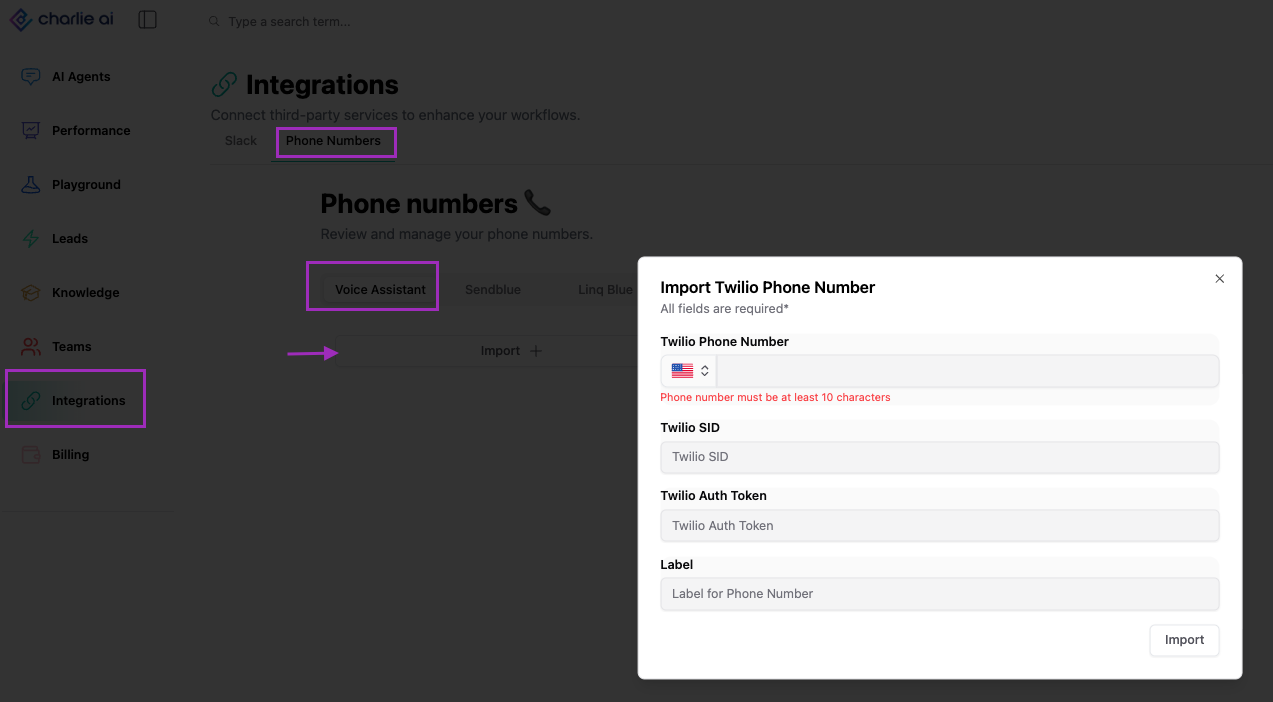
a) For Voice Setters
Go to your "Integrations" section in the left side menu
Select the "Phone Numbers" tab
In the "Voice assistant" tab, click on the "Import" button
Paste the Twilio values
b) Within the setter
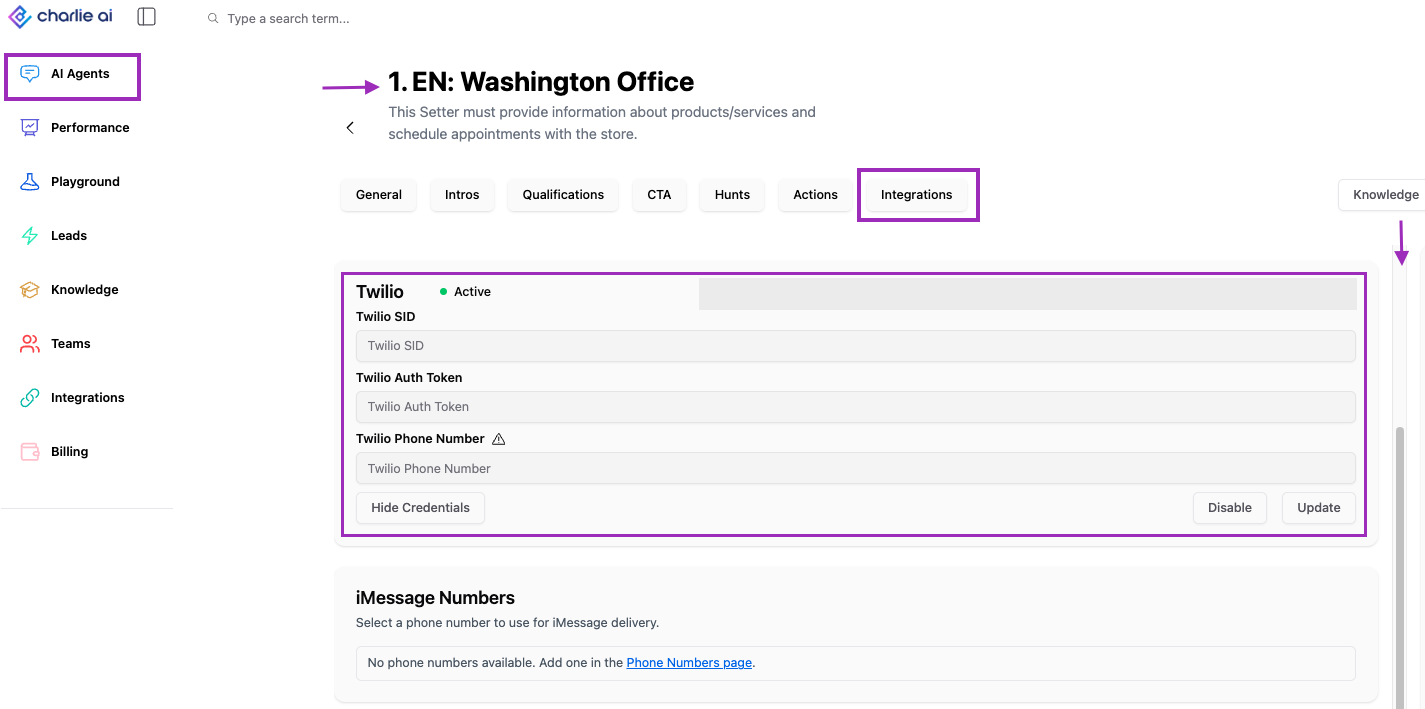
Go to your "Ai Agents" section in the left side menu
Select the agent you want to configure
Click in the "Integrations" option in the top menu
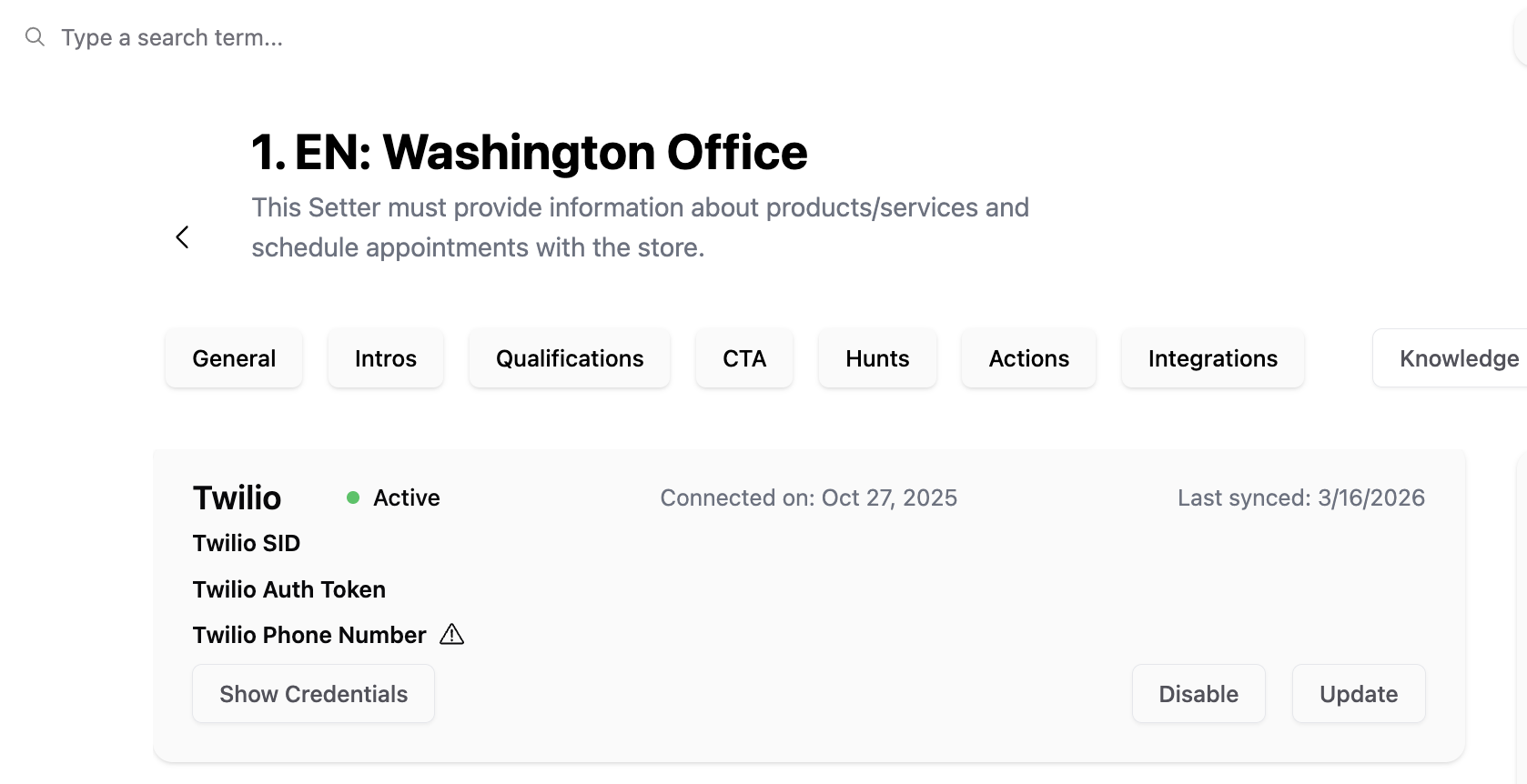
Look for the Twilio section
Paste the Twilio values
Key insights
Twilio backup integration isn't about distrust of your primary provider; it's about refusing to allow technical issue
Charlie's automatic, instant failover eliminates bottlenecks, messages route to backup provider within milliseconds of primary failure without human intervention. This automation transforms theoretical redundancy into practical business continuity.