Booking Manager: Self booked leads
Last updated: October 9, 2026
Booking Managers can now be activated for leads that exist in your CRM but lack a record in Charlie's database. This means that even if a lead books via an external calendar link without any prior interaction with Charlie, the system can seamlessly execute post-booking actions as long as the calendar is subscribed to the Booking Managers, and there's a record in the CRM.
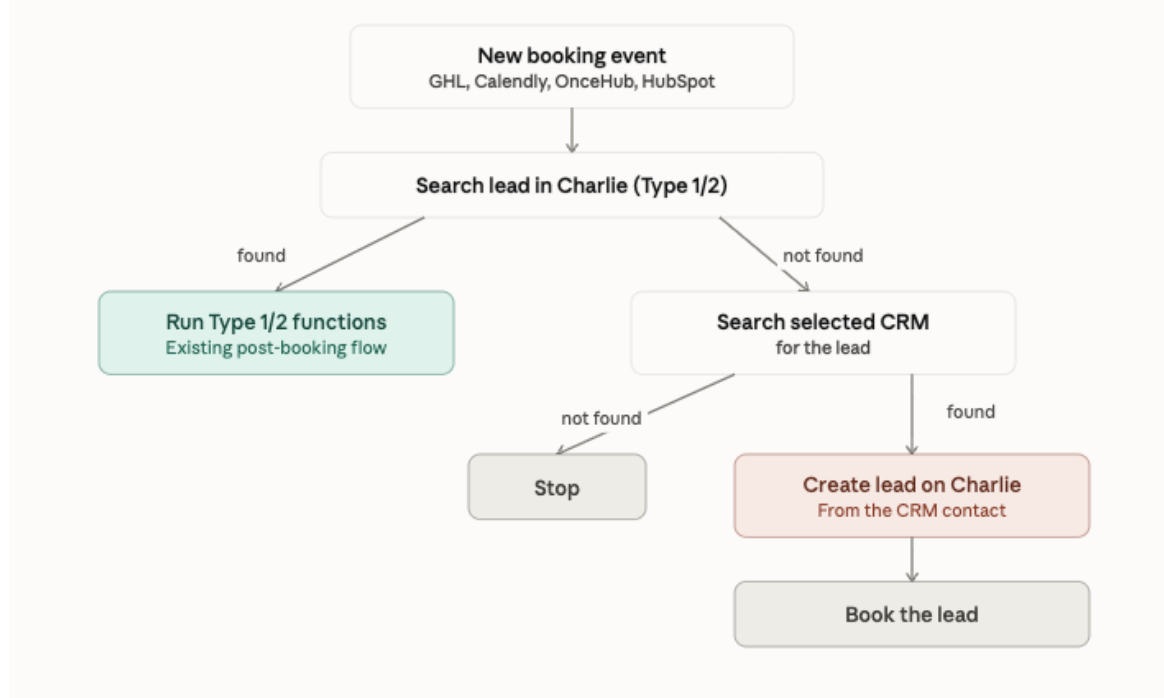
How it works?
You need to Subscribe the calendar to Booking managers
Use the link to book a meeting to that calendar in your campaigns.
Make sure that all the leads that are going to be booked through that link have a record created in the CRM
Once the lead books a meeting in the calendar that is subscribed, Booking manager functionalities get trigger ( 📄 Post-Booking Functions)
Booking Managers will not engage with leads that book externally if they lack a corresponding CRM record.
How to enable it?
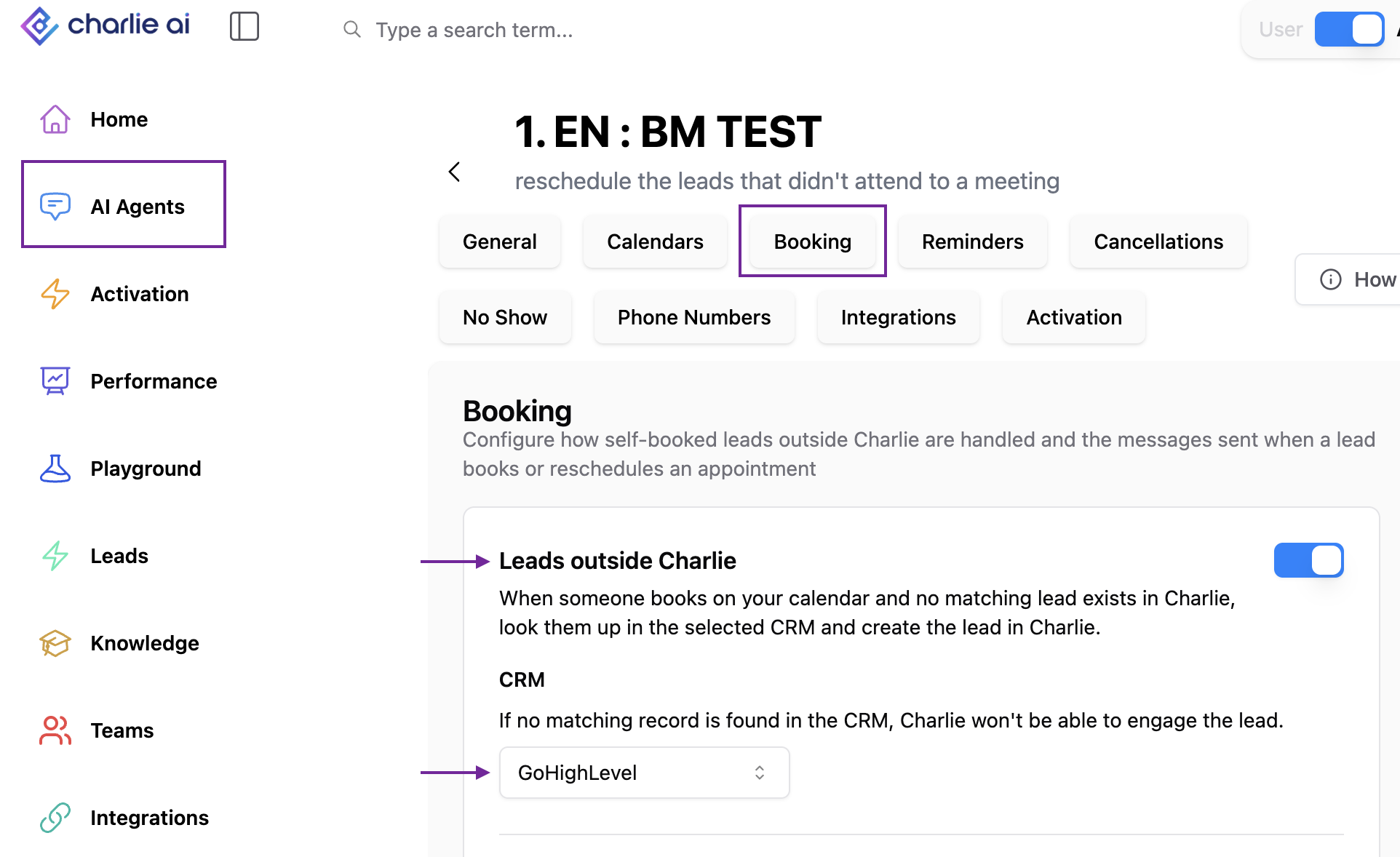
Go to the Ai setter's section
Select a booking Manager agent
In your Booking manager, look for the "Booking" option in the top menu
Enable the "Leads outside Charlie" toggle
Select CRM -> Integration should be complete
Visual Guidance