Booking Manager Integrations
Last updated: May 21, 2026
Booking Managers integrate with your calendar and automation platforms to track bookings in real time and trigger confirmation workflows. This article covers all supported integrations and how to set them up.
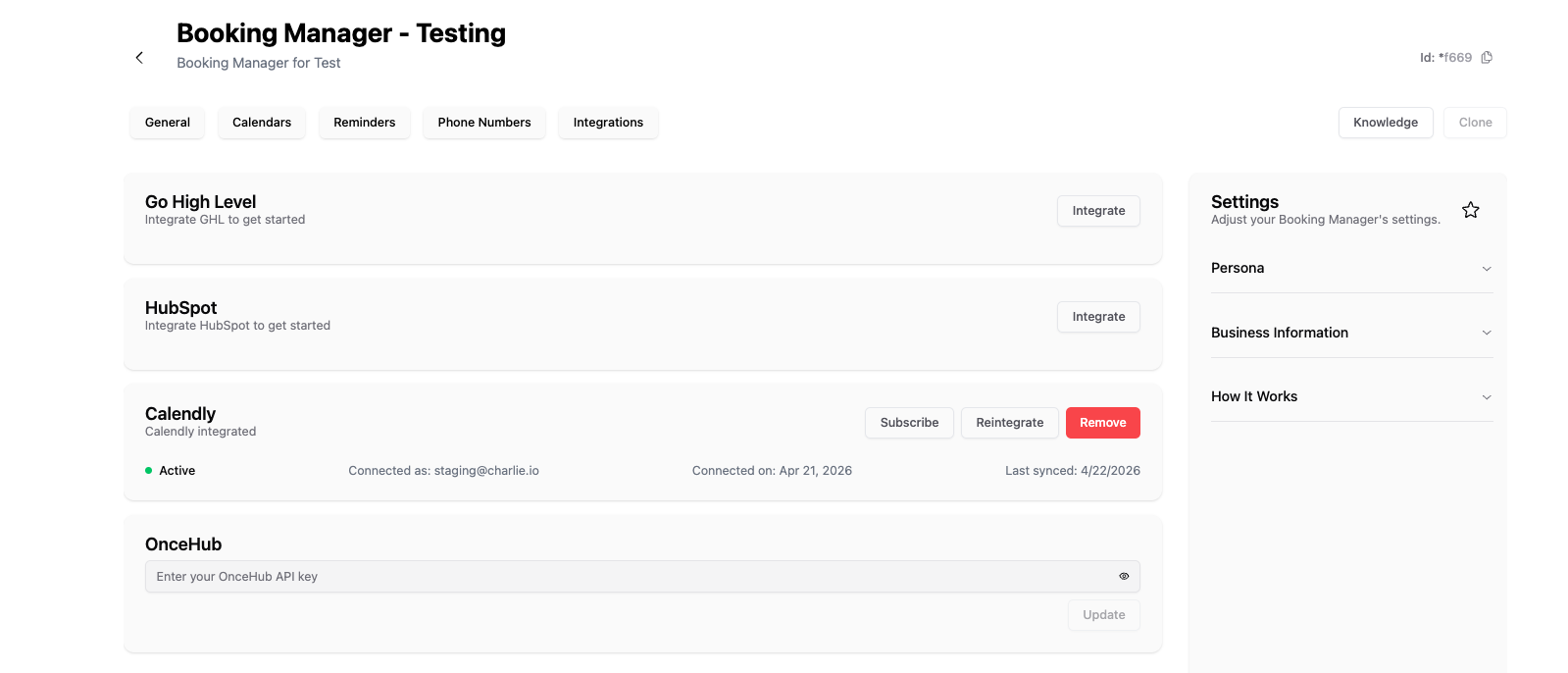
Supported Calendar Integrations
Charlie AI's Booking Managers connect to the following calendar platforms via webhook subscriptions. When a booking is created, rescheduled, or canceled in your calendar, Charlie is notified automatically.
1. Calendly
• How it works: Charlie subscribes to Calendly webhooks to receive real-time notifications when appointments are booked, rescheduled, or canceled.
• Supported events: New booking, cancellation, reschedule
• Setup: Connect your Calendly account through Charlie's integration settings. Charlie will automatically subscribe to the relevant webhook events.
2. OnceHub
• How it works: Similar to Calendly, Charlie subscribes to OnceHub webhooks for booking event notifications.
• Supported events: New booking, cancellation, reschedule
• Setup: Connect your OnceHub account through Charlie's integration settings.
3. GoHighLevel (GHL) Calendar
• How it works: Charlie subscribes to GHL calendar webhooks to track appointment events.
• Supported events: New booking, cancellation, reschedule
• Setup: Ensure your GHL account is integrated with Charlie. The calendar webhook subscription is configured in the Booking Manager settings.
• Note: GHL tokens may occasionally need to be re-authenticated. If your Booking Manager stops receiving events, check your GHL integration status.
4. HubSpot Calendar
• How it works: Charlie subscribes to HubSpot calendar webhooks for meeting link events.
• Supported events: New booking, cancellation, reschedule
• Cancel & Reschedule: Full cancel and reschedule support is available for HubSpot bookings.
• Setup: Connect your HubSpot account through Charlie's integration settings. Calendar web-hook subscriptions are activated automatically.
• Timezone Note: Charlie handles timezone formatting before creating contacts to ensure bookings display correctly.