Hubspot: DM setter integration
Last updated: November 27, 2025
To seamlessly integrate Charlie AI into your leads conversations and synchronize it with your CRM, we offer a native integration with Hubspot. This allows you to quickly implement Charlie into your sales processes, centralize information, set workflows and leverage your CRM data to generate significant opportunities.
How to setup Hubspot
Prerequisites
Ensure you have the following before proceeding:
Active Hubspot account with admin access
Download the app in Hubspot marketplace
Optional: It's highly suggested to have a setter already created.
Step by step guide
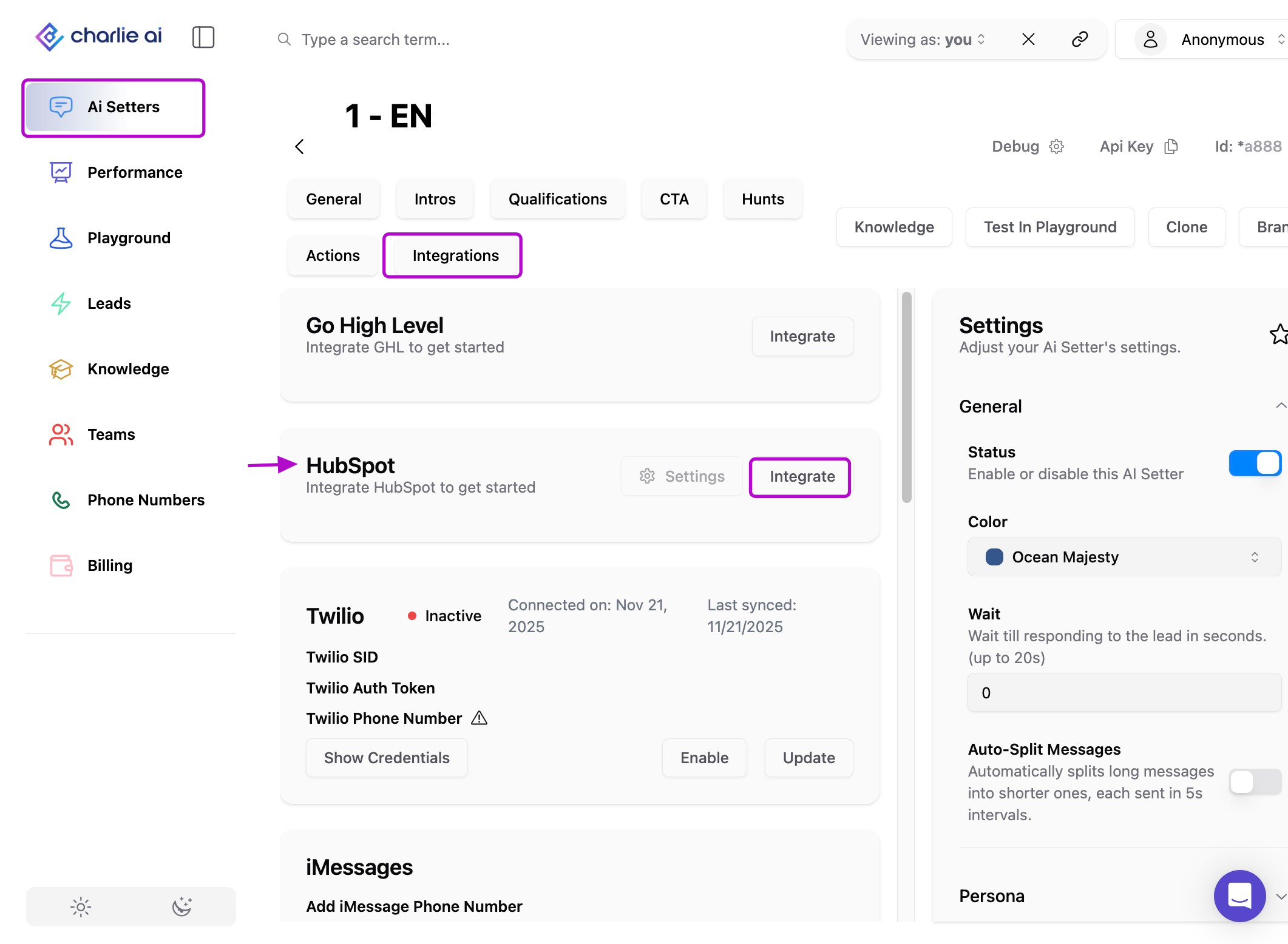
Step 1: AI setter configuration
Select the Ai setter you're going to connect to your Hubspot account.
Go to the "Integrations" tab, just beneath the Setter's name.
Step 2: Connection
Look for the Hubspot option (2nd) and click in the "Integrate" option.
Select the HubSpot account you want to connect to your AI Setter.
You'll be redirected back to the dashboard and you will see your HubSpot portal ID if the integration was success.