Hubspot: Meeting Forms
Last updated: August 20, 2026
You can integrate Charlie ai with different workflows, and features within Hubspot, however, there are some specificities and configurations that should be considered to ensure a smooth integration and streamlined process. In this guide we will address the Forms function for Auto-booking, discussing prerequisites, configurations, impact, and key insights for an optimal execution.
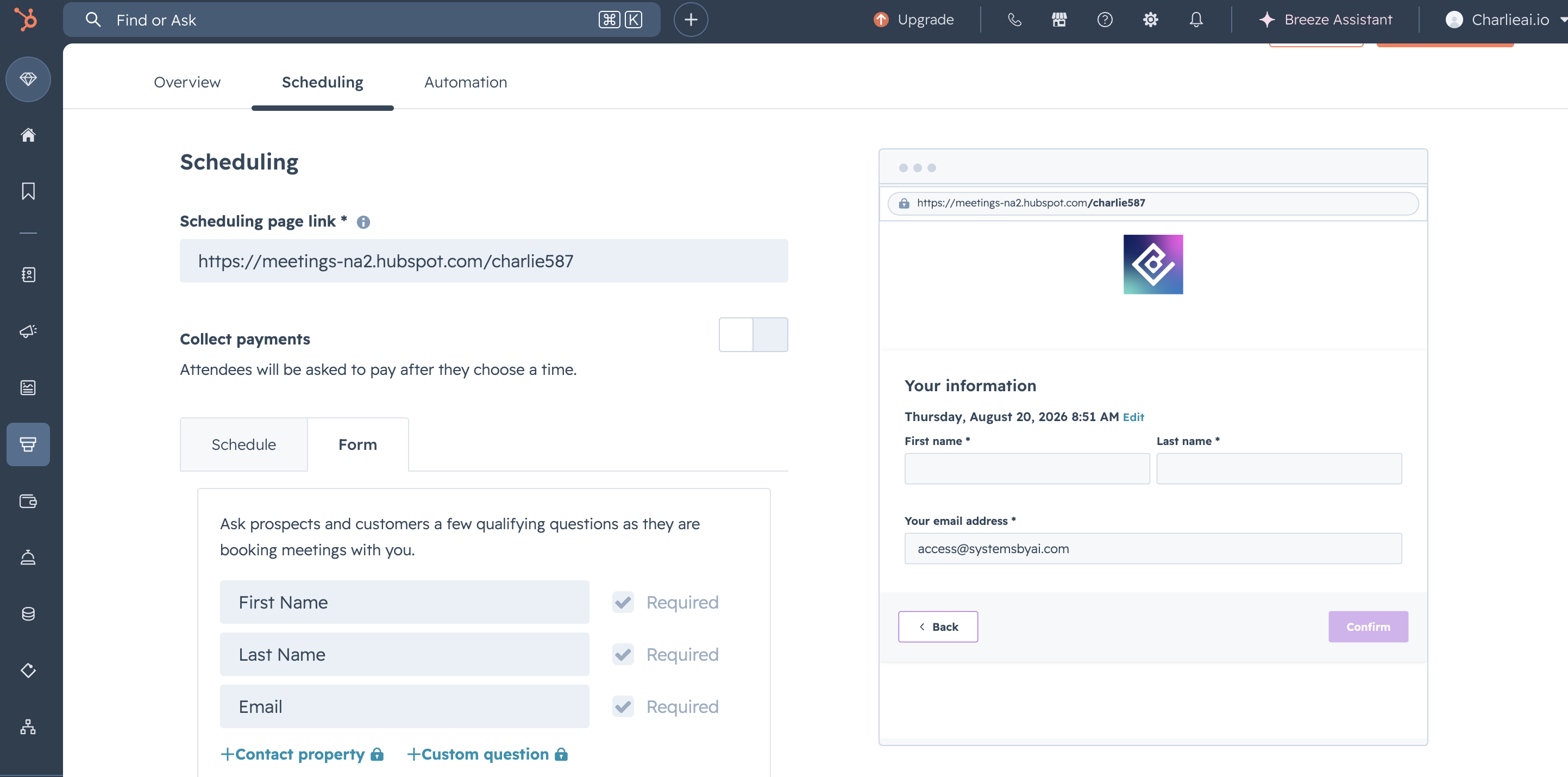
Including the Phone number as a required field in the form could generate error
Prerequisites
What it is?
HubSpot has two types of forms: HubSpot Forms and HubSpot Meeting Forms.
Unlike the HubSpot Forms used for general purposes (like ads and website submissions), the HubSpot Meeting Form is specifically designed to collect contact information and custom responses when a user schedules a meeting via a HubSpot meeting link.
This integration allows Charlie to automatically capture lead information from HubSpot form submissions. This seamless flow immediately triggers automated engagement, such as initiating conversations or booking flows, eliminating the need for manual data entry.
Configuration
There are some default properties that Charlie will always ask to the Leads.
During the auto-booking process, Charlie will request the lead's email, and timezone. This request is conditional: Charlie will only ask for the information that is not already present in its database.
When leads are initially activated in Charlie, the completeness of this information varies. For example, some leads may already have all three pieces of information, while others (like Instagram leads) might have none, and some may have incomplete data.
The HubSpot Meeting Form already requires the lead's email, along with their First Name and Last Name. In this case the phone number should be added as a required property to the form, and the timezone could be an optional field.
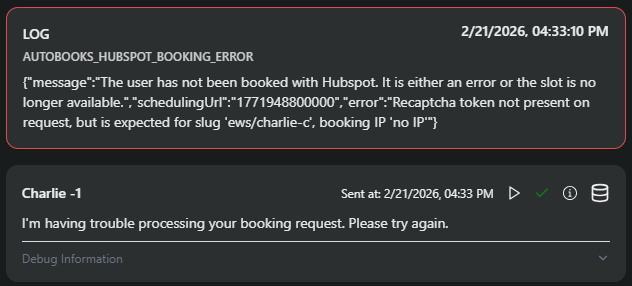
To prevent the Auto-books HubSpot booking error, any additional properties must be added as "optional," rather than "required." Making new properties required will cause this error.
Visual support
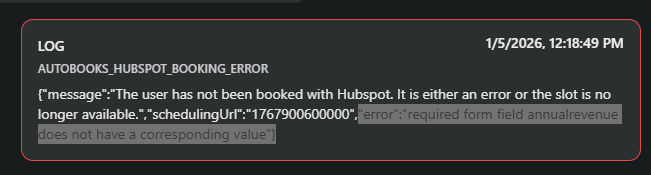
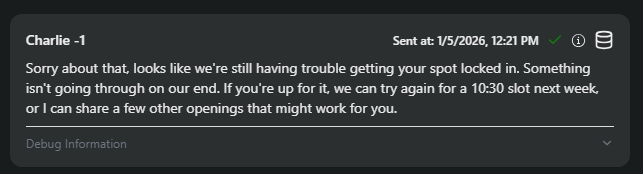
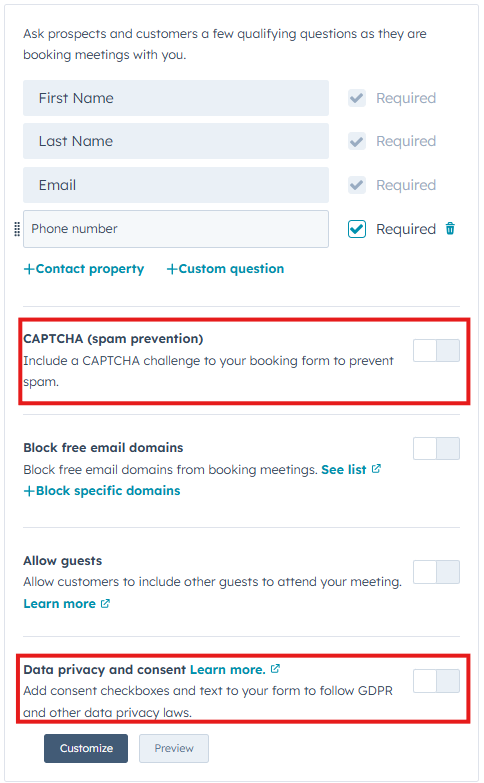
If the Auto-books functionality is enabled, and Charlie will be the one filling the form in behalf of the user, it is important to just keep the required fields, and Disable the Data privacy and captcha fields, to ensure the completion of the process
Visual guidance
Impact
If there are additional required fields added to Meeting Form besides Charlie's required fields, Charlie will re-ask for information the lead already provided, and will generate an Autobooks HubSpot Booking Error, the Lead will not be booked no matter what.
Key insights
HubSpot Meeting Forms are fundamentally different from standard HubSpot Forms. They're specifically tied to meeting scheduling and have unique data collection requirements.
Charlie needs flexibility to collect missing information conversationally; when forms rigidly require fields that Charlie also needs, the conflict creates an unresolvable error that prevents bookings entirely. Always set custom properties as "optional" to avoid this error.
Forms, properties, and workflows evolve over time. Regular audits and updates ensure integration remains effective as your business grows.