Queue SMS Messages on daily limit
Last updated: October 20, 2026
Carriers and Twilio cap how many SMS messages a number can send per day. When your account reaches its daily SMS limit, Charlie can hold (queue) any further outgoing messages instead of letting them fail. Once the daily limit resets, the queued messages go out automatically, in the same order they were created.
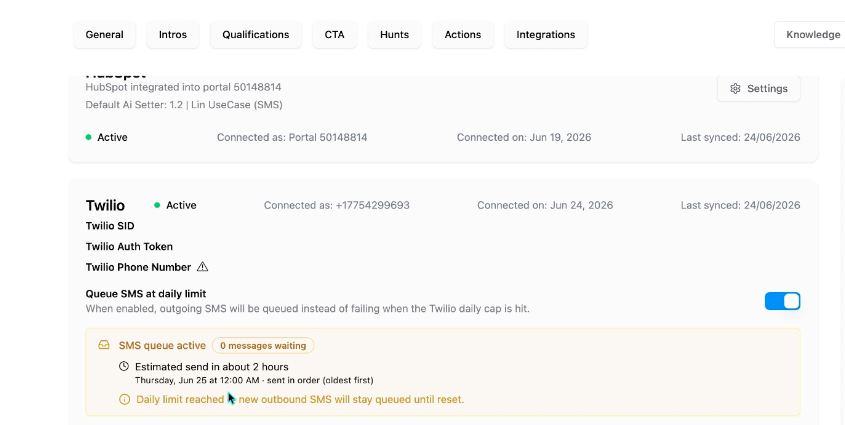
If you used Sendblue with Charlie before, this works the same way as the "delay messaging until the cap resets" option.
When to use it
- High-volume accounts that regularly hit the daily SMS cap.
- Campaigns or reactivations where you would rather send late than not send at all.
How to turn it on
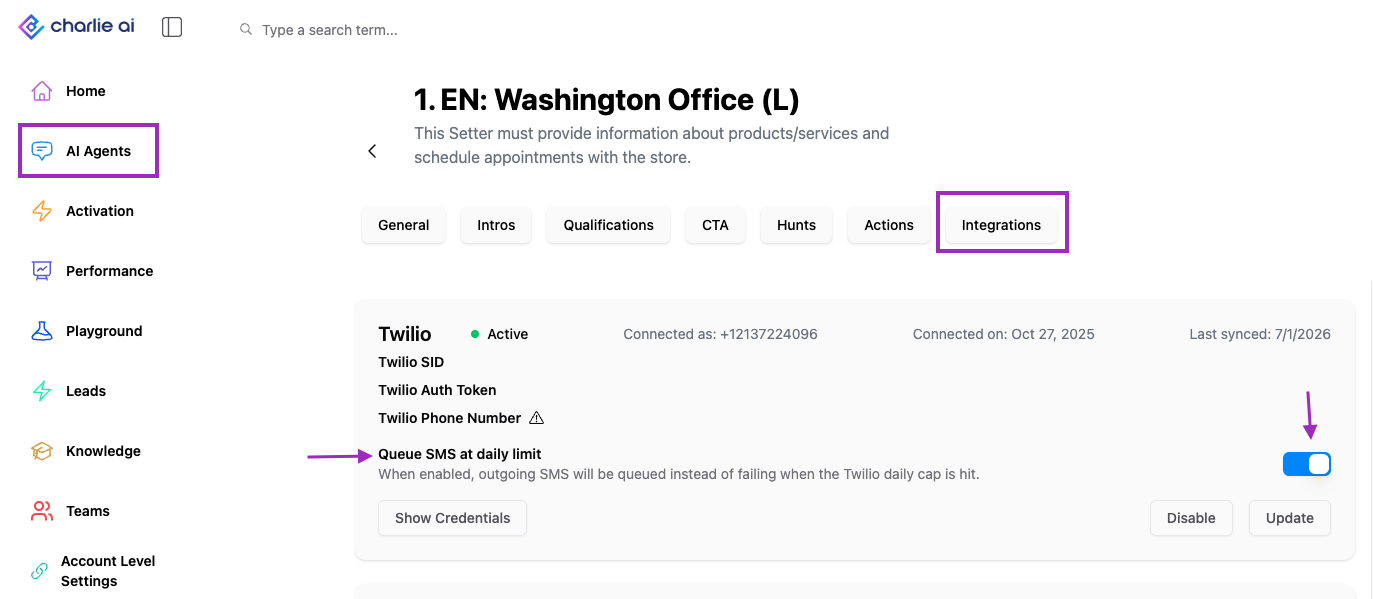
1. Go to Ai setters and select the one where you want to enable it
Look for the integrations tab, and scroll down to the Twilio card
Find the SMS queuing option
Toggle it on. Toggle it off at any time to stop queuing new messages.
Visual guidance
What happens when the limit is reached
- With queuing ON: new outgoing SMS are added to the queue instead of being sent. Leads do not receive an error, they just get the message later.
- With queuing OFF: messages over the limit are not sent
- When the daily limit resets, Charlie automatically sends everything in the queue, oldest first.
Good to know
- Order is preserved: messages are sent in the order they were queued, so conversations stay in sequence.
- Queued messages are sent after the reset, so replies may arrive later than usual. Plan time-sensitive follow-ups with that in mind.
- If the queue is bigger than one day's limit, the remaining messages wait for the next reset