Revenue tracking with Stripe
Last updated: November 12, 2026
Connect your payment processor so Charlie can match payments to leads and show the revenue each setter generates.
What it does?
Charlie listens for successful Stripe payments. It matches each payment to a lead, marks that lead as Converted / Revenue Collected, and credits the amount to the setter the lead talked to.
Set-up
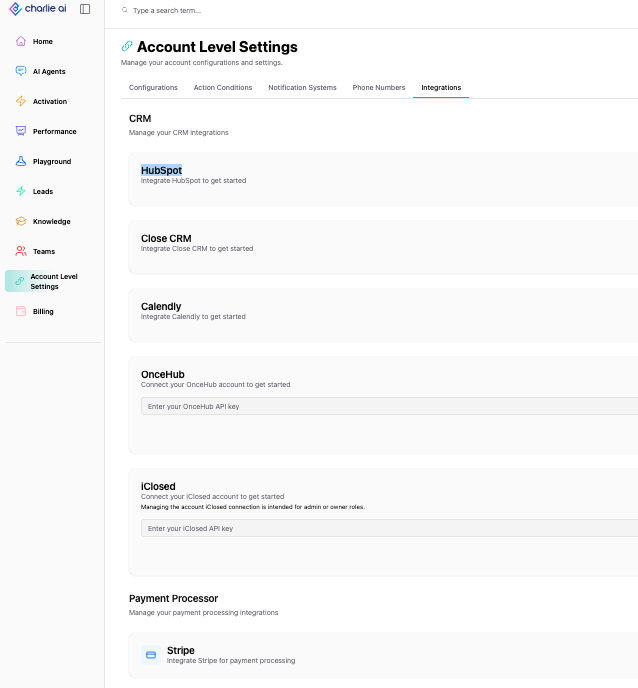
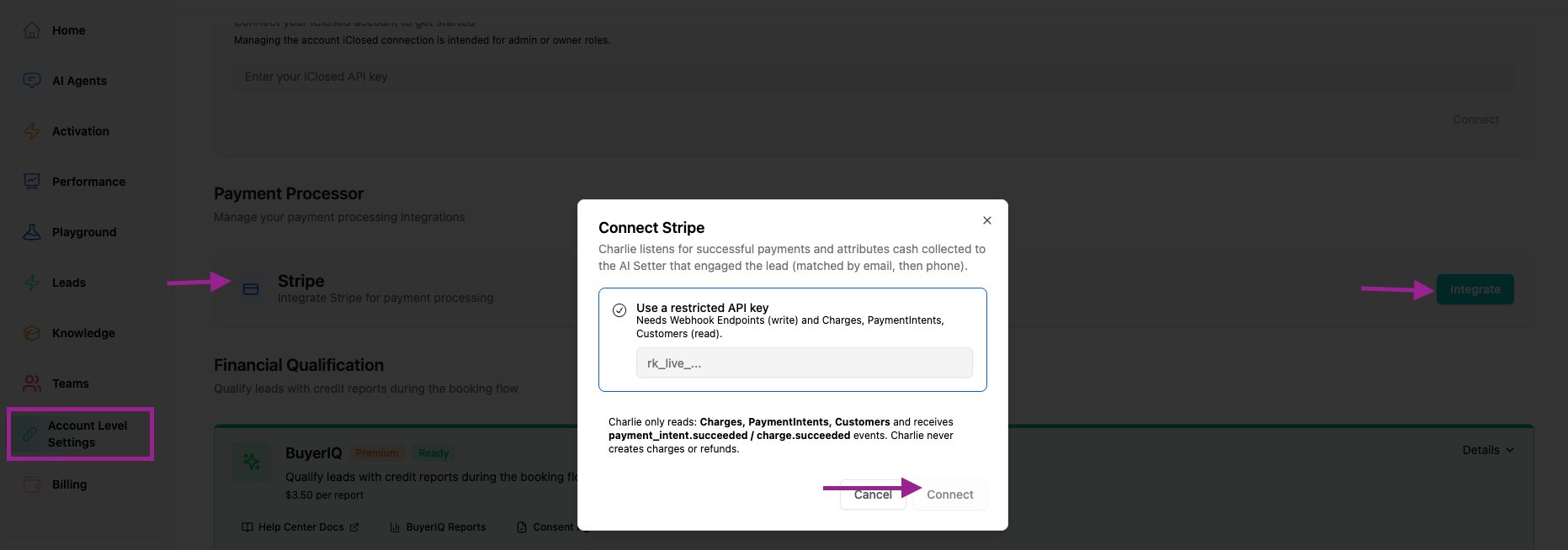
Go to Settings → Account level → Integrations.
Open the Payment processor section.
Connect Stripe (OAuth or API key).
Once connected, Charlie starts receiving successful-payment events automatically. You don't need to set up webhooks yourself.
Visual guidance
How it works
Payments are matched to leads
Email first: the payment email is compared with the lead's email (not case-sensitive).
Phone second: if there's no email, or no match, Charlie compares the normalized phone number.
Attribution only applies to leads who engaged with a Charlie DM Setter.
Multiple payments
Deposits, balances and payment plans each add to the lead's Total Cash Collected. Earlier payments are never overwritten.
Keynote
The lead's email or phone in Charlie must match what the customer entered at checkout. If they paid with a different email or phone, the payment can't be matched.
Amounts are shown in USD or the payment's native currency.